Soru & Cevap Video Oluşturucu
Sorularınızı ve yanıtlarınızı, en iyi ücretsiz Soru & Cevap video oluşturucu ile ilgi çekici, yüksek kaliteli videolara dönüştürün.
Yayınlandığı Platformlar





En İyi Ücretsiz Soru & Cevap Video Oluşturucu
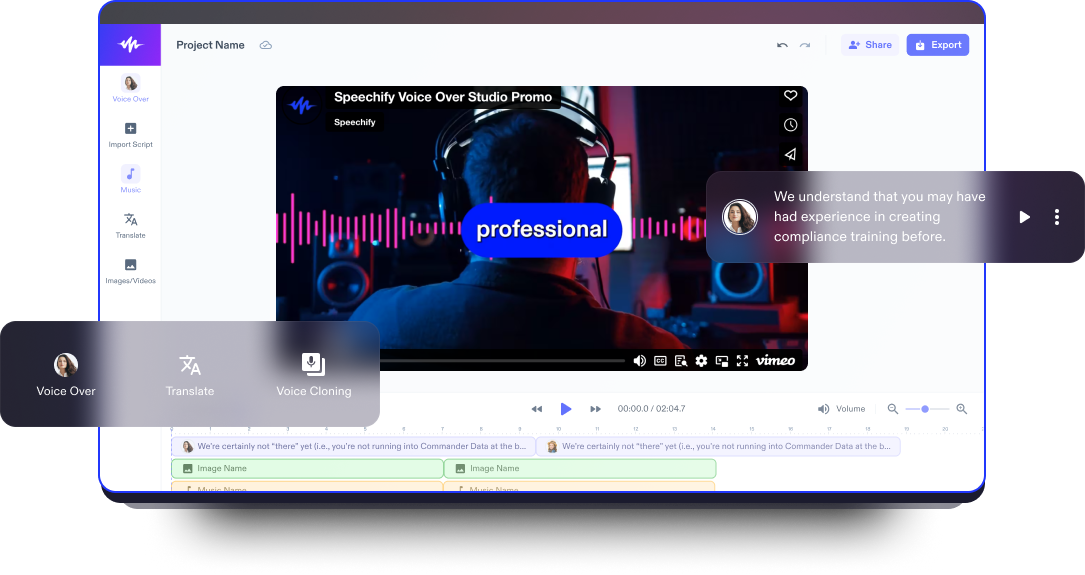
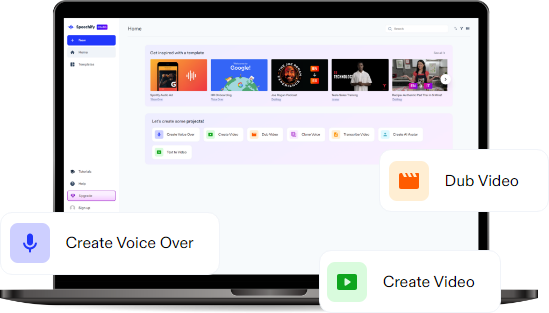
Speechify Studio’nun ücretsiz online video editörü; giriş ve bitiş videolarından tanıtımlara ve tam Soru & Cevap videolarına kadar herkesin kolayca video oluşturup özelleştirmesini sağlayan, kullanıcı dostu, tarayıcı tabanlı bir araçtır.
Yüksek kaliteli stok görüntülerden Speechify Studio’nun AI seslendirmeler, yapay zeka avatarları, geçişler, çıkartmalar, arka plan müziği, yazı tipleri ve altyazılar gibi çeşitli video düzenleme araçlarına kadar, kullanıcılar dikkat çekici Soru & Cevap videoları, video pazarlama reklamları, sosyal medya videoları, podcast videoları, açıklayıcı videolar, eğitimler, müşteri yorumları ve daha pek çok kaliteli video içeriği oluşturabilir.
Soru & Cevap videoları, izleyiciyle etkileşimi artırmak ve bir aidiyet duygusu oluşturmak için etkilidir; içerik üreticilerinin izleyicilerin sorularına doğrudan yanıt vermesine ve kişiselleştirilmiş cevaplar sunmasına olanak tanır. Ayrıca uzmanlığı paylaşmak, sıkça sorulan soruları yanıtlamak ve izleyiciler için genel öğrenme deneyimini geliştirmek için değerli bir platform sunar.
İster YouTube videolarınızı bir üst seviyeye taşımak isteyen bir yeni başlayan, ister sosyal medyadaki görünürlüğünü artırmak isteyen bir influencer olun, bu araç; izleyicilerinizde karşılık bulan, akılda kalıcı Soru & Cevap videoları dahil aklınıza gelebilecek her türlü profesyonel video içeriğini üretmeniz için ihtiyaç duyduğunuz tüm kaynakları sunar.
Ücretsiz Soru & Cevap Video Şablonları
Dilerseniz boş bir tuvalle başlayın, dilerseniz projenizi hızlıca başlatmak için ücretsiz Soru & Cevap Video Oluşturucu şablonlarımızı kullanın.
Dakikalar İçinde Soru & Cevap Videosu Oluşturun
Yalnızca birkaç dakika içinde soru ve cevaplarınızı profesyonelce düzenlenmiş bir videoya dönüştürün.

Videonuzu İçe Aktarın
Video dosyalarınızı sürükleyip bırakarak veya yerleşik içe aktarma özelliğini kullanarak Soru & Cevap oturumunuzu düzenleme alanına getirmeniz yeterlidir. İster iPhone’la ister profesyonel kamerayla çekim yapın, video editörü çok sayıda formatı destekler ve içe aktarma sürecini son derece sorunsuz hâle getirir.

Soru & Cevap Videonuzu Hazırlayın
Videonuzu içe aktardıktan sonra Speechify Studio’nun Soru & Cevap video oluşturucusu, yeni videonuzu düzenlemeniz için yaratıcı bir alan sunar. İzleyici deneyimini zenginleştirmek ve onları baştan sona ekrana kilitlemek için geçişler, yazı tipleri, animasyonlar, müzik, otomatik altyazılar ve görseller ekleyin.

Soru & Cevap Videonuzu Dışa Aktarın
Yaratıcı süreci tamamladığınızda Soru & Cevap videonuzu dışa aktarmak son derece kolaydır. Speechify Studio, çözünürlük ve format için özelleştirilebilir ayarlar sunar; böylece videoyu, paylaşmayı seçtiğiniz platformun özel gereksinimlerine birebir uyacak şekilde dışa aktarabilirsiniz.
Soru & Cevap Videoları Ne Zaman Kullanılır?
Vloglar
Vloglarınıza Soru & Cevap oturumları ekleyerek günlük deneyimlerinize etkileşimli bir katman ekleyin. Sık sorulan soruları yanıtlamak veya izleyicilerin sorularına değinmek yalnızca aranızda bir bağ kurulmasını sağlamakla kalmaz, aynı zamanda YouTube kanalınıza ya da podcast’inize değerli içerikler kazandırarak izleyicilerinizle etkileşimi de artırır.
Sosyal Medya Videoları
Instagram ve TikTok gibi platformlarda kısa içeriklerin hızla tüketildiği bir dünyada Soru & Cevap videoları, hızlı ve net yanıtlar sunar. Soru & Cevap Video Oluşturucu ile trend sesleri kullanarak ve soruları kısa, görsel açıdan dikkat çekici Reels ve TikTok videolarında yanıtlayarak izleyicilerinizi hem bilgilendirebilir hem de eğlendirebilirsiniz. Soru & Cevap videoları ayrıca YouTube kanalınız, Instagram hikayeleriniz veya LinkedIn için de idealdir.
Podcast Videoları
Soru & Cevap podcastlerinin etkileşimli yapısı, topluluk katılımını artırır ve içerik oluşturucularla izleyici arasında doğrudan bir bağ kurar. Soru & Cevap podcast videoları; sunucu veya uzmanların izleyici sorularını sohbet tadında yanıtladığı içeriklerdir. Genellikle bu videolar çeşitli konuları kapsar ve izleyicinin ilgi alanlarına uygun öngörüler, tavsiyeler ve tartışmalar sunar.
Soru & Cevap Video Oluşturucu Eğitimi
Yapay Zeka Soru & Cevap Video Oluşturucu Özellikleri
Soru & Cevap Videolarınızı Profesyonelce Düzenleyin
Speechify Studio’nun Soru & Cevap video oluşturucusunda sunulan profesyonel düzenleme araçlarıyla videolarınızı bir üst seviyeye taşıyın. Hem kişisel hem de ticari projeleriniz için ideal olan yapay zeka efektleri, geçişler ve yüksek kaliteli stok görüntüler; içeriğinizi zenginleştirip alanınızda profesyonelce öne çıkmanıza yardımcı olur.

Yapay Zeka Seslendirme
Soru & Cevap videolarınızın ses kalitesini, farklı aksan ve dillerde yapay zeka ile oluşturulmuş seslendirmelerle yükseltin. Speechify Studio’da 200’den fazla insan sesi kadar doğal AI sesinden birini seçerek içeriğiniz için kesintisiz, akıcı ve profesyonel bir anlatım sunabilirsiniz.
Tek Tıkla Dublaj
Tek tıkla dublaj ile kitlenizi zahmetsizce büyütün. Speechify Studio, Soru & Cevap videolarınızı farklı dillere çevirip dublajlama sürecini son derece kolaylaştırır; böylece geleneksel dublaj yöntemlerinin karmaşıklığına girmeden içeriğinizin küresel bir izleyici kitlesine ulaşmasını sağlayabilirsiniz.
Daha fazlasını keşfedin:
Sıkça Sorulan Sorular
Hâlâ kafanız mı karışık?
Film editörü olmak için film kurgu veya ilgili bir alanda lisans derecesi edinmeli, sinematografi alanında pratik deneyim kazanmalı ve kurgu yazılımları ile hikaye anlatım tekniklerinde güçlü bir yetkinlik geliştirmelisiniz.
Video editörü ilanlarını kariyer sitelerinde, sektör odaklı web sitelerinde ve Los Angeles ile New York gibi büyük film merkezlerinde düzenlenen networking etkinliklerinde bulabilirsiniz.
Speechify Studio’nun video editörü, kullanıcıların videolarını düzenlemesini sağlayan yapay zeka özellikleriyle donatılmış, kullanıcı dostu ve sezgisel bir arayüz sunar; böylece video içerikleri oluşturma ve iyileştirme sürecini büyük ölçüde kolaylaştırır.
Bir film prodüksiyon şirketinde staj bulmak için özgeçmişinizde ve ön yazınızda güçlü iletişim becerilerinizi, sektöre duyduğunuz tutkuyu ve öğrenme isteğinizi öne çıkarmalı, ayrıca sektör etkinliklerinde ve çevrimiçi platformlarda aktif bir şekilde network oluşturmalısınız.
Film teorisi, sinemanın sanatsal, kültürel ve felsefi boyutlarını inceleyen akademik bir disiplindir; anlatı yapısı, görsel estetik ve filmlerin toplumsal etkisi gibi kavramlara odaklanır.
After Effects, Final Cut Pro, Adobe Premiere Pro ve Avid Media Composer gibi birçok video düzenleme programı bulunsa da, Speechify Studio en iyi yapay zeka tabanlı film editörlüğü araçlarını uygun bir fiyatla sunar.
Speechify, yazarken metinleri düzenleme işimi çok daha hızlı ve kolay hale getirdi. Bir hatayı duyar duymaz hemen düzeltebiliyorum. Artık onsuz yazı yazamıyorum.

Eskiden okuldan nefret ederdim çünkü ödevleri okumak için saatlerimi harcardım. Dinlemek ise hayatımı tamamen değiştirdi. Bu uygulama eğitimimi adeta kurtardı.

Speechify okumayı inanılmaz derecede kolaylaştırıyor. İngilizce benim ikinci dilim ve bir kitabı okurken aynı anda dinlemek, becerilerimi gerçekten çok geliştirdi.

Speechify ile Daha Fazlasını Oluşturun