

Un „creator de avatare” nu este doar o unealtă; este biletul tău de intrare într-un univers digital unde identitatea ta este la fel de personalizabilă ca garderoba ta. Indiferent dacă îți dorești un avatar personal pentru rețelele de socializare, o poză de profil pe forumuri sau chiar un personaj pentru jocuri, creatorii de avatare îți oferă o mulțime de opțiuni de exprimare. În acest articol complet, îți vom prezenta tot ce trebuie să știi despre crearea avatarelor, de la nivel de bază la avansat.
Ce este un avatar?
Un avatar este o reprezentare digitală a ta sau a unui personaj pe care îl creezi pentru a interacționa în spațiile virtuale. Gândește-l ca pe un alter ego al tău în lumea digitală. Avatarele variază de la simple iconițe de tip cartoon până la personaje 3D foarte detaliate. Fie că le folosești pentru rețele sociale, gaming sau scopuri profesionale, avatarele îți permit să-ți exprimi personalitatea și chiar starea de spirit.
Care este diferența dintre avatare și oamenii digitali?
Un avatar este adesea o reprezentare simplificată, stilizată, concentrându-se pe trăsături faciale specifice, coafuri și ținute. Oamenii digitali, în schimb, urmăresc un portret mai realist, surprinzând adesea detalii precum tonul pielii, expresii faciale și chiar nuanțe emoționale. În timp ce avatarele sunt folosite, în general, pentru interacțiuni relaxate, oamenii digitali își găsesc aplicații în medii profesionale, precum servicii pentru clienți sau simulări de realitate virtuală.
Cum generezi un avatar AI
Crearea unui avatar AI este surprinzător de simplă datorită generatorilor de avatare AI. Aceste unelte folosesc algoritmi de învățare automată pentru a analiza datele tale – precum un selfie – și pentru a genera un avatar personalizat. Iată un ghid general, pas cu pas:
- Intră pe site-ul Generatorului de Avatare AI.
- Încarcă un selfie sau o fotografie ca referință.
- Alege opțiuni de personalizare precum culoarea părului, tonul pielii și accesoriile.
- Apasă pe butonul „Creează avatarul acum”.
- Verifică rezultatul și ajustează, dacă este necesar.
Cum descarci un avatar?
Descărcarea avatarului creat este, de obicei, un proces foarte simplu:
- Găsește butonul „Download” (Descărcare), de obicei lângă previzualizarea avatarului.
- Alege formatul (PNG este, de regulă, pentru calitate înaltă).
- Apasă „Download”.
- Salvează fișierul pe dispozitivul tău.
Cum salvezi imaginea avatarului?
- După ce ai apăsat pe butonul „Download”, de obicei apare o fereastră de dialog.
- Selectează folderul în care vrei să salvezi avatarul.
- Redenumește fișierul, dacă dorești.
- Apasă „Salvează”.
Cum pot face un avatar gratuit dintr-o poză?
Realizarea unui avatar gratuit dintr-o poză este floare la ureche:
- Accesează un site gratuit de creat avatare.
- Încarcă poza ta.
- Alege din șabloanele disponibile și personalizează coafura și trăsăturile feței.
- Selectează opțiunea „Creează avatar”.
- Descarcă și salvează avatarul gratuit.
Ce este un generator de avatar AI?
Un generator de avatar AI utilizează algoritmi de învățare automată pentru a crea avatare personalizate pe baza inputului utilizatorului, precum selfie-uri sau descrieri text. De obicei, oferă opțiuni avansate de personalizare și poate crea avatare mai realiste.
Cum funcționează un creator de avatare?
Un creator de avatare oferă o interfață prietenoasă, unde poți alege dintre diverse opțiuni precum tonul pielii, culoarea părului și accesoriile. Majoritatea permit funcționalități drag-and-drop și previzualizare în timp real. După ce ai terminat, poți descărca avatarul, de obicei în format PNG.
Top 5 creatori de avatare pentru imagini
Bitmoji

Preț: Gratuit.
Caracteristici: Integrare cu Snapchat, gamă largă de personalizare, creează stickere.
Gravatar

Preț: Gratuit.
Caracteristici: Sincronizare cu conturile WordPress, personalizare de bază, ușor de folosit.
FaceYourManga
Preț: Gratuit, până la 9,90$ pentru funcții premium.
Caracteristici: Șabloane extinse pentru avatare anime, personalizare ridicată, export în diverse dimensiuni.
Cartoonify

Preț: Gratuit.
Caracteristici: Previzualizare în timp real a personalizărilor, numeroase șabloane, interfață simplă.
DoppelMe
Preț: Gratuit, până la 5$ pentru elemente premium.
Caracteristici: Nu este necesară înscriere, gamă largă de accesorii, compatibil cu forumuri și social media.
Top 5 creatori de avatare pentru video
Speechify AI Video Generator
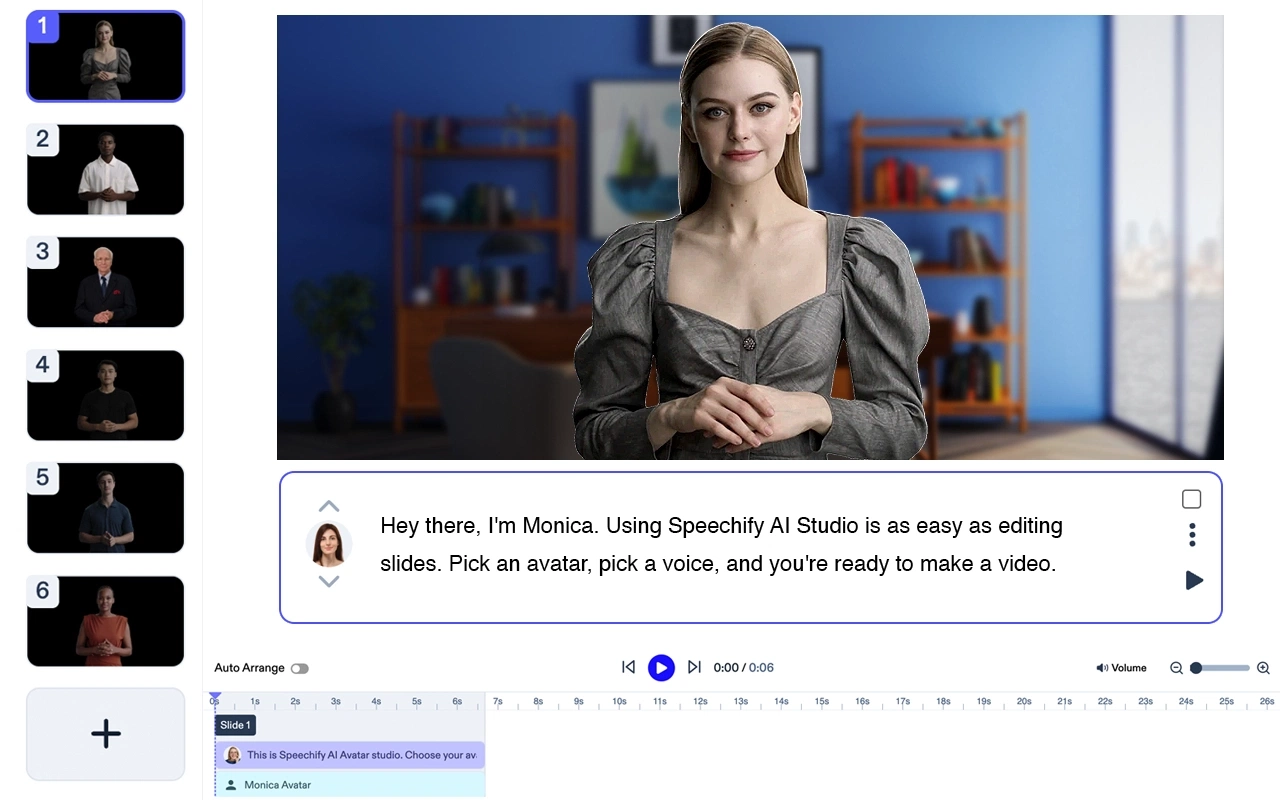
Preț: Gratuit pentru testare.
Creează videoclipuri profesionale fără actori sau echipamente. Transformă orice text în videoclipuri de înaltă calitate cu avatare AI și voci generate – în mai puțin de 5 minute. Încearcă Speechify AI Video Generator.
Funcții Speechify Avatar Generator
- Tot ce ai nevoie este un laptop.
- Fără echipă. Poți crea un video în câteva minute.
- Folosește unul sau mai multe avatare AI fără costuri suplimentare.
- Primești videoclipul în câteva minute.
- Editare minimă sau deloc. Curbă de învățare zero.
Speechify este, fără îndoială, cea mai bună opțiune pentru a genera un avatar. Deși, ca produs individual, este de top, se integrează perfect cu suita Speechify Studio de produse AI pentru creatori. Încearcă-l gratuit!
Plotagon

Preț: Gratuit, până la 39$/lună.
Caracteristici: Creează videoclipuri animate, funcție voice-over, bazat pe AI.
Muvizu
Preț: Testare gratuită, 29,99$ pentru versiunea completă.
Caracteristici: Animații 3D, personaje personalizabile, tutoriale interactive.
VRoid Studio
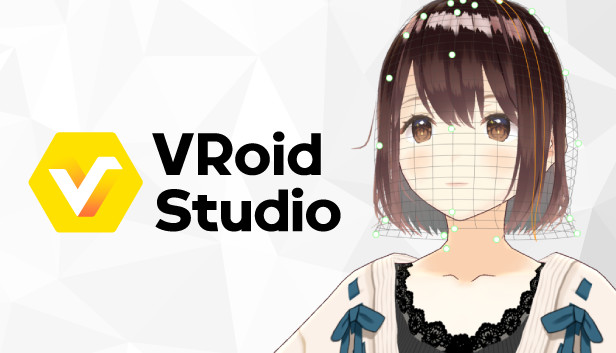
Caracteristici: Creează avatare 3D, export în mai multe formate, personalizare avansată.
Preț: Gratuit.
Tellagami
Preț: Gratuit, până la 4,99$ pentru funcții premium.
Caracteristici: Ideal pentru iOS, ușor de folosit, fundaluri personalizabile.
AniMaker
Preț: Gratuit, până la 39$/lună.
Caracteristici: Animații drag-and-drop, varietate largă de șabloane, opțiuni de voice-over.
Întrebări frecvente
Cum îmi creez propriul avatar?
Crearea propriului avatar este foarte simplă cu ajutorul creatorilor de avatare. Alege dintre diverse opțiuni precum tonul pielii, culoarea părului și accesoriile. După ce ești mulțumit de rezultat, folosește butonul de descărcare pentru a salva avatarul.
Cum să creezi propriul personaj gratuit?
Numeroase unelte gratuite de creat avatare îți permit să-ți creezi propriul personaj. Alege dintre șabloanele existente și personalizează coafura, trăsăturile feței și alte elemente pentru a obține un personaj unic.
Cum pot crea gratuit un avatar cartoon al meu?
Poți folosi creatori de avatare gratuiți precum Bitmoji și Cartoonify pentru a crea un avatar cartoon. Aceste unelte oferă o gamă variată de șabloane și opțiuni de personalizare.
Cum faci un avatar realist cu tine?
Pentru un avatar mai realist, alege generatoare de avatare AI. Aceste unelte pot crea avatare detaliate și realiste pe baza selfie-urilor sau chiar a descrierilor text.
Cum pot să creez gratuit propriul avatar?
Există o mulțime de unelte gratuite pentru creat avatare. Intră pe una dintre aceste platforme, alege dintre opțiunile sau șabloanele disponibile și personalizează după bunul plac.
Cum îmi fac un avatar 3D?
Avatarele 3D necesită instrumente mai avansate, precum VRoid Studio. Aceste platforme permit personalizarea detaliată a trăsăturilor feței, ținutelor și chiar a animațiilor.
Cum creez un avatar feminin?
Crearea unui avatar feminin presupune selectarea opțiunii „Feminin” în setările de gen, dacă există. Apoi poți personaliza coafura, trăsăturile feței și îmbrăcămintea, astfel încât să se potrivească stilului tău.
Crearea de avatare nu a fost niciodată mai ușoară sau mai distractivă. Așa că, dă-ți frâu liber imaginației și creează-ți astăzi propriul alter ego digital!




