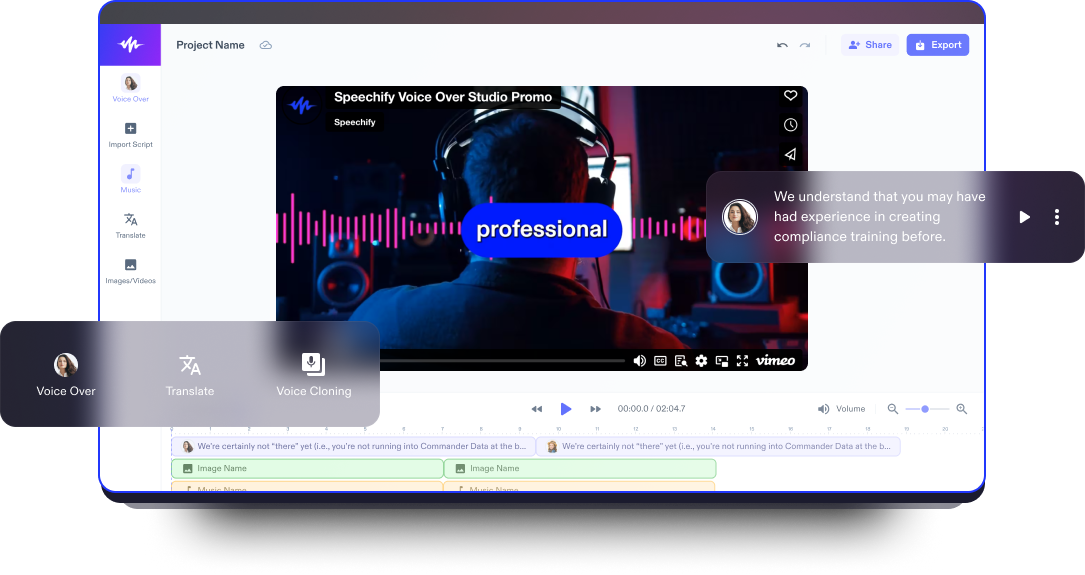
Demo Video Oluşturucu
Ürününüzü veya hizmetinizi etkili bir şekilde sergileyin; izleyicinin dikkatini çekin, ana özellikleri görsel olarak çarpıcı bir şekilde aktarın ve bunu en iyi demo video oluşturucu ile yapın.
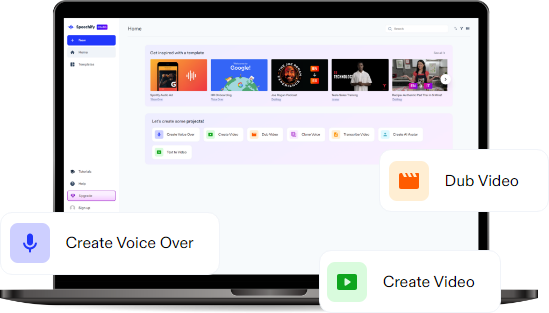
Yayınlandığı Platformlar





En İyi Ücretsiz Demo Video Oluşturucu
Speechify Studio’nun video düzenleyicisi, kullanıcı dostu arayüzüyle gelişmiş yapay zeka video düzenleme özelliklerini bir araya getirerek ürün tanıtım videolarınızı kişiselleştirmek için ideal bir çözüm sunar.
Demo videoları, yeni bir ürün veya hizmetin özelliklerini ve işlevlerini gösteren görsel sunumlardır ve genellikle bir pazarlama aracı olarak kullanılır. Bu videolar, hizmetin veya ürünün nasıl çalıştığına dair kısa ve etkileyici bir genel bakış sunarak, potansiyel kullanıcılar veya müşteriler için ana faydaları öne çıkarmayı amaçlar.
Yapay zeka seslendirmeleri, AI avatarlar, geçişler, açıklamalar, animasyonlar, altyazılar ve ekran kaydı entegrasyonu ile Speechify Studio, işletmelerin ve içerik üreticilerin ürün veya hizmetlerini etkili bir şekilde sergilemelerini ve çarpıcı demo videolar hazırlamalarını kolaylaştırır.
Ayrıca Speechify Studio ile; ürün tanıtım videolarından eğitim içeriklerine ve YouTube videolarına kadar her tür video içeriğini daha ilgi çekici ve paylaşılabilir hale getirebilirsiniz.
Ücretsiz Demo Video Oluşturucu Şablonları
İsterseniz sıfırdan başlayın, isterseniz ücretsiz Demo Video Oluşturucu şablonlarımızdan birini kullanarak projenize hızla giriş yapın.
Dakikalar İçinde Demo Video Nasıl Oluşturulur?
Speechify Studio’nun sezgisel düzenleme araçları sayesinde demo video hazırlamak oldukça hızlı ve pratiktir.

Videonu İçe Aktar
Video içeriğini, görselleri, ses dosyalarını, ekran kayıtlarını ve web kamerası görüntülerini içe aktarmak için Görseller/Videolar'a dokunarak ürün tanıtımını zenginleştirin. Kendi çekimleriniz yok mu? Hiç sorun değil. Kişisel ve ticari projelerinizde kullanabileceğiniz stok görüntü kitaplığımıza göz atın.

Demo Videonu Oluştur
Varlıklarınızı içe aktardıktan sonra, sürükle-bırak işlevi ve düzenleme araçlarını kullanarak demo videonuzu yaratıcı bir şekilde kurgulayın. Ürün özellikleri arasında geçişler ekleyin, önemli noktaları öne çıkarın, açıklamalarla netlik sağlayın ve güçlü bir harekete geçirici mesaj eklemeyi unutmayın.

Demo Videonu Dışa Aktar
Ortaya etkileyici ve akılda kalıcı bir video çıktığında Dışa Aktar butonuna tıklayın. Demo videonuzu kolayca yeniden boyutlandırabilir veya farklı formatlardan birini seçerek dışa aktarabilirsiniz; böylece videonuz çeşitli platformlarla sorunsuz bir şekilde uyumlu olur.
Demo Videoları Ne Zaman Kullanılır?
Eğitici Videolar
Eğitici bir demo video, eğitim bağlamında kavramların veya becerilerin pratik uygulamasını göstermek için kullanılan açıklayıcı bir araçtır. Görsel gösterimler ve anlatımlı açıklamaların birleşimiyle konunun uygulamalı olarak daha iyi anlaşılmasını sağlar ve önemli kavramların daha etkili bir şekilde kavranmasına yardımcı olur.
Pazarlama Videoları
Şirketler için demo tanıtım videoları, pazarlama stratejilerinin vazgeçilmez bir parçasıdır. Müşteri ihtiyaçlarını ele alıp ardından ürünün özelliklerini ve faydalarını etkileyici bir şekilde göstererek sosyal medya, web siteleri ve kampanyalarda güçlü tanıtım içerikleri sunar ve potansiyel müşterilere çarpıcı görsel mesajlar iletilmesini sağlar.
Eğitim Videoları
Kurumsal ortamda demo anlatım videoları, yeni yazılımların, araçların veya ekipmanların kullanımını öğretmede kritik bir rol oynar. Bu videolar karmaşık süreçleri sadeleştirir ve çalışanların eğitim içeriğine kendi hızlarında ulaşmasını sağlayarak daha verimli ve etkili bir öğrenme ortamı oluşturur.

Demo Video Oluşturucu Eğitimi
Yapay Zeka Demo Video Oluşturucu Özellikleri
Demo Videolarını Uzman Gibi Düzenleyin
Demo videolarınıza geçişler, video arka planları, örtüler, altyazılar, yazı tipleri, görseller ve çok daha fazlası gibi çeşitli efektlerle görsel zenginlik katın; TikTok, Instagram, YouTube gibi sosyal medya platformları için göz alıcı demo videolar oluşturun.

Telif Hakkı Ücretsiz Medya Kitaplığı
Yüksek kaliteli görseller, video klipler ve arka plan müziklerinden oluşan geniş stok kitaplığına erişerek ürün tanıtımınız için en uygun içerikleri seçin. Telif hakkı sorunlarıyla uğraşmadan, kaliteli medya dosyalarıyla video içeriklerinize değer katın.
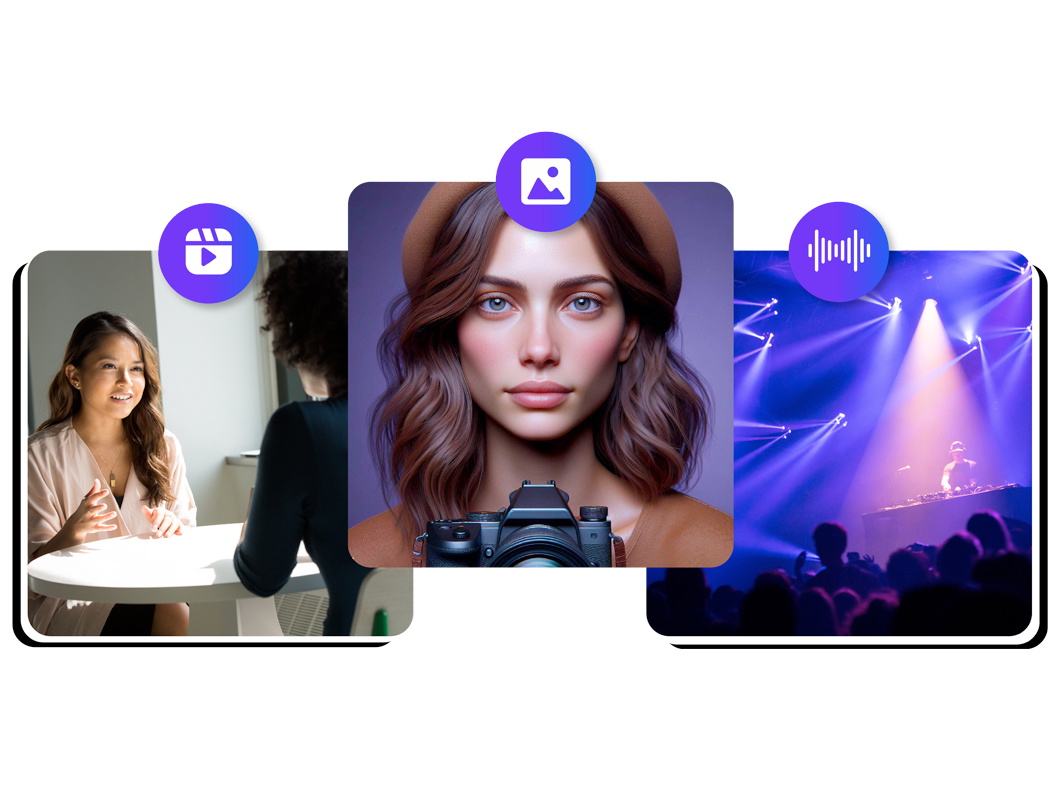
Çok Dilli Seslendirmeler
Speechify Studio, kendi sesinizi kaydedip eklemenizin yanı sıra farklı aksan ve dillerde 200’den fazla gerçekçi yapay zeka seslendirme seçeneği sunar. Yapay zeka dublaj özelliğiyle videonuzu tek tıkla istediğiniz dile çevirebilirsiniz.
Daha fazlasını keşfedin:
Sıkça Sorulan Sorular
Hala kafanız karışık mı?
Başarılı video pazarlama kampanyaları oluşturmak için hedef kitlenizi net bir şekilde tanımlayın, onların ilgi ve ihtiyaçlarına uygun, dikkat çekici içerikler hazırlayın ve izleyicileri istediğiniz eyleme yönlendirmek için güçlü bir harekete geçirici mesaj (CTA) ekleyin.
Tanıtım videonuza bir müşteri destek numarası eklemek, izleyicilere doğrudan ve hızlı bir iletişim kanalı sunarak erişilebilirliği ve güven duygusunu artırır, böylece müşteri memnuniyetini de yükseltebilir.
Demo videoları çok yönlü pazarlama araçlarıdır; ürün özelliklerini etkili bir şekilde öne çıkarır, yazılım işlevlerini açıklar, eğitim içerikleri sunar ve belirli sorun noktalarına çözüm yolları göstererek etkileşimi ve dönüşüm oranlarını artırır.
iOS cihazınızda bir videoyu tam ekran oynatmak için, video oynatıcıdayken sağ alt köşedeki tam ekran simgesine dokunmanız yeterlidir.
Adım 1: Eğitim videonuzun taslağını çıkarın, her adımı ana hatlarıyla belirleyin ve içeriğinizi mantıklı bir akışla düzenleyin. Adım 2: Anlatımınızı net tutarak ve her adımı tek tek kaydederek, Speechify Studio gibi bir ekran kaydedici araç kullanarak videonuzu kaydedin. Adım 3: Gereksiz kısımları kırpın, ses kalitesini iyileştirin ve talimatları daha iyi açıklamak için üst yazılar veya ek açıklamalar ekleyerek videonuzu Speechify Studio'da düzenleyin, ardından ayrıntılı, adım adım eğitim videonuzu yayınlayın.
Speechify Studio, Mac'te ürün demo videoları hazırlamak için harika bir seçenektir. Uygun fiyatlı ve yeni başlayanlar için elverişli yapay zeka destekli video düzenleme özellikleri sunar ve ayrıca ücretsiz bir planı da vardır.
Speechify, yazarken metinleri düzenleme işimi çok daha hızlı ve kolay hale getirdi. Bir hatayı duyar duymaz hemen düzeltebiliyorum. Artık onsuz yazı yazamıyorum.

Eskiden okuldan nefret ederdim çünkü ödevleri okumak için saatlerimi harcardım. Dinlemek ise hayatımı tamamen değiştirdi. Bu uygulama eğitimimi adeta kurtardı.

Speechify okumayı inanılmaz derecede kolaylaştırıyor. İngilizce benim ikinci dilim ve bir kitabı okurken aynı anda dinlemek, becerilerimi gerçekten çok geliştirdi.

Speechify ile Daha Fazlasını Oluşturun