Yayınlandığı Platformlar





En İyi Ücretsiz Mac Video Yapıcı
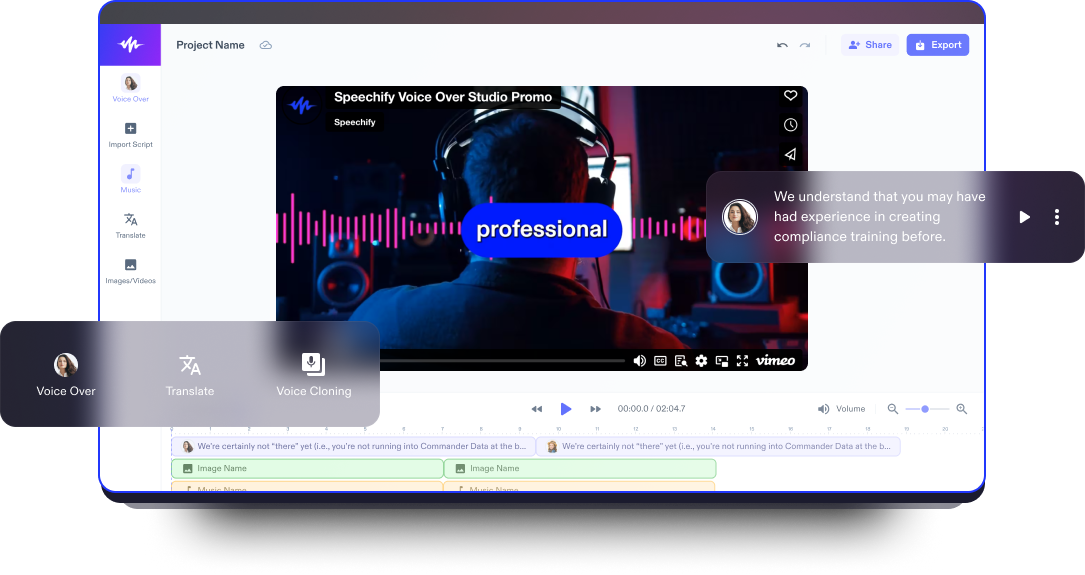
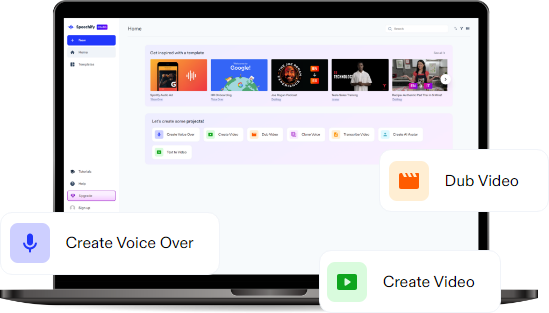
Speechify Studio'nun Mac video editörü, neredeyse sıfır öğrenme eğrisiyle kullanıcı dostu bir deneyim sunar ve video düzenleme araçlarını hem yeni başlayanlar hem de deneyimli kullanıcılar için erişilebilir kılar. Basit arayüzü, akıcı ve sezgisel bir video düzenleme süreci sağlar.
Speechify Studio'nun Mac için ücretsiz video editörü yalnızca temel düzenleme özelliklerini değil, aynı zamanda sektör standardı video editörlerine benzer gelişmiş işlevleri de sunar. Kullanıcılar, projelerine yapay zeka destekli video ve ses düzenleme özelliklerini zahmetsizce entegre ederek YouTube videolarını veya diğer video içeriklerini geliştirebilirler.
Platform, post prodüksiyon sürecinde dengeleme desteği de sunar ve yüksek kaliteli, profesyonel video çıktıları elde etmenizi sağlar. Gelişmiş özellikleriyle Speechify Studio, kullanıcıların Hollywood kalitesinde sonuçlara ulaşmasına yardımcı olarak hem günlük hem de profesyonel video düzenleme ihtiyaçları için çok yönlü ve güçlü bir araç sunar.
Speechify Studio ile kullanıcılar, sosyal medya klipleri ve YouTube videolarından eğitimlere, tam uzunlukta filmlere kadar her türlü video projesini; macOS, iOS, Windows veya Android yüklü tüm cihazlarında düzenleyebilirler.
Ücretsiz Mac Video Yapıcı Şablonları
İsterseniz sıfırdan başlayın, isterseniz projenizi hızlandırmak için ücretsiz Mac Video Yapıcı şablonlarımızdan yararlanın.
Dakikalar İçinde Mac Videosu Oluşturma
Speechify Studio ile Mac videolarınızı hiç zorlanmadan hazırlayın.

Videonuzu İçe Aktarın
Videolarınızı, ses dosyalarınızı veya görsellerinizi editöre sürükleyip bırakmanız ya da Görseller/Videolar sekmesindeki içe aktarma işlevini kullanmanız yeterlidir. Speechify Studio, Windows, Apple, Android, iPhone ve iPad cihazlarından gelen görüntüler dahil olmak üzere çok çeşitli video formatlarını destekler.

Mac Videonuzu Oluşturun
Yapay zeka görsel efektleri, renk düzeltmeleri, geçişler, bindirmeler, hazır ayarlar, filigranlar, hareketli grafikler, ses efektleri, çıkartmalar, altyazılar, seslendirmeler ve çok daha fazlasını ekleyerek videonuzu kişiselleştirin. Speechify Studio’nun yeni başlayanlara uygun arayüzü sayesinde düzenleme olanakları neredeyse sınırsızdır.

Mac Videonuzu Dışa Aktarın
Videonuzu tamamladıktan sonra son halini izleyin, uygun video formatını seçin ve videonuzun farklı sosyal medya platformları için ideal boyutlarda olduğundan emin olun. Ardından Dışa Aktar butonuna tıklayın.
Mac Videolarınızı Ne Zaman Kullanmalısınız
Sosyal Medya için Pazarlama Videoları
Sosyal medya için pazarlama videoları, Facebook, Instagram, Vimeo veya TikTok gibi platformlarda bir ürün, hizmet veya markayı tanıtmak için tasarlanmış kısa ve etkileyici kliplerdir. Bu videolar, dönüşümleri artırmak için harika bir araçtır ve genellikle kısa mesajlar ile kullanıcıların ilgisini çekecek eylem çağrıları içerir.
Eğlence Videoları
Eğlence videoları, genellikle keyifli ve hafif içerikler sunmak için hazırlanır. Bu videolar, komik skeçlerden vloglara ve sinematik filmlere kadar uzanır; izleyiciyi eğlendirmek, duygusal tepkiler uyandırmak ve izleyiciyi ekrana bağlamak amacıyla tasarlanır. Çoğu zaman görsel efektler, hareketli grafikler ve arka plan müziği içerirler.
Eğitici Videolar
Eğitici veya öğretici videolar, izleyiciye bilgi aktarmayı ya da belirli bir beceri kazandırmayı hedefleyen içeriklerdir. Bu videolar, resim içinde resim destekli görseller, sesli anlatım, ekran kaydı, marka kiti ekleme imkanı ve yapılandırılmış formatlarıyla öğrenmeyi kolaylaştırır.

Mac Video Yapıcı Eğitimi
Yapay Zeka Destekli Mac Video Yapıcı Özellikleri
Videoları Profesyonelce Düzenleyin
Platformumuz, sürükle-bırak arayüzü, özelleştirilebilir şablonlar, hareketli grafikler ve geçişler sunarak her seviyeden kullanıcı için kolay ve akıcı bir düzenleme süreci sağlar. Videonuza hızla renk katın ve hedef kitlenizle uyumlu, görsel olarak etkileyici video içerikleri ortaya çıkarın.

Telif Hakkı Olmayan Medya Kütüphanesi
Geniş stok kütüphanemize erişin; görseller, video klipler ve arka plan müzikleriyle etkinliğinizin atmosferini oluşturacak içerikleri seçin. Medya dosyalarını başka yerden aramakla uğraşmadan ya da telif hakkı kısıtlamaları konusunda endişe duymadan videolarınızı kaliteli içeriklerle zenginleştirin.
Yapay Zeka Video Düzenleme Araçları
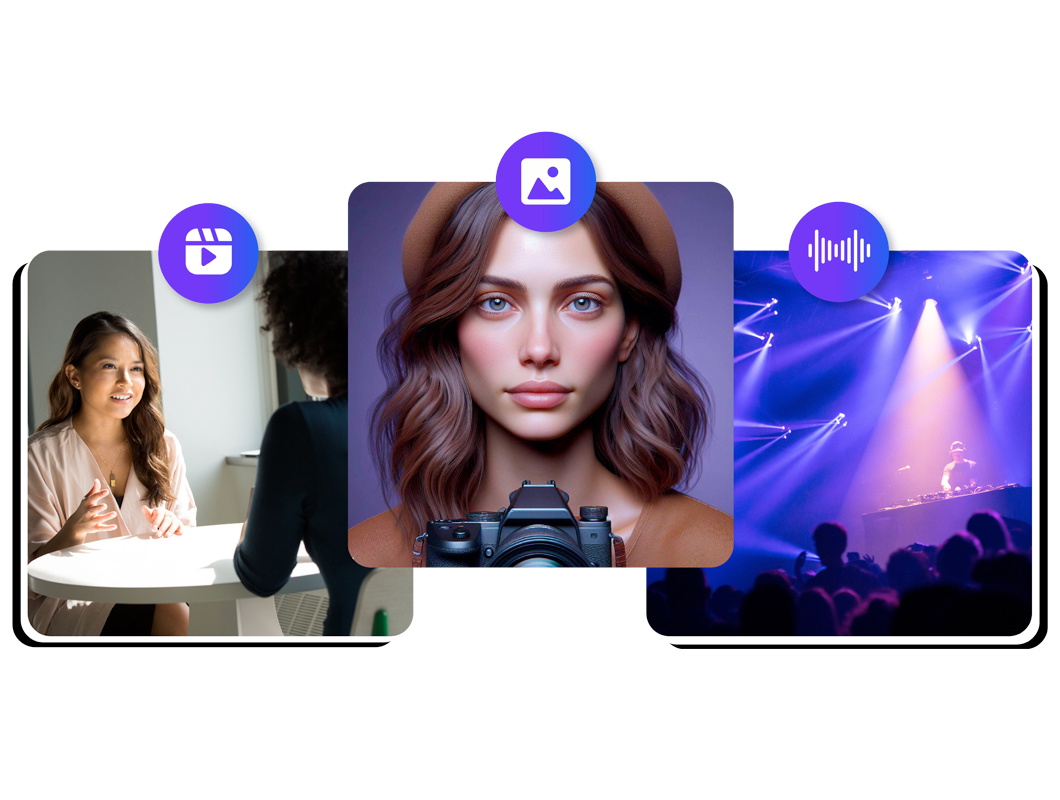
Mac videolarınızı yapay zeka seslendirmeleri, tek tıkla dublaj ve özelleştirilebilir yapay zeka avatarlarıyla bir üst seviyeye taşıyın. Bu gelişmiş özellikler, uzun düzenleme süreçlerini kısaltır, video düzenleme süresini ciddi ölçüde azaltır ve içeriklerinize profesyonel bir dokunuş katarak dijital dünyada öne çıkmanızı sağlar.

Daha fazlasını keşfedin:
Sıkça Sorulan Sorular
Hala kafanız mı karışık?
Hayır, Speechify Studio’nun yapay zeka destekli video düzenleme platformu açık kaynak değildir.
Anahtar kare, animasyon veya video düzenlemede zaman çizelgesindeki önemli bir noktayı işaretleyen özel bir karedir; bir nesnenin veya efektin o andaki konum, boyut, şeffaflık gibi özelliklerini tanımlar.
Apple ProRes, Apple tarafından geliştirilen, yüksek performanslı ve yüksek kaliteli bir video codec'idir. Etkili sıkıştırma, çok iyi görsel kalite ve farklı kurgu sistemleri ile uygulamalarında geniş destek sunması sayesinde profesyonel video prodüksiyonlarında yaygın olarak kullanılır.
Speechify Studio, en iyi ücretsiz video düzenleme yazılımlarından biridir. App Store'da bulamasanız da Speechify Studio'ya doğrudan tarayıcınız üzerinden kolayca erişebilirsiniz. Ücretsiz bir sürümü ve gelişmiş yapay zeka destekli düzenleme özellikleri sunar.
Davinci Resolve, Adobe Premiere Pro, Adobe After Effects, Movavi, Lightworks ve Final Cut Pro gibi birçok video düzenleme programı olsa da Speechify Studio, öne çıkan ücretsiz video düzenleme yazılımlarından biridir. Tarayıcı tabanlı olduğu için gelişmiş yapay zeka destekli düzenleme özelliklerine dilediğiniz cihazdan kolayca erişebilirsiniz.
iMovie daha çok yeni başlayanlara hitap ederken, Final Cut Pro Mac kullanıcılarına hareket takibi, gelişmiş renk düzenleme ve GPU hızlandırmalı iş akışları gibi profesyonel düzeyde özellikler sunar.
Speechify, yazarken metinleri düzenleme işimi çok daha hızlı ve kolay hale getirdi. Bir hatayı duyar duymaz hemen düzeltebiliyorum. Artık onsuz yazı yazamıyorum.

Eskiden okuldan nefret ederdim çünkü ödevleri okumak için saatlerimi harcardım. Dinlemek ise hayatımı tamamen değiştirdi. Bu uygulama eğitimimi adeta kurtardı.

Speechify okumayı inanılmaz derecede kolaylaştırıyor. İngilizce benim ikinci dilim ve bir kitabı okurken aynı anda dinlemek, becerilerimi gerçekten çok geliştirdi.

Speechify ile Daha Fazlasını Yaratın