Locuciones de Otro Nivel
Agrega emoción, tono e intención con solo unas cuantas etiquetas
Escucha la Diferencia
Descubre cómo Speechify le da vida a tu guion con etiquetas de emoción y acciones de voz. Desde susurrar con suspenso hasta gritar

Introducción de Alta Energía
Una introducción dinámica para video o presentación que atrapa la atención
 Archer
Narración de Cuentos
Un recuerdo suave de un momento que significó más de lo que aparentaba
 Natalie
Mensaje de Bienvenida
Una locución que explica todo con calma, perfecta para atención al cliente
 Evan
EvanAcciones de Voz Predefinidas
Inserta etiquetas como [whisper], [laugh] o [shout] para agregar comportamientos expresivos al instante y darle vida a tu guion
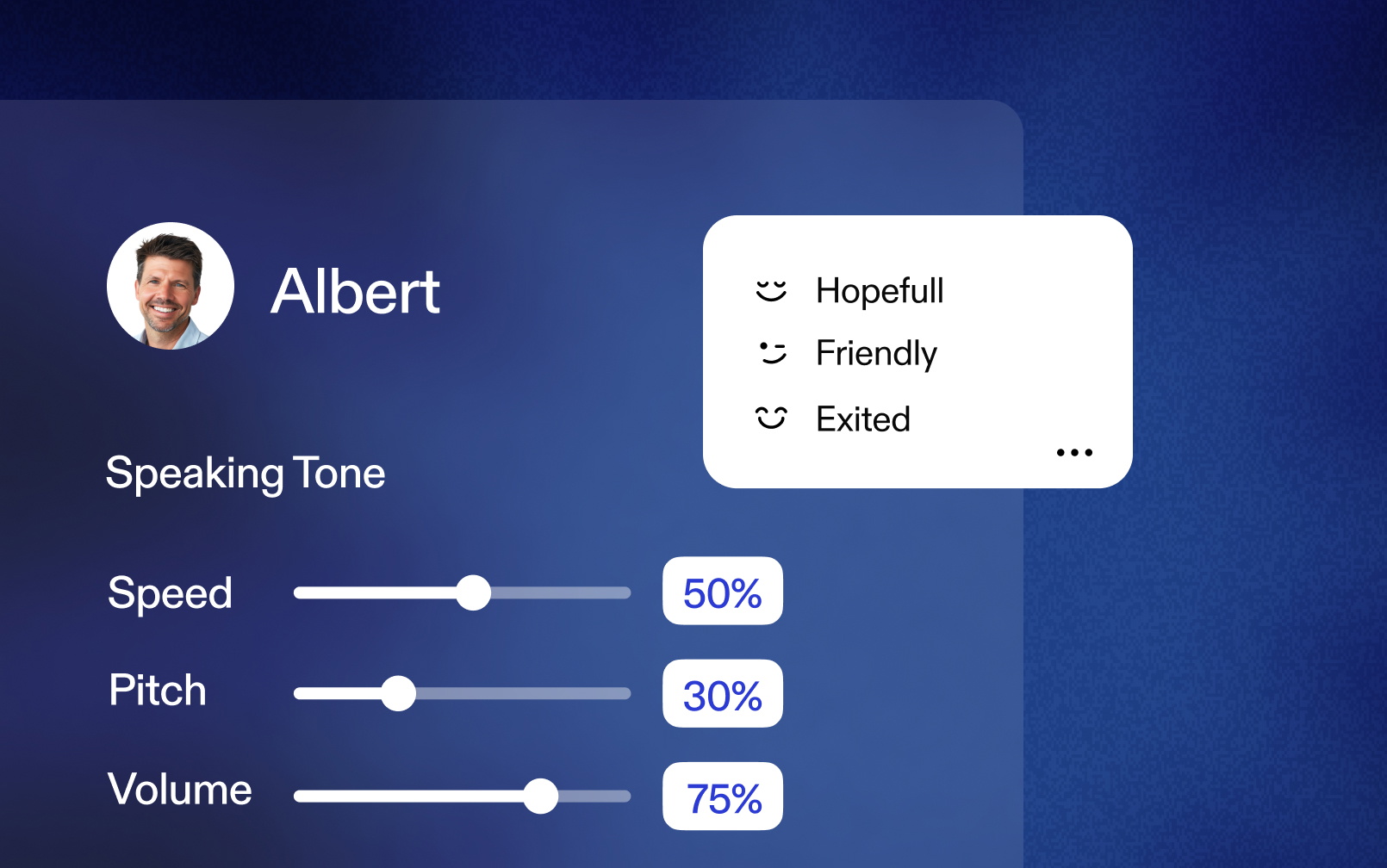
Control de Voz Detallado
Controla cada detalle de la interpretación — pausas, remates, tono, ritmo y cada matiz sutil
Haz crecer a tu audiencia global con más de 60 idiomas

Narración
Una historia soñadora y curiosa que genera anticipación y asombro

E-learning
Un guía tranquilo y de apoyo, para ayudar a los alumnos a sentirse seguros e inspirados

Publicidad
Un anuncio dinámico y persuasivo que te inspira a romper la rutina
Narración
Una historia soñadora y curiosa que genera anticipación y asombro
E-learning
Un guía tranquilo y de apoyo, para ayudar a los alumnos a sentirse seguros e inspirados
Publicidad
Un anuncio dinámico y persuasivo que te inspira a romper la rutina
Narración
Una historia soñadora y curiosa que genera anticipación y asombro
E-learning
Un guía tranquilo y de apoyo, para ayudar a los alumnos a sentirse seguros e inspirados
Publicidad
Un anuncio dinámico y persuasivo que te inspira a romper la rutina
Narración
Una historia soñadora y curiosa que genera anticipación y asombro
E-learning
Un guía tranquilo y de apoyo, para ayudar a los alumnos a sentirse seguros e inspirados
Publicidad
Un anuncio dinámico y persuasivo que te inspira a romper la rutina
Lleva tus Locuciones al Siguiente Nivel
Prueba funciones de voz expresivas y transforma tu guion en segundos
Preguntas Frecuentes
Para ver qué voces tienen esta función, abre la Biblioteca de Voces de Speechify Studio y activa el filtro de “Instrucciones”. Las voces compatibles también aparecerán marcadas con un ícono de rayo.
Speechify Studio Playground incluye ejemplos de instrucciones que puedes usar. Pero recuerda: las instrucciones son solo texto, no estás limitado a una lista fija. Es como dirigir a un actor de voz. Prueba distintos estilos, emociones o incluso acentos. Por ejemplo: “Usa un tono animado y alegre, con entusiasmo cálido. Habla con alegría y celebración en tu voz. Haz que los oyentes se sientan invitados e incluidos en la emoción.”
Las etiquetas no verbales son instrucciones que se escriben directamente en el texto del guion y activan sonidos como [risa], [toser] o [respiración profunda]. No hay una lista estricta: puedes guiar la voz como si estuvieras dirigiendo a un actor de voz real.
Todos los planes de suscripción de pago incluyen acceso a voces con instrucciones.
Por ahora, las voces con instrucciones solo están disponibles en el Playground. Estamos trabajando para agregar compatibilidad en el Editor de Voiceover.
Sí.
Las voces con instrucciones son compatibles con árabe, bengalí, neerlandés, inglés, francés, alemán, hindi, indonesio, italiano, japonés, coreano, maratí, polaco, portugués, rumano, ruso, español, tamil, telugu, tailandés, turco, ucraniano y vietnamita. Algunas voces seleccionadas son compatibles con 30 idiomas adicionales. Puedes ver la lista completa de idiomas por voz en la Biblioteca de Voces de Speechify Studio.