O estúdio de IA nº 1
Sua central completa de voz e vídeo
Recomendado em




Speechify Studio é a primeira suíte unificada de IA para criadores
De criadores independentes a equipes criativas, tudo ficou mais fácil.

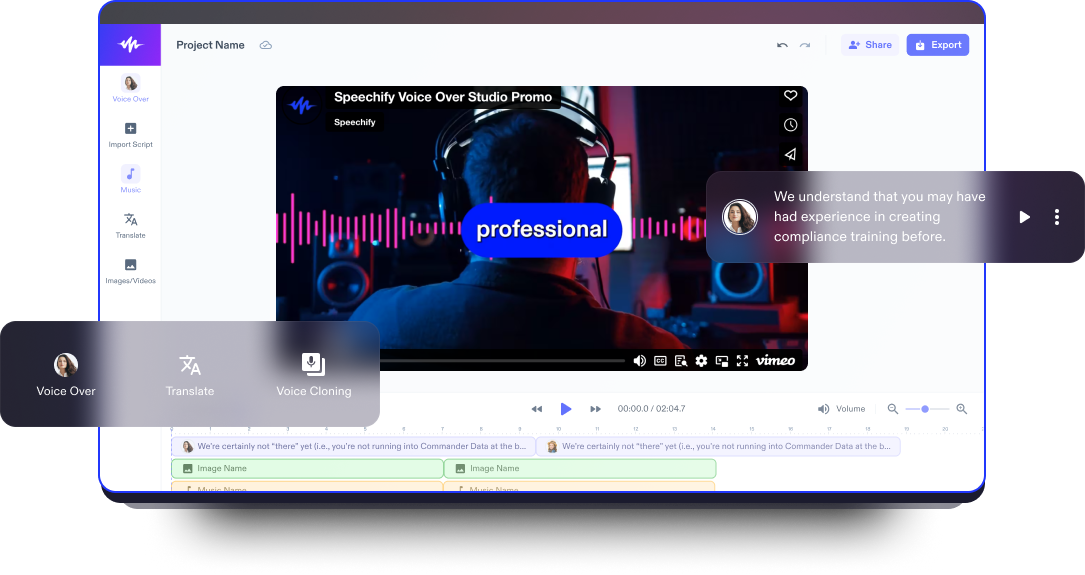
Narração por voz
Crie narrações com qualidade humana em tempo real com IA. Narre textos, vídeos, explicações — qualquer coisa — do jeito que quiser.

Estúdio de vídeo com IA
Crie e edite vídeos do zero com nossas ferramentas de IA. Seu estúdio completo para criação e edição de vídeos.

Dublagem com IA
Com um clique, transforme seu vídeo em qualquer idioma. Ajuste a voz, a entonação e a velocidade da fala.
Experimente na prática
Veja um pouco do que você pode fazer com o Speechify Studio.
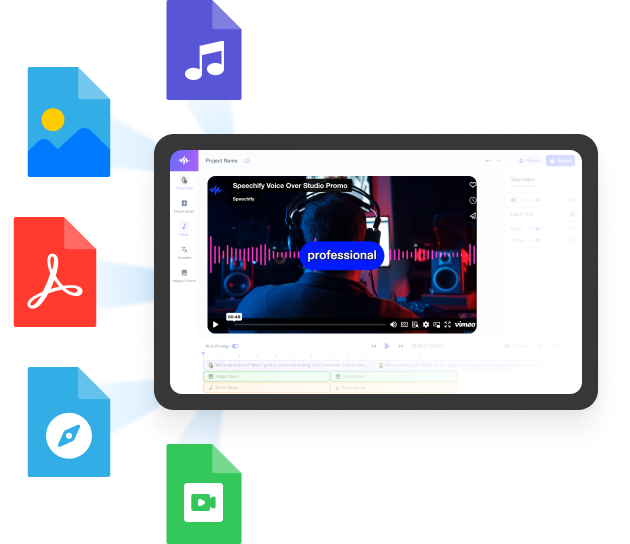
Crie narrações, adicione imagens, áudios e vídeos livres de royalties para montar projetos audiovisuais completos e incríveis.
Com curva de aprendizado praticamente zero e tudo acessível no navegador, criadores podem superar limitações tradicionais e dar vida a todas as suas ideias.
Grande seleção de vozes masculinas e femininas com sotaques variados
Nenhum projeto precisa soar igual. Escolha entre centenas de vozes com IA e sotaques, e ajuste tudo como quiser.






Speechify Studio para equipes de todos os tamanhos
Speechify Studio facilita o trabalho de equipes criativas de qualquer porte, de profissionais independentes a grandes times.
Gerencie equipes, compartilhe recursos, colabore e lance campanhas criativas mais rápido do que nunca.

Saiba mais
- Cineasta
- Criador de Animações
- Criador de Anúncios em Vídeo
- Criador de Colagem de Vídeo
- Criador de Comerciais
- Criador de Convites em Vídeo
- Criador de Desenhos Animados
- Criador de Filmes
- Criador de Filmes Biográficos
- Criador de Filmes Biográficos
- Criador de Filmes Musicais
- Criador de Filmes de Ação
- Criador de Filmes de Comédia
- Criador de Filmes de Drama
- Criador de Filmes de Fantasia
- Criador de Filmes de Faroeste
- Criador de Filmes de Ficção Científica
- Criador de Filmes de Mistério
- Criador de Filmes de Romance
- Cineasta
- Criador de Animações
- Criador de Anúncios em Vídeo
- Criador de Colagem de Vídeo
- Criador de Comerciais
- Criador de Convites em Vídeo
- Criador de Desenhos Animados
- Criador de Filmes
- Criador de Filmes Biográficos
- Criador de Filmes Biográficos
- Criador de Filmes Musicais
- Criador de Filmes de Ação
- Criador de Filmes de Comédia
- Criador de Filmes de Drama
- Criador de Filmes de Fantasia
- Criador de Filmes de Faroeste
- Criador de Filmes de Ficção Científica
- Criador de Filmes de Mistério
- Criador de Filmes de Romance
- Criador de Filmes de Suspense
- Criador de Filmes de Terror
- Criador de Filmes em Família
- Criador de Intros
- Criador de Outros
- Criador de Reels do Instagram
- Criador de Videoclipes Musicais
- Criador de Vlogs
- Criador de Vídeo com Narração
- Criador de Vídeo de Perguntas e Respostas
- Criador de Vídeo de Tour pela Casa
- Criador de Vídeos ASMR
- Criador de Vídeos DIY
- Criador de Vídeos Dia a Dia
- Criador de Vídeos Educacionais
- Criador de Vídeos Imobiliários
- Criador de Vídeos Promocionais
- Criador de Vídeos Storytime
- Criador de Vídeos Teaser
- Criador de Filmes de Suspense
- Criador de Filmes de Terror
- Criador de Filmes em Família
- Criador de Intros
- Criador de Outros
- Criador de Reels do Instagram
- Criador de Videoclipes Musicais
- Criador de Vlogs
- Criador de Vídeo com Narração
- Criador de Vídeo de Perguntas e Respostas
- Criador de Vídeo de Tour pela Casa
- Criador de Vídeos ASMR
- Criador de Vídeos DIY
- Criador de Vídeos Dia a Dia
- Criador de Vídeos Educacionais
- Criador de Vídeos Imobiliários
- Criador de Vídeos Promocionais
- Criador de Vídeos Storytime
- Criador de Vídeos Teaser
- Criador de Vídeos Trailer Teaser
- Criador de Vídeos Tutoriais
- Criador de Vídeos com Fotos
- Criador de Vídeos com Letra
- Criador de Vídeos com Tela Verde
- Criador de Vídeos de Animais de Estimação
- Criador de Vídeos de Apresentação
- Criador de Vídeos de Arte
- Criador de Vídeos de Carro
- Criador de Vídeos de Comentário
- Criador de Vídeos de Comédia
- Criador de Vídeos de Culinária
- Criador de Vídeos de Curta-Metragem
- Criador de Vídeos de Decoração
- Criador de Vídeos de Demonstração
- Criador de Vídeos de Depoimentos
- Criador de Vídeos de Entrevista
- Criador de Vídeos de Exercícios
- Criador de Vídeos de Fashion Haul
- Criador de Vídeos Trailer Teaser
- Criador de Vídeos Tutoriais
- Criador de Vídeos com Fotos
- Criador de Vídeos com Letra
- Criador de Vídeos com Tela Verde
- Criador de Vídeos de Animais de Estimação
- Criador de Vídeos de Apresentação
- Criador de Vídeos de Arte
- Criador de Vídeos de Carro
- Criador de Vídeos de Comentário
- Criador de Vídeos de Comédia
- Criador de Vídeos de Culinária
- Criador de Vídeos de Curta-Metragem
- Criador de Vídeos de Decoração
- Criador de Vídeos de Demonstração
- Criador de Vídeos de Depoimentos
- Criador de Vídeos de Entrevista
- Criador de Vídeos de Exercícios
- Criador de Vídeos de Fashion Haul
- Criador de Vídeos de Fitness
- Criador de Vídeos de Fã
- Criador de Vídeos de Games
- Criador de Vídeos de Jardinagem
- Criador de Vídeos de Limpeza
- Criador de Vídeos de Moda
- Criador de Vídeos de Natureza
- Criador de Vídeos de Notícias
- Criador de Vídeos de Orçamento
- Criador de Vídeos de Paródia
- Criador de Vídeos de Pronúncia
- Criador de Vídeos de Reação
- Criador de Vídeos de Review
- Criador de Vídeos de Sátira
- Criador de Vídeos de Tour
- Criador de Vídeos de Trailer de Filme
- Criador de Vídeos de Tutorial de Dança
- Criador de Vídeos de Tutorial de Maquiagem
- Criador de Vídeos de Unboxing
- Criador de Vídeos de Fitness
- Criador de Vídeos de Fã
- Criador de Vídeos de Games
- Criador de Vídeos de Jardinagem
- Criador de Vídeos de Limpeza
- Criador de Vídeos de Moda
- Criador de Vídeos de Natureza
- Criador de Vídeos de Notícias
- Criador de Vídeos de Orçamento
- Criador de Vídeos de Paródia
- Criador de Vídeos de Pronúncia
- Criador de Vídeos de Reação
- Criador de Vídeos de Review
- Criador de Vídeos de Sátira
- Criador de Vídeos de Tour
- Criador de Vídeos de Trailer de Filme
- Criador de Vídeos de Tutorial de Dança
- Criador de Vídeos de Tutorial de Maquiagem
- Criador de Vídeos de Unboxing
- Criador de Vídeos de Viagem
- Criador de Vídeos para Android
- Criador de Vídeos para Mac
- Criador de Vídeos para Podcast
- Criador de Vídeos para Podcast
- Criador de Vídeos para Redes Sociais
- Criador de Vídeos para TikTok
- Criador de Vídeos para Windows
- Criador de Vídeos para YouTube
- Editor de Dublagem de Vídeo
- Editor de Filmes
- Editor de Vídeo
- Gerador de Legendas Automáticas
- Música de Fundo para Criador de Vídeos
- Tradutor de Vídeo
- Criador de Vídeos de Viagem
- Criador de Vídeos para Android
- Criador de Vídeos para Mac
- Criador de Vídeos para Podcast
- Criador de Vídeos para Podcast
- Criador de Vídeos para Redes Sociais
- Criador de Vídeos para TikTok
- Criador de Vídeos para Windows
- Criador de Vídeos para YouTube
- Editor de Dublagem de Vídeo
- Editor de Filmes
- Editor de Vídeo
- Gerador de Legendas Automáticas
- Música de Fundo para Criador de Vídeos
- Tradutor de Vídeo
- Cineasta
- Criador de Animações
- Criador de Anúncios em Vídeo
- Criador de Colagem de Vídeo
- Criador de Comerciais
- Criador de Convites em Vídeo
- Criador de Desenhos Animados
- Criador de Filmes
- Criador de Filmes Biográficos
- Criador de Filmes Biográficos
- Criador de Filmes Musicais
- Criador de Filmes de Ação
- Criador de Filmes de Comédia
- Criador de Filmes de Drama
- Criador de Filmes de Fantasia
- Criador de Filmes de Faroeste
- Criador de Filmes de Ficção Científica
- Criador de Filmes de Mistério
- Criador de Filmes de Romance
- Criador de Filmes de Suspense
- Criador de Filmes de Terror
- Criador de Filmes em Família
- Criador de Intros
- Criador de Outros
- Criador de Reels do Instagram
- Criador de Videoclipes Musicais
- Criador de Vlogs
- Criador de Vídeo com Narração
- Criador de Vídeo de Perguntas e Respostas
- Criador de Vídeo de Tour pela Casa
- Criador de Vídeos ASMR
- Cineasta
- Criador de Animações
- Criador de Anúncios em Vídeo
- Criador de Colagem de Vídeo
- Criador de Comerciais
- Criador de Convites em Vídeo
- Criador de Desenhos Animados
- Criador de Filmes
- Criador de Filmes Biográficos
- Criador de Filmes Biográficos
- Criador de Filmes Musicais
- Criador de Filmes de Ação
- Criador de Filmes de Comédia
- Criador de Filmes de Drama
- Criador de Filmes de Fantasia
- Criador de Filmes de Faroeste
- Criador de Filmes de Ficção Científica
- Criador de Filmes de Mistério
- Criador de Filmes de Romance
- Criador de Filmes de Suspense
- Criador de Filmes de Terror
- Criador de Filmes em Família
- Criador de Intros
- Criador de Outros
- Criador de Reels do Instagram
- Criador de Videoclipes Musicais
- Criador de Vlogs
- Criador de Vídeo com Narração
- Criador de Vídeo de Perguntas e Respostas
- Criador de Vídeo de Tour pela Casa
- Criador de Vídeos ASMR
- Criador de Vídeos DIY
- Criador de Vídeos Dia a Dia
- Criador de Vídeos Educacionais
- Criador de Vídeos Imobiliários
- Criador de Vídeos Promocionais
- Criador de Vídeos Storytime
- Criador de Vídeos Teaser
- Criador de Vídeos Trailer Teaser
- Criador de Vídeos Tutoriais
- Criador de Vídeos com Fotos
- Criador de Vídeos com Letra
- Criador de Vídeos com Tela Verde
- Criador de Vídeos de Animais de Estimação
- Criador de Vídeos de Apresentação
- Criador de Vídeos de Arte
- Criador de Vídeos de Carro
- Criador de Vídeos de Comentário
- Criador de Vídeos de Comédia
- Criador de Vídeos de Culinária
- Criador de Vídeos de Curta-Metragem
- Criador de Vídeos de Decoração
- Criador de Vídeos de Demonstração
- Criador de Vídeos de Depoimentos
- Criador de Vídeos de Entrevista
- Criador de Vídeos de Exercícios
- Criador de Vídeos de Fashion Haul
- Criador de Vídeos de Fitness
- Criador de Vídeos de Fã
- Criador de Vídeos de Games
- Criador de Vídeos de Jardinagem
- Criador de Vídeos de Limpeza
- Criador de Vídeos DIY
- Criador de Vídeos Dia a Dia
- Criador de Vídeos Educacionais
- Criador de Vídeos Imobiliários
- Criador de Vídeos Promocionais
- Criador de Vídeos Storytime
- Criador de Vídeos Teaser
- Criador de Vídeos Trailer Teaser
- Criador de Vídeos Tutoriais
- Criador de Vídeos com Fotos
- Criador de Vídeos com Letra
- Criador de Vídeos com Tela Verde
- Criador de Vídeos de Animais de Estimação
- Criador de Vídeos de Apresentação
- Criador de Vídeos de Arte
- Criador de Vídeos de Carro
- Criador de Vídeos de Comentário
- Criador de Vídeos de Comédia
- Criador de Vídeos de Culinária
- Criador de Vídeos de Curta-Metragem
- Criador de Vídeos de Decoração
- Criador de Vídeos de Demonstração
- Criador de Vídeos de Depoimentos
- Criador de Vídeos de Entrevista
- Criador de Vídeos de Exercícios
- Criador de Vídeos de Fashion Haul
- Criador de Vídeos de Fitness
- Criador de Vídeos de Fã
- Criador de Vídeos de Games
- Criador de Vídeos de Jardinagem
- Criador de Vídeos de Limpeza
- Criador de Vídeos de Moda
- Criador de Vídeos de Natureza
- Criador de Vídeos de Notícias
- Criador de Vídeos de Orçamento
- Criador de Vídeos de Paródia
- Criador de Vídeos de Pronúncia
- Criador de Vídeos de Reação
- Criador de Vídeos de Review
- Criador de Vídeos de Sátira
- Criador de Vídeos de Tour
- Criador de Vídeos de Trailer de Filme
- Criador de Vídeos de Tutorial de Dança
- Criador de Vídeos de Tutorial de Maquiagem
- Criador de Vídeos de Unboxing
- Criador de Vídeos de Viagem
- Criador de Vídeos para Android
- Criador de Vídeos para Mac
- Criador de Vídeos para Podcast
- Criador de Vídeos para Podcast
- Criador de Vídeos para Redes Sociais
- Criador de Vídeos para TikTok
- Criador de Vídeos para Windows
- Criador de Vídeos para YouTube
- Editor de Dublagem de Vídeo
- Editor de Filmes
- Editor de Vídeo
- Gerador de Legendas Automáticas
- Música de Fundo para Criador de Vídeos
- Tradutor de Vídeo
- Criador de Vídeos de Moda
- Criador de Vídeos de Natureza
- Criador de Vídeos de Notícias
- Criador de Vídeos de Orçamento
- Criador de Vídeos de Paródia
- Criador de Vídeos de Pronúncia
- Criador de Vídeos de Reação
- Criador de Vídeos de Review
- Criador de Vídeos de Sátira
- Criador de Vídeos de Tour
- Criador de Vídeos de Trailer de Filme
- Criador de Vídeos de Tutorial de Dança
- Criador de Vídeos de Tutorial de Maquiagem
- Criador de Vídeos de Unboxing
- Criador de Vídeos de Viagem
- Criador de Vídeos para Android
- Criador de Vídeos para Mac
- Criador de Vídeos para Podcast
- Criador de Vídeos para Podcast
- Criador de Vídeos para Redes Sociais
- Criador de Vídeos para TikTok
- Criador de Vídeos para Windows
- Criador de Vídeos para YouTube
- Editor de Dublagem de Vídeo
- Editor de Filmes
- Editor de Vídeo
- Gerador de Legendas Automáticas
- Música de Fundo para Criador de Vídeos
- Tradutor de Vídeo
Speechify Text to Speech API
Temos o prazer de apresentar a API de text-to-speech que leva as vozes de IA mais naturais da Speechify diretamente a desenvolvedores no mundo todo.