

U svijetu izrade sadržaja, osobni glas u videima čini veliku razliku. Alat za izradu videa s naracijom daje vam sve što trebate za zanimljive, profesionalne videe uz vaš ili profesionalni glas.
Što je alat za izradu videa s naracijom?
Alat za izradu videa s naracijom omogućuje dodavanje glasovne naracije vašem videu. Ključno za izradu tutorijala, objašnjenja i još mnogo toga. Možete snimiti vlastiti glas, koristiti AI glasove na jezicima poput engleskog ili španjolskog ili dodati unaprijed snimljen zvuk za osoban ili profesionalan dojam vaših video isječaka.
Top 10 primjena alata za video s naracijom:
- Objašnjenja: Snimite lako razumljiva video objašnjenja složenih tema ili proizvoda.
- Tutorijali: Prikažite korak-po-korak vodiče svojim glasom.
- YouTube videa: Podignite svoj YouTube sadržaj kvalitetnom naracijom za publiku.
- Podkasti: Dodajte videozapis podkastima uz odgovarajuću naraciju.
- Kratki isječci za društvene mreže: Snimite atraktivne kratke videe s naracijom koji privlače pažnju.
- Animirani videi: Oživite animacije uz glas.
- Video prezentacije: Učinite prezentacije jasnijima uz glasovno objašnjenje.
- TikTok videa: Dodajte vlastitu ili profesionalnu naraciju kako biste se istaknuli.
- Demo proizvoda: Jasno pokažite kako vaš proizvod radi uz naraciju.
- Iskustva korisnika: Dodajte osobnu notu iskustvima korisnika uz naraciju.
Kako izraditi video s naracijom:
- Odaberite alat za video s naracijom i uvezite videozapis.
- Započnite snimanje glasa ili uvezite zvučnu datoteku.
- Uredite video i zvuk, dodajte prijelaze, glazbu i efekte.
- Spremite i izvezite video u željenom formatu.
- Podijelite video s naracijom na društvenim mrežama ili gdje god želite.
Kako besplatno napraviti video s naracijom:
Na internetu postoji mnogo besplatnih alata za uređivanje videa koji omogućuju dodavanje naracije. Neki nude osnovne opcije, drugi i naprednije funkcije poput pretvaranja teksta u govor, titlova itd. Evo kako izraditi video s naracijom besplatno:
- Pronađite besplatan online alat koji nudi opciju naracije.
- Uvezite svoje video isječke i krenite s uređivanjem.
- Snimite glasovnu naraciju ili koristite pretvaranje teksta u govor.
- Uredite video i naraciju po potrebi.
- Spremite i podijelite svoj video.
Kako dodati naraciju videu na iPhoneu:
- Otvorite aplikaciju iMovie na iPhoneu.
- Uvezite video kojem želite dodati naraciju.
- Dodirnite video na vremenskoj crti i odaberite ‘Voiceover’.
- Počnite snimati naraciju i pritisnite ‘Stop’ kad završite.
- Spremite i izvezite video s naracijom.
Kako dodati naraciju videu na Android telefonu:
- Preuzmite i instalirajte aplikaciju koja podržava naraciju.
- Uvezite video kojem želite dodati naraciju.
- Dodirnite video na vremenskoj crti i odaberite ‘Voiceover’.
- Započnite snimanje naracije i pritisnite ‘Stop’ kada završite.
- Spremite i izvezite video s naracijom.
Kako dodati naraciju videu za početnike:
Dodavanje naracije početnicima može izgledati zahtjevno, ali uz pravi alat i jasne korake postupak je jednostavan:
- Odaberite jednostavan alat za video s naracijom.
- Uvezite video i upoznajte se sa sučeljem uređivača.
- Snimite ili učitajte gotov zvučni zapis naracije.
- Sinkronizirajte naraciju sa slikom za skladnu izvedbu.
- Dodajte glazbu, efekte i prijelaze za bolji dojam.
Top 10 alata za izradu videa s naracijom
Speechify naracija
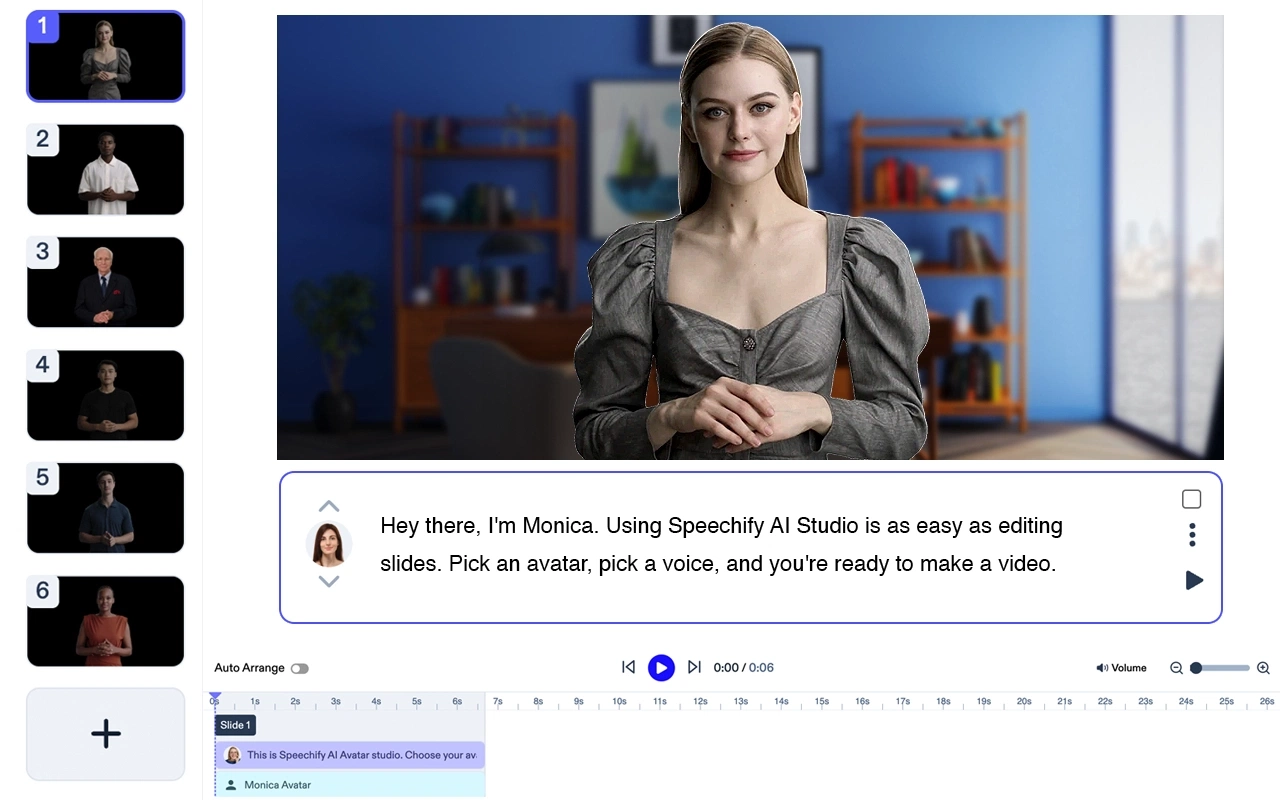
Cijena: Besplatno za isprobavanje
Speechify je #1 AI generator naracije. Vrlo je jednostavan i brz – u nekoliko minuta pretvara tekst u prirodan govor. Isprobajte AI glas već danas, besplatno!
- Upišite tekst koji želite da se izgovara
- Odaberite glas i brzinu
- Kliknite “Generiraj” – gotovo!
iMovie

Izradite profesionalne videe s naracijom na Macu i iPhoneu.
Cijena: Besplatno
Top 5 značajki:
- Jednostavno sučelje
- Puno predložaka
- Kvalitetni prijelazi
- Glazba u pozadini
- Pretvaranje teksta u govor
Filmora

Sveobuhvatan video editor za Windows i Mac s mogućnošću naracije.
Cijena: (od $39.99/godina)
Top 5 značajki:
- Intuitivno povuci-i-pusti sučelje
- Velika biblioteka efekata
- Glazba u pozadini
- Tekst u govor
- Podrška za 4K video
Adobe Premiere Pro

Profesionalni video editor s naprednim opcijama za snimanje i uređivanje glasa.
Cijena: Od $20.99/mjesečno
Top 5 značajki:
- Snažni alati za montažu
- AI poboljšanje zvuka
- Višejezična podrška
- VR uređivanje
- 3D mogućnosti uređivanja
Camtasia

Idealan za izradu tutorijala i edukativnih videa s naracijom.
Cijena: Od $299.99 jednokratno
Top 5 značajki:
- Snimanje ekrana
- Ugrađeni predlošci
- Animacije
- AI opcije za glas
- Interaktivni kvizovi
InShot

Mobilni video editor za Android i iPhone s opcijom naracije.
Cijena: Besplatno uz kupnje u aplikaciji
Top 5 značajki:
- Jednostavno sučelje
- Razni filteri i efekti
- Kontrola brzine
- Glazba u pozadini
- Dodavanje teksta i naljepnica
KineMaster

Svestran video editor za Android i iPhone, odličan za naraciju za društvene mreže.
Cijena: Besplatno uz kupnje u aplikaciji
Top 5 značajki:
- Višeslojna vremenska crta
- Kontrola brzine
- Chroma key
- Izvoz u visokoj kvaliteti
- Bogata trgovina resursima
Animaker

Alat za animacije s mogućnošću naracije za objasnidbene videozapise.
Cijena: Besplatno, pretplate od $20/mjesec
Top 5 značajki:
- Jednostavno drag-and-drop sučelje
- Velika biblioteka likova i pozadina
- Pretvaranje teksta u govor
- Višejezična podrška
- Izvoz visoke kvalitete
Lumen5

Online video editor s AI naracijom i pretvaranjem teksta u govor.
Cijena: Besplatno, pretplate od $19/mjesečno
Top 5 značajki:
- AI izrada videa
- Velik izbor predložaka
- Prilagodba brenda
- Visokokvalitetni video materijali
- Integracija s društvenim mrežama
VSDC Free Video Editor

Besplatan video editor za Windows s mogućnošću naracije.
Cijena: Besplatno
Top 5 značajki:
- Nelinearno sučelje za uređivanje
- Puno video efekata
- Korekcija boja
- Alati za uređivanje zvuka
- Podrška za 4K video
Često postavljena pitanja
iMovie i InShot su popularne aplikacije za izradu videa s naracijom.
Lumen5 i Animaker nude tekst-u-govor opciju za snimanje naracije.
Adobe Premiere Pro i Filmora su profesionalni alati za izradu videa s naracijom.



