

Glasovni avatar, poznat i kao govoreći ili digitalni avatar, grafički je prikaz osobe koji zahvaljujući AI-ju može generirati ljudski govor. Za razliku od govorećeg robota, avatar ne djeluje samostalno, već koristi vaše unose, najčešće kroz tekst-u-govor tehnologiju.
Kreiranje i korištenje glasovnog avatara može obogatiti vaše videe i prezentacije na društvenim mrežama i drugim platformama te omogućiti personalizirane i uvjerljive poruke.
Kako napraviti glasovni avatar?
- Odaberite aplikaciju ili softver: Dostupne su brojne aplikacije za iOS i Android koje nude mnogo predložaka i opcija za izradu avatara po mjeri. Speechify Video jedan je od tih alata.
- Dizajnirajte avatar: Odaberite izgled avatara, primjerice frizuru i izraze lica. Većina aplikacija može napraviti avatar na temelju vaše fotografije ili snimke s kamere.
- Dodajte voiceover: Kada ste izradili vizualnog avatara, sljedeći korak je dodavanje glasa. Možete snimiti svoj glas ili koristiti AI sintetizator koji tekst pretvara u govor u stvarnom vremenu.
- Uredite i dotjerajte: Na kraju možete dodatno poboljšati avatar pomoću alata za uređivanje videa unutar aplikacije – primjerice, dodavanjem titlova, prijelaza i drugih elemenata.
Je li govoreći avatar besplatan?
Neki alati za izradu avatara nude besplatne verzije, ali često uz ograničenja poput vodenih žigova ili manjeg broja mogućnosti. Za napredne opcije većina platformi nudi pretplate.
Mogu li napraviti avatar sebe?
Naravno! Uz kameru većina alata omogućuje izradu avatara koji sliči vašem izgledu. Također, korištenjem vlastitog glasa možete prilagoditi zvuk avatara sebi.
Koju aplikaciju koristiti za govoreći avatar?
Postoji mnogo aplikacija za izradu govorećih avatara. Najpoznatije su:
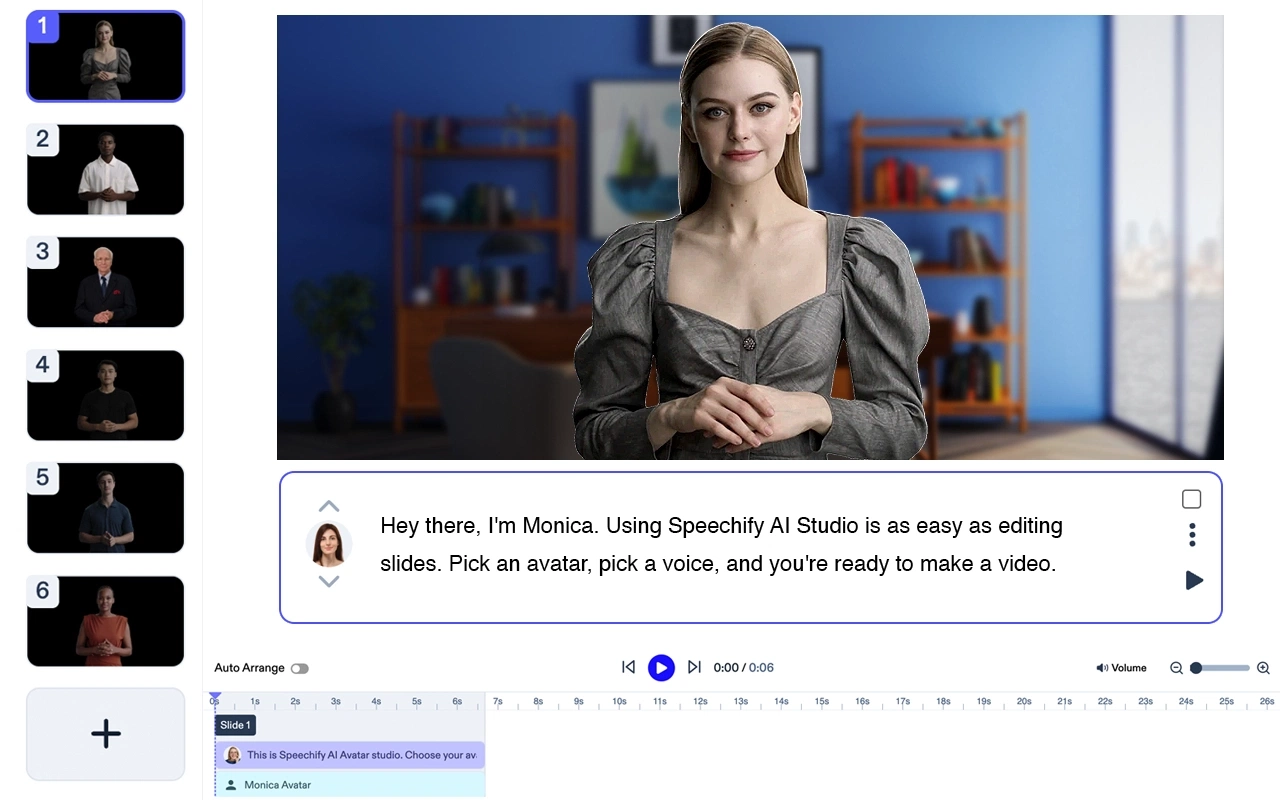
1. Speechify Video: Jedna od najnovijih aplikacija s brojnim funkcijama i vrlo jednostavna za upotrebu.
2. Synthesia: AI platforma za izradu realističnih avatara i uređivanje video sadržaja.

3. SitePal: Omogućuje kreiranje govorećih avatara za web-stranice – birajte unaprijed zadane ili dodajte vlastite.

4. Voki: Edukativan alat za stvaranje likova koji mogu održavati zanimljive prezentacije i lekcije.

5. Animaker: Možete kreirati avatar, dodati glas i prilagoditi izraze lica.

6. FaceRig: Koristi praćenje vašeg lica putem kamere i stvara digitalnog avatara.
7. TALKING AVATAR CREATOR: Android aplikacija s kojom iz slika kreirate govoreći avatar, dodate glas i dijelite ga.
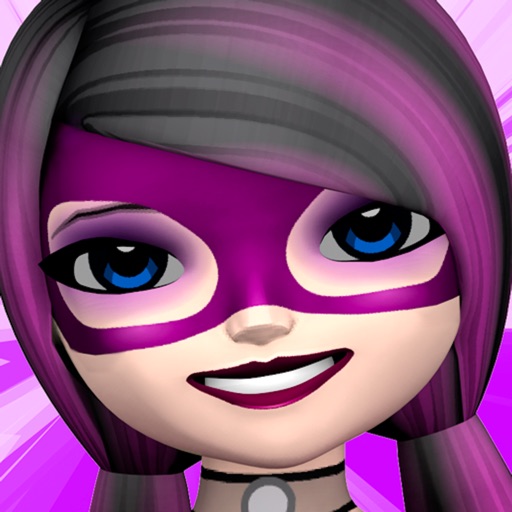
8. My Talking Avatar: iOS aplikacija za izradu avatara s vašim licem i stilom odjeće.
9. Morph3D: Ova platforma nudi izradu cijelih avatara i bogate mogućnosti prilagodbe.
Provjerite cijene svake aplikacije: neke nude besplatne verzije s ograničenjima, a druge traže pretplatu.
Što je glasovni avatar?
Glasovni avatar, odnosno govoreći avatar, digitalni je prikaz osobe koji može govoriti. Glas može biti snimljen ili generiran u stvarnom vremenu (tekst-u-govor). Avatar može biti 2D ili 3D, s izrazima lica i pokretima.
Kako koristiti govoreći avatar?
Nakon što izradite govoreći avatar, korištenje je vrlo jednostavno. Najčešće:
- Dodavanje dijaloga: upišite tekst koji želite da avatar izgovori ili snimite svoj glas.
- Odabir animacija: neke platforme nude geste, izraze lica i pokrete tijekom govora.
- Objava ili dijeljenje: avatar možete postaviti na web, dijeliti na društvenim mrežama, u videima ili prezentacijama.
Svaka platforma ima svoje postupke, zato pratite upute i vodiče aplikacije za detalje.
Što možete raditi s glasovnim avatarom?
Glasovni avatar otvara brojne mogućnosti za kreativnost i komunikaciju. Možete ga koristiti za video sadržaj na društvenim mrežama, prezentacije, tutorijale, korisničku podršku ili odgovaranje na pitanja na osoban i zanimljiv način.
Koja je razlika između govorećeg avatara i robota?
Govoreći robot fizički je ili virtualni entitet s AI-jem koji može samostalno razgovarati u stvarnom vremenu. Govoreći avatar je digitalni prikaz kojim upravlja korisnik, kroz snimke ili tekst-u-govor.
Kako napraviti glasovni avatar za mobitel?
Izrada glasovnog avatara za mobitel vrlo je jednostavna – dostupne su brojne aplikacije za Android i iOS. Samo preuzmite aplikaciju, pratite vodič i krenite s izradom avatara.



