



Transformă orice text tipărit într-un document audio
Ascultă orice text din cartea ta fizică
Ca să scanezi o carte fizică, tot ce trebuie să faci este să fotografiezi una sau mai multe pagini și să le încarci ca un singur document audio coerent. Perfect ca să asculți o carte întreagă sau un document tipărit mai lung.
- Asigură-te că ai lumină bună, apoi deschide aplicația și apasă pe ➕.
- Din meniu, selectează Scanează pagini
- Îndreaptă camera telefonului spre pagina cu textul pe care vrei să-l scanezi. Asigură-te că tot textul de pe pagină intră în cadru.
- Apasă butonul circular de jos ca să faci o fotografie. Repetă acest pas pentru fiecare pagină pe care vrei s-o scanezi.
- Când ai terminat, apasă pe săgeata > din dreapta jos a ecranului
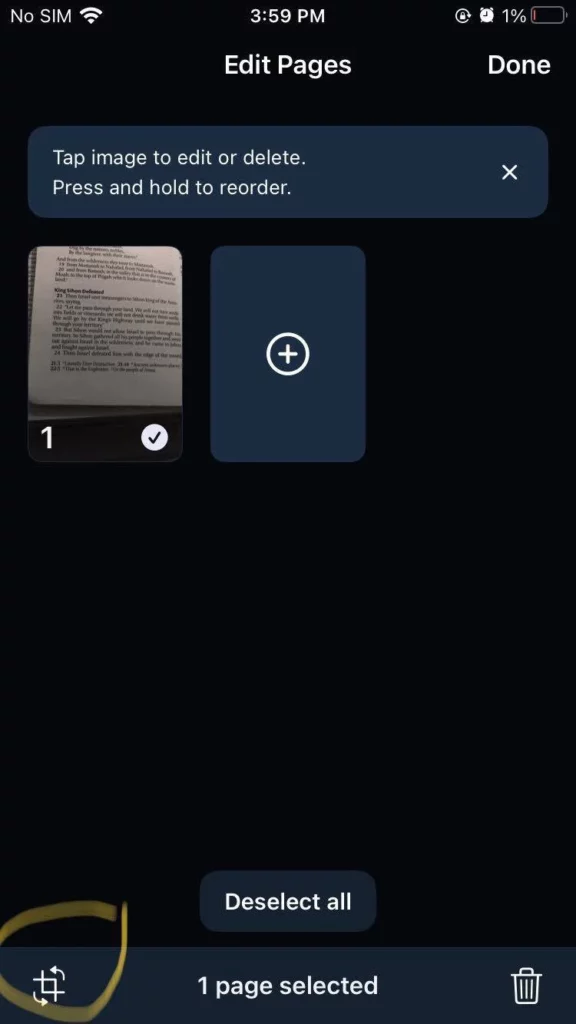
- De aici poți decupa, șterge sau rearanja scanările
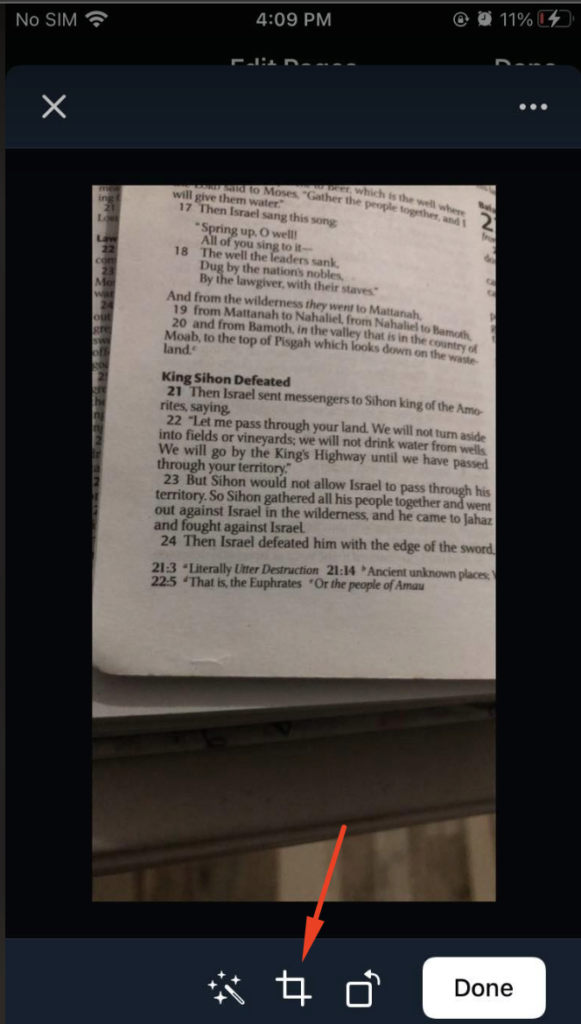
- Pentru a decupa fotografiile, apasă pe pictograma de decupare din stânga jos a miniaturii scanării. Îți recomandăm cu tărie să decupezi fiecare fotografie cât mai aproape de text, ca să ajuți la recunoașterea corectă a textului în documentul audio. Apoi apasă Gata.
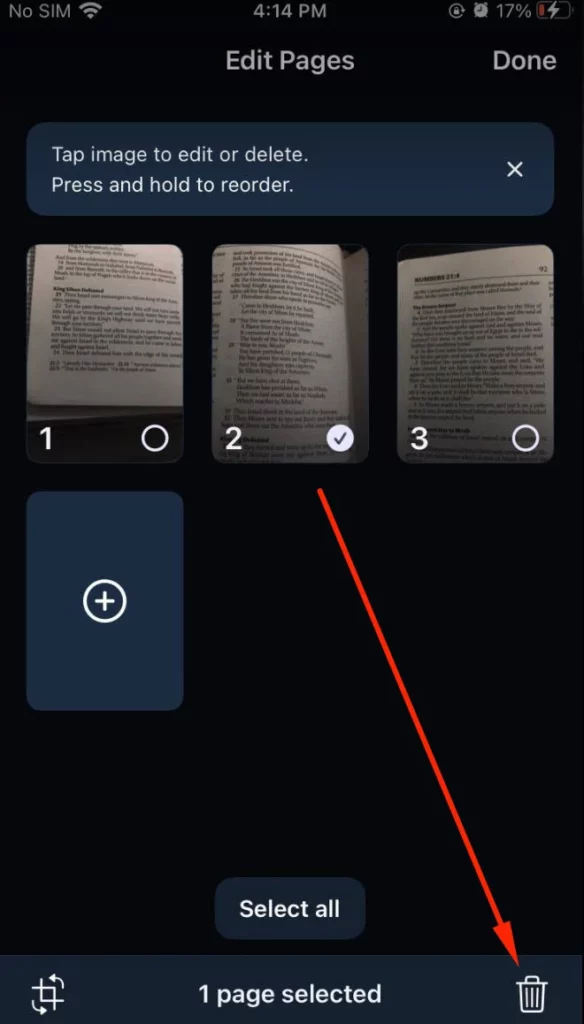
- Pentru a rearanja fotografiile, ține apăsat pe miniatura scanării pe care vrei s-o muți și trage-o în poziția dorită
- Pentru a șterge o fotografie, atinge miniatura scanării dorite și apasă pe pictograma de ștergere din dreapta jos a paginii.
7. Apasă Gata ca să salvezi scanările ca un singur document audio coerent în biblioteca ta
Ascultă orice text dintr-o fotografie existentă din galerie
Perfect ca să asculți textul dintr-un screenshot sau dintr-o fotografie cu orice text tipărit făcută cu camera telefonului tău
- În aplicație, apasă pe ➕ și selectează Scanează pagini
- Apasă pe Fotografii din colțul stâng de jos
- Permite aplicației Speechify să acceseze galeria foto, dacă nu ai făcut deja acest lucru. Dacă ai refuzat deja acest ecran de permisiuni, poți activa accesul din setările telefonului. Mergi la Setări > Speechify > Fotografii și apasă pe Toate fotografiile ca să permiți aplicației Speechify acces la fotografiile tale, apoi revino în aplicație
- Selectează din galerie fotografiile al căror text vrei să îl asculți
- Apasă pe pictograma săgeată > din colțul din dreapta jos
- Acum poți face fotografii altor pagini pe care vrei să le adaugi la documentul audio, apăsând pe semnul ➕ și selectând opțiunea Cameră de jos, sau apasă pe pictograma săgeată > din dreapta jos ca să mergi la ecranul de editare când ai terminat
- De aici poți decupa, șterge sau rearanja scanările. Pașii sunt aceiași ca la Pasul #6 din secțiunea "Ascultă orice text din cartea ta fizică" de mai sus.
- Apasă pe Gata ca să salvezi scanările ca un singur document audio coerent în biblioteca ta



