



Olenemata sellest, kas soovid täiustada oma videoid, podcaste või e-õppe materjale, juhatab meie lõplik AI kõnesalvestuste loomise teejuhis Speechify Studios sind kogu protsessi jooksul esimesest projektist kuni hääle omaduste kohandamiseni vastavalt su vajadustele. Muuda tekstid kiiresti ja täpselt kaasahaaravateks helilugudeks.
Kuidas alustada uut kõnesalvestuse projekti Speechify Studios
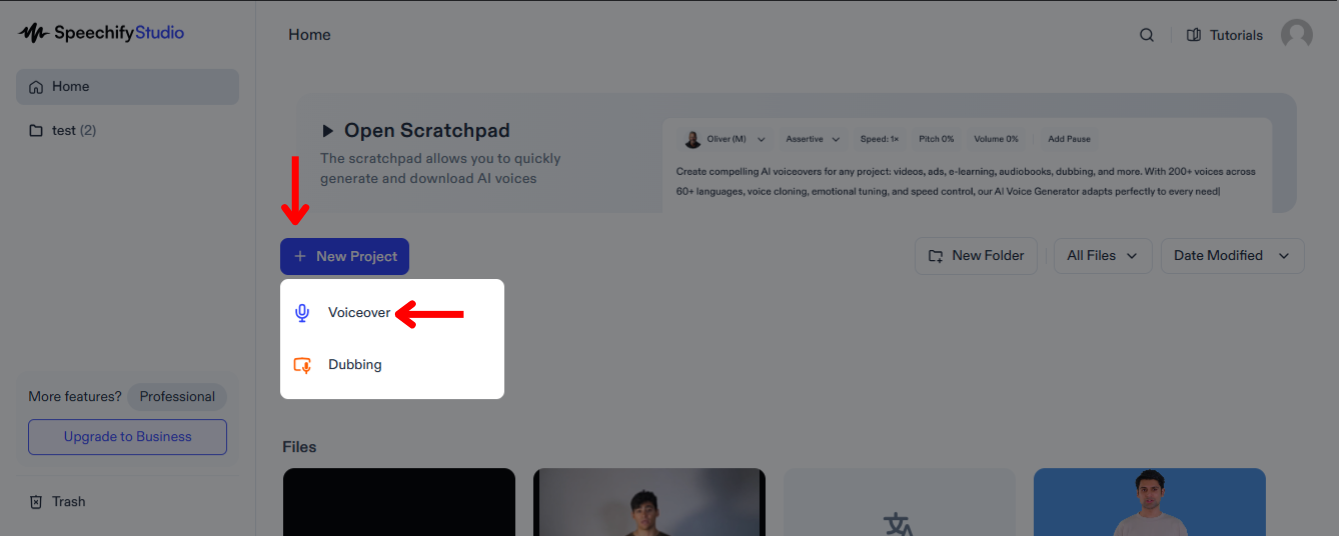
Speechify Studio abil saad täiustada oma meediat kvaliteetse, personaalse heliga, mis köidab kuulajaid ja viib sõnumi kohale eri turgudel. Alusta nii:
- Vali „New Project“ Speechify Studio avalehelt.
- Vali „Voice Over“.
Kuidas laadida skript Speechify Studiosse
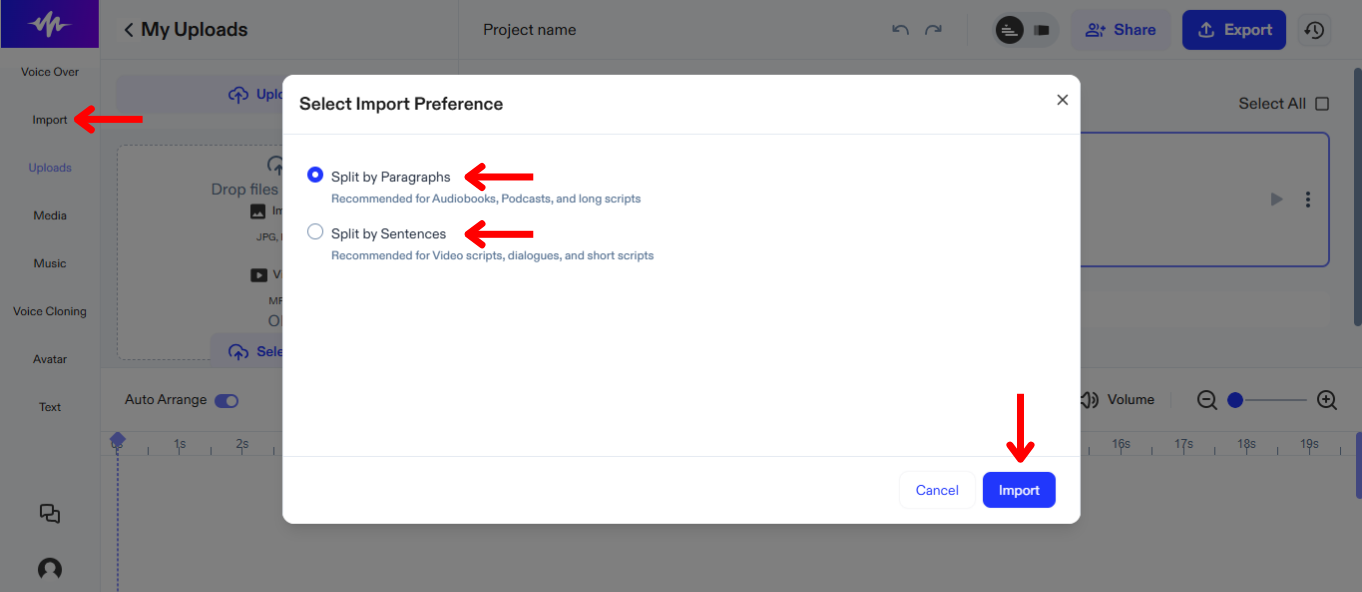
AI kõnesalvestuse loomise esimene samm on skripti üleslaadimine. Selleks toimi nii:
- Vajuta „Import“.
- Laadi üles skript.
- Vali, kas jagada skript lõikudeks või lauseteks ajateljel.
- Vajuta uuesti „Import“.
- Speechify Studio loob automaatselt AI kõnesalvestuse.
Kuidas muuta AI häält või keelt Speechify Studios
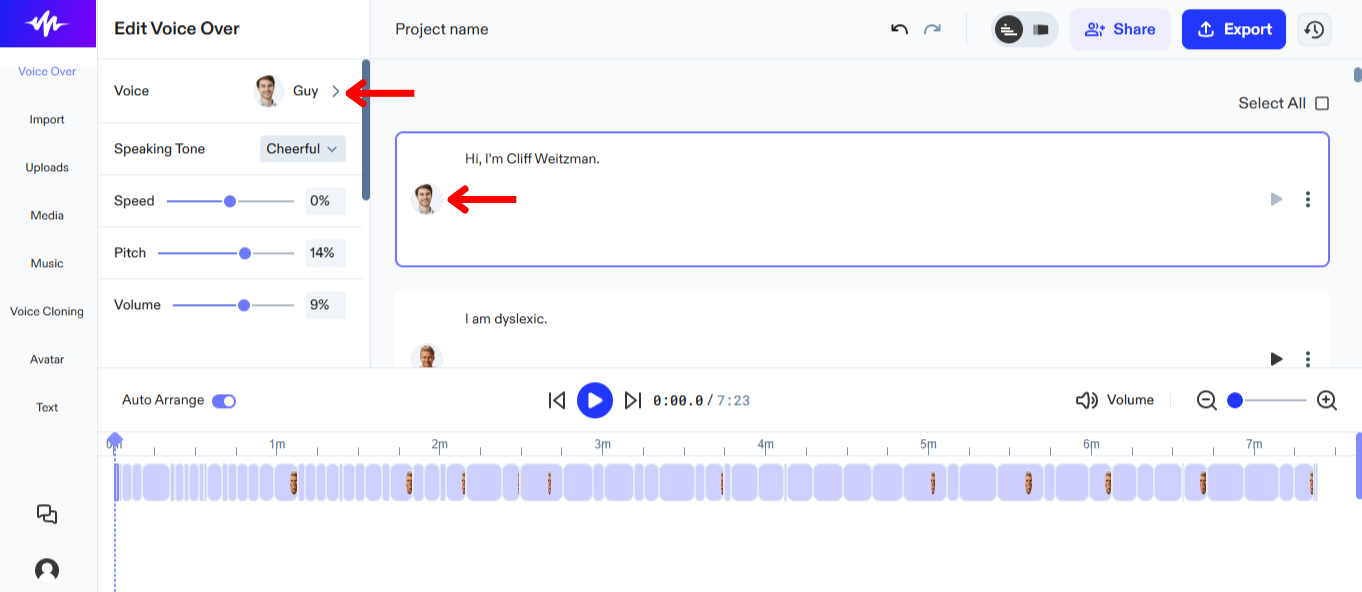
Saad määrata eri skriptiosadele erinevad hääled ning muuta neid igal ajal, kuni leiad sobivaima variandi. Hääle muutmiseks Speechify Studios:
- Vali „Voice Over“ vasakpoolsest menüüst.
- Vali 200+ realistliku AI hääle seast eri keeltes.
Kuidas kohandada oma AI kõnesalvestust Speechify Studios
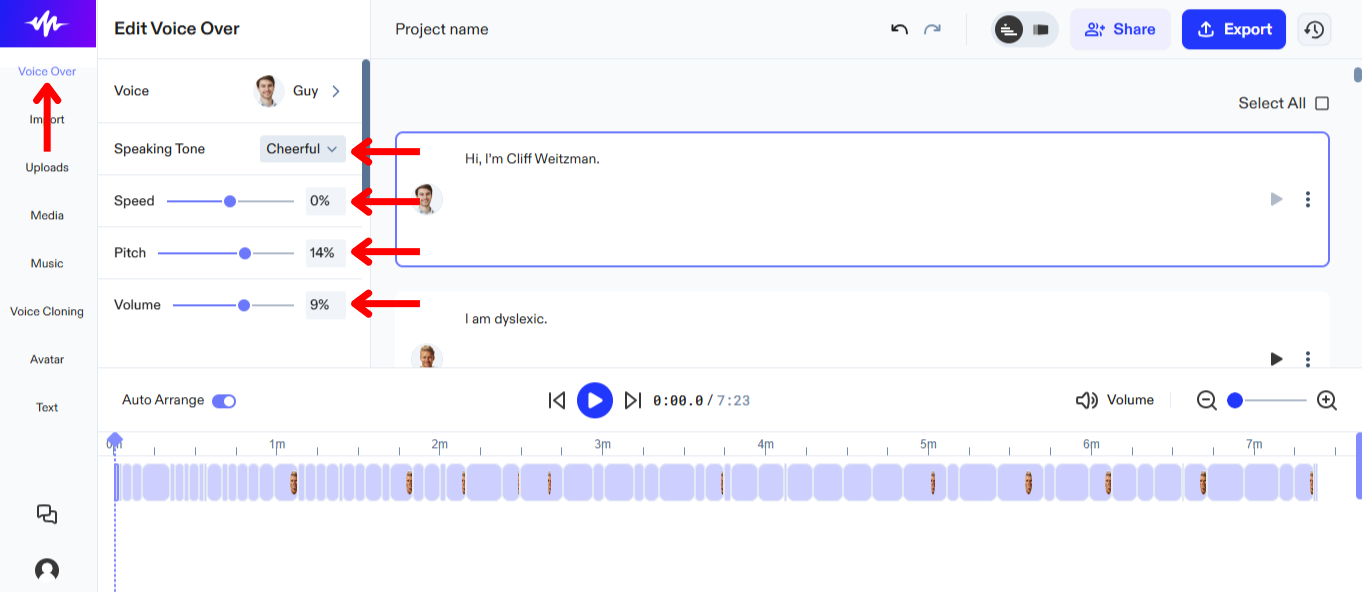
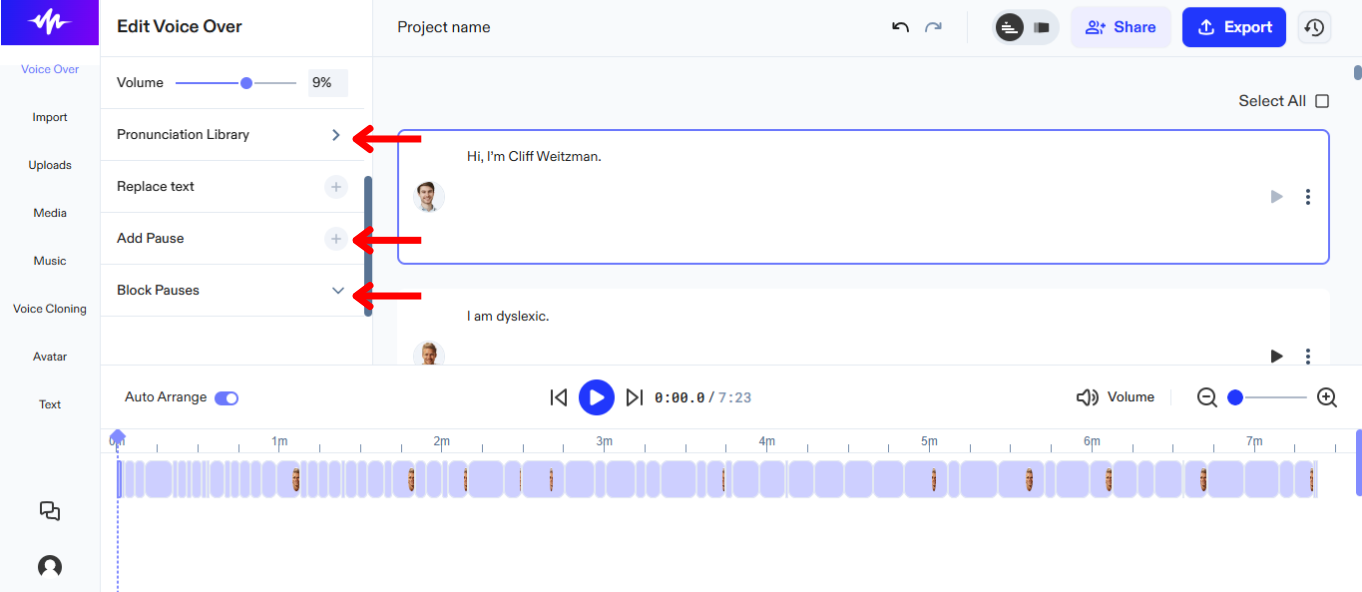
Kohanda oma AI-kõnesalvestust Speechify Studios nii, et jutustuse toon, tempo ja emotsioon sobiksid täpselt sinu video sisuga. Järgi neid samme, et su AI kõnesalvestus tõesti kõnetaks sinu sihtgruppi:
- Vajuta „Voice Over“ vasakult menüüst.
- Emotsiooni muutmiseks vali „Speaking Tone“. NB! See valik on saadaval vaid AI häältele, mille juures on märge „Expressions“.
- Hääle kiiruse muutmiseks liiguta „Speed“ liugurit.
- Hääle kõrguse muutmiseks liiguta „Pitch“ liugurit.
- Helitugevuse muutmiseks liiguta „Volume“ liugurit.
- Häälduse muutmiseks ava „Pronunciation Library“.
- Pauside lisamiseks või eemaldamiseks, et muuta AI kõnesalvestus loomulikumaks, kasuta „Add Pause“ või „Block Pauses“.
Kuidas kasutada hääle kloonimist Speechify Studios
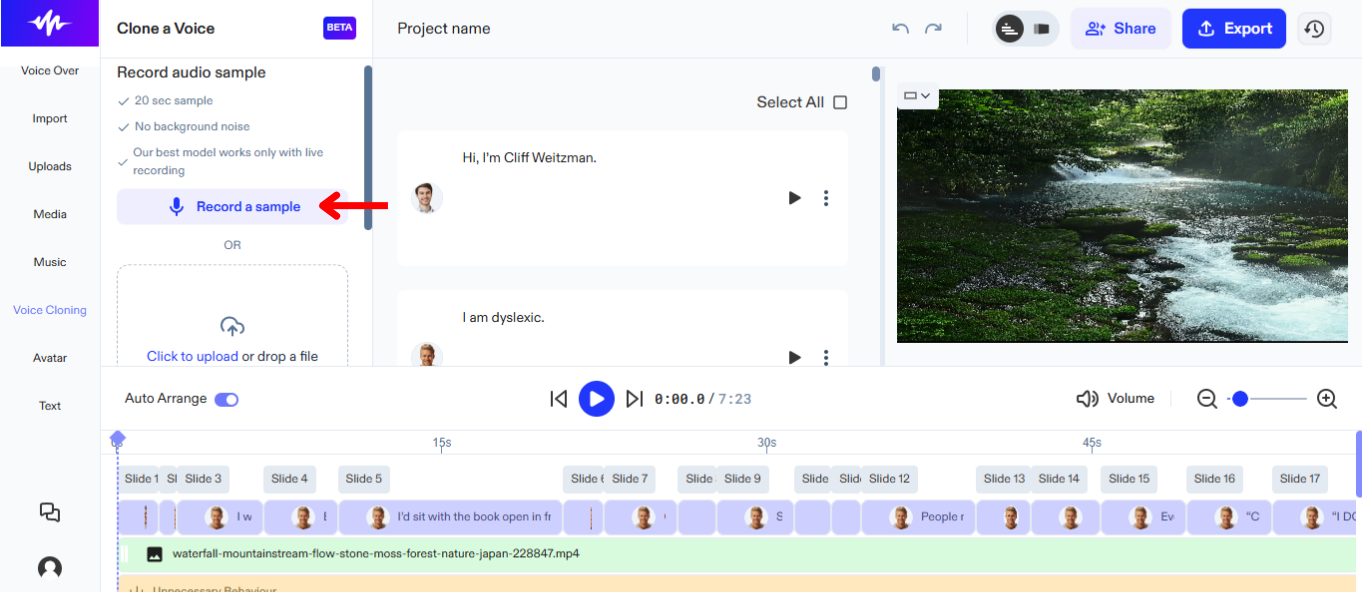
Hääle kloonimine Speechify Studios aitab luua projekte omaenda häälega ja tagada ühtlane, tuttav kõlapilt. Kasutamiseks toimi nii:
- Vali „Voice Cloning“ vasakpoolsest menüüst.
- Vajuta „Create a New Clone“.
- Salvesta 20-sekundiline näidis või laadi üles oma häälega fail.
- Vajuta „Create Clone“.
- Kasuta uut häält, valides selle AI häälte nimekirjast.
Kuidas lisada stock-meediat Speechify Studios
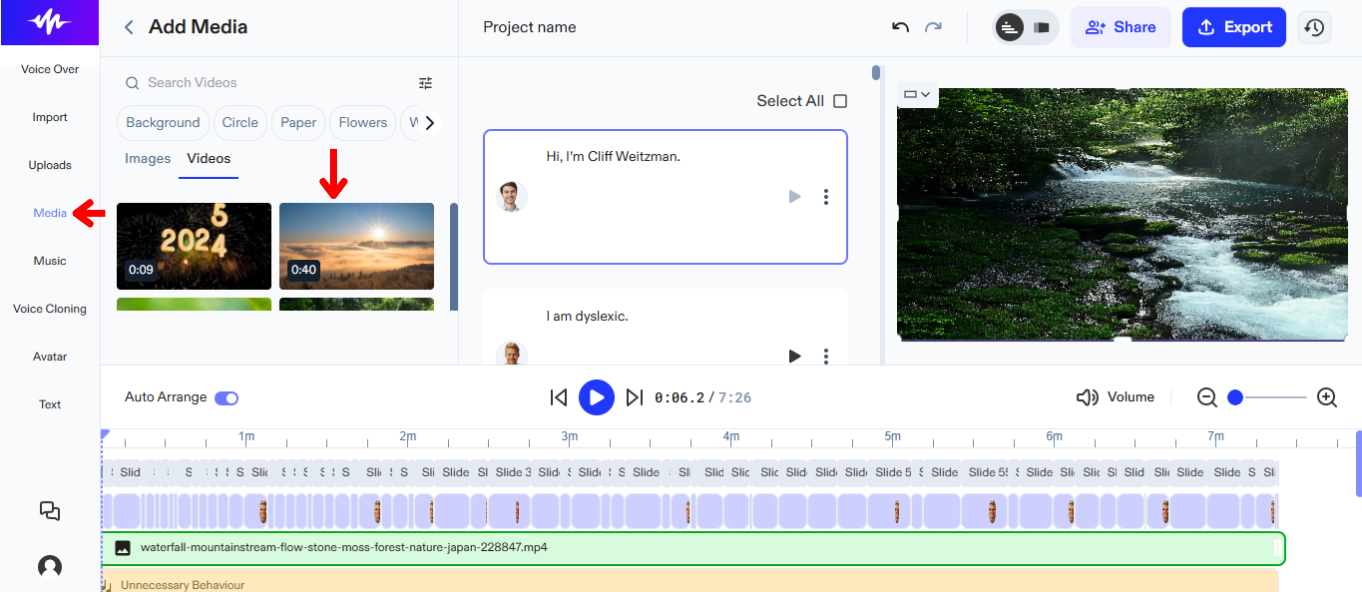
Lisa varupilte või -videoid, et oma lugu paremini jutustada. Tee nii:
- Vajuta „Media“ vasakpoolses menüüs.
- Vali paljude stock-piltide või -videote seast.
Kuidas lisada originaalmeediat Speechify Studios
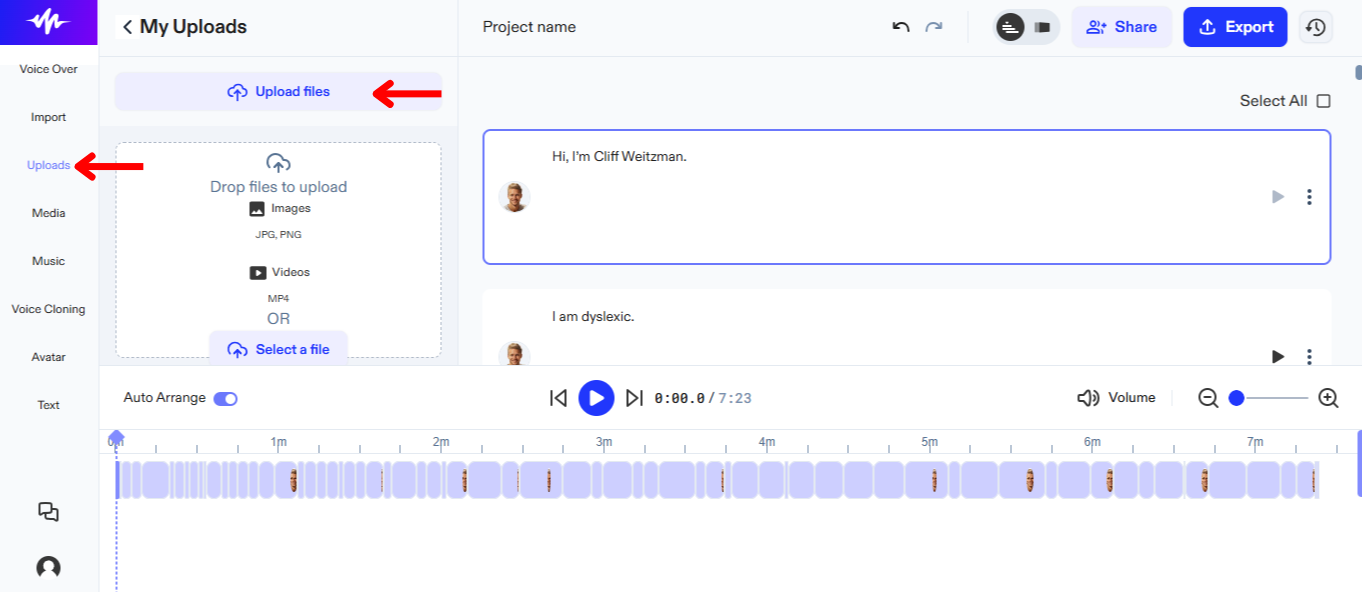
Lisa omaenda sisu loole järgmiselt:
- Vajuta „Upload“ vasakult menüüst.
- Laadi üles pildid või videod.
Kuidas lisada stock-muusikat Speechify Studios
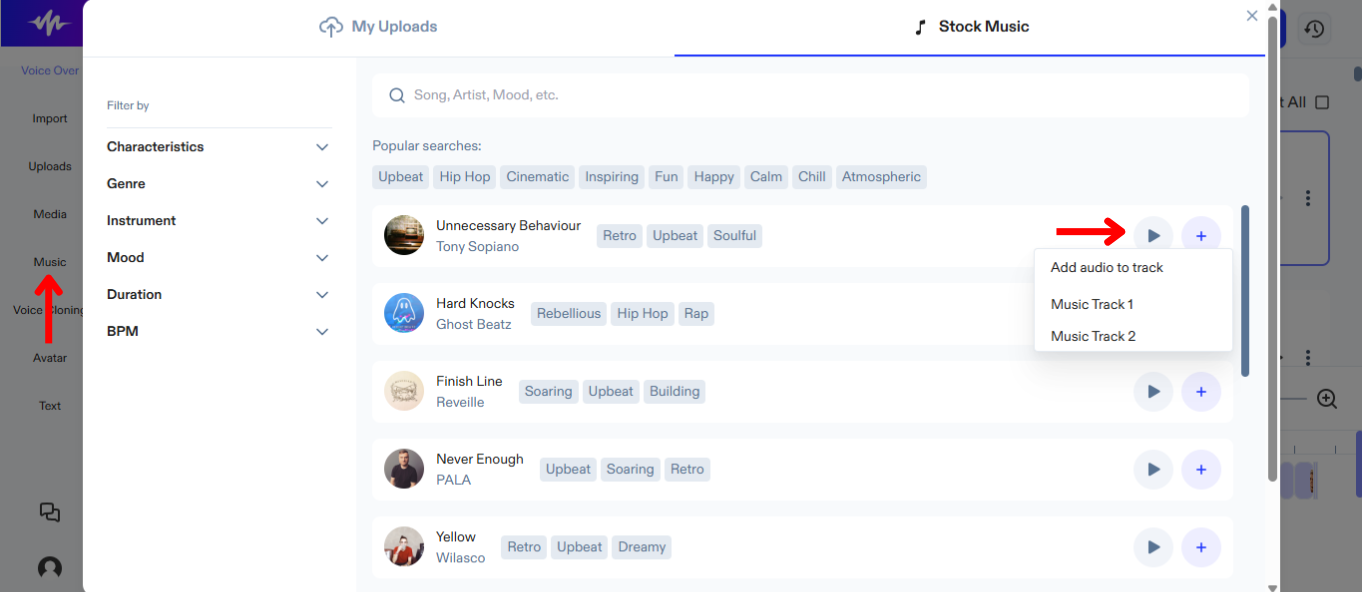
Muusika ja AI kõnesalvestuse ühendamine on lihtne. Tee nii:
- Vajuta „Music“ vasakul tööriistaribal.
- Vali erinevate stock-lugude hulgast.
Kuidas kasutada AI avatare Speechify Studios
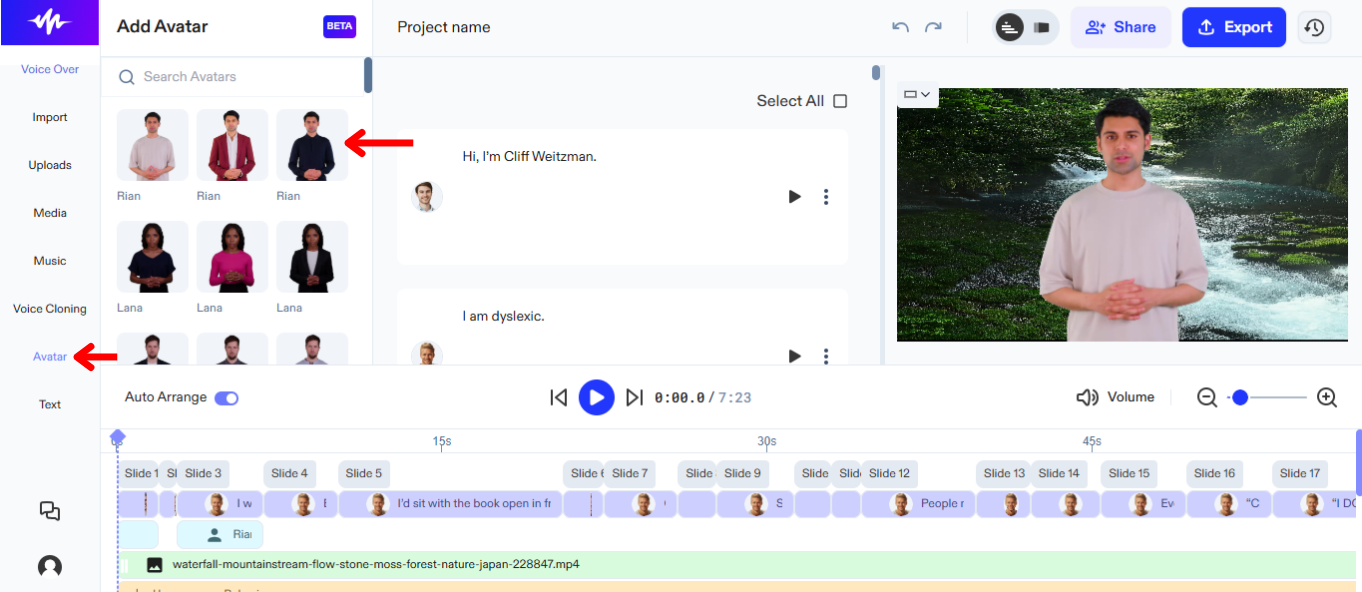
Kui näitlejaid pole, kuid tahad videole peategelast, proovi AI avatare. Nii saad avatarid tööle:
- Vajuta „Avatar“ vasakpoolses menüüs.
- Vali inimese moodi AI avatar, mis saab astuda näitleja asemel ekraanile.
Kuidas lisada teksti Speechify Studios
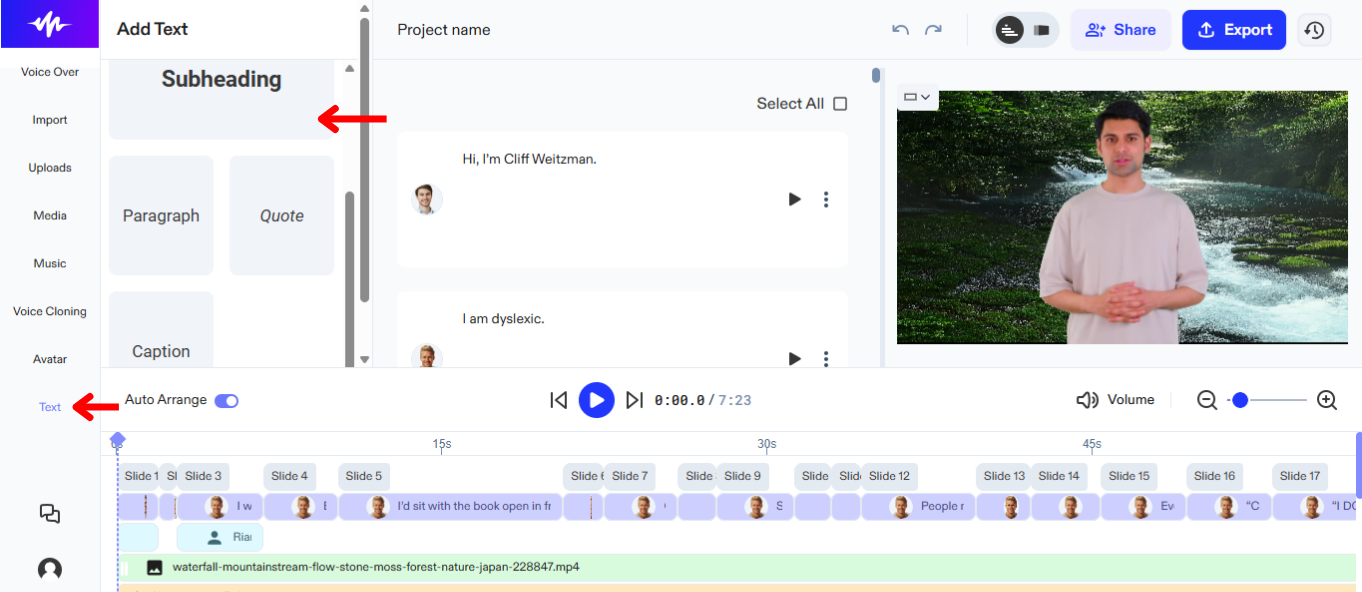
Lisa subtiitreid või pealkirju oma AI kõnesalvestuse projektile, et anda rohkem konteksti. Teksti lisamine Speechify Studios käib nii:
- Vajuta „Text“ vasakpoolses menüüs.
- Vali pealkiri või subtiiter projektile.
- Sisesta tekst tekstikasti.
Kuidas ümber paigutada sisu Speechify Studios
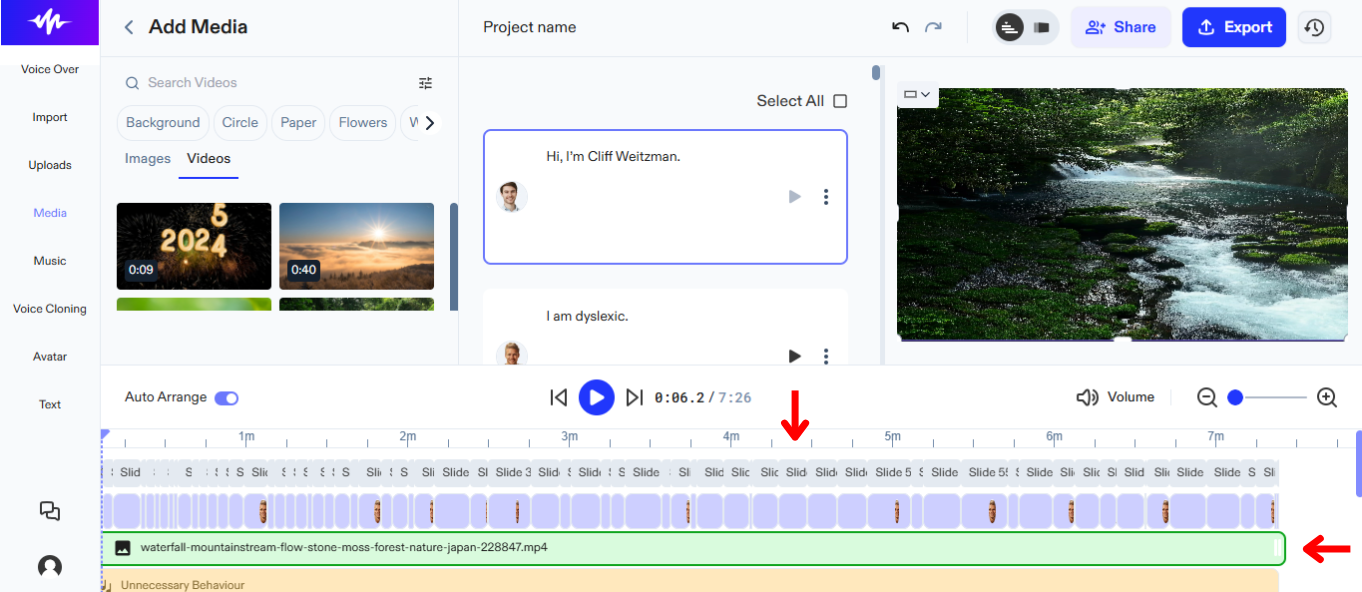
Timmita video kulgu ning vii heli ja pilt täpselt kokku, tõstes ajateljel elemente ümber. Sisu paigutamiseks toimi nii:
- Lohista objekte soovitud kohta.
Kuidas eksportida projekt Speechify Studios
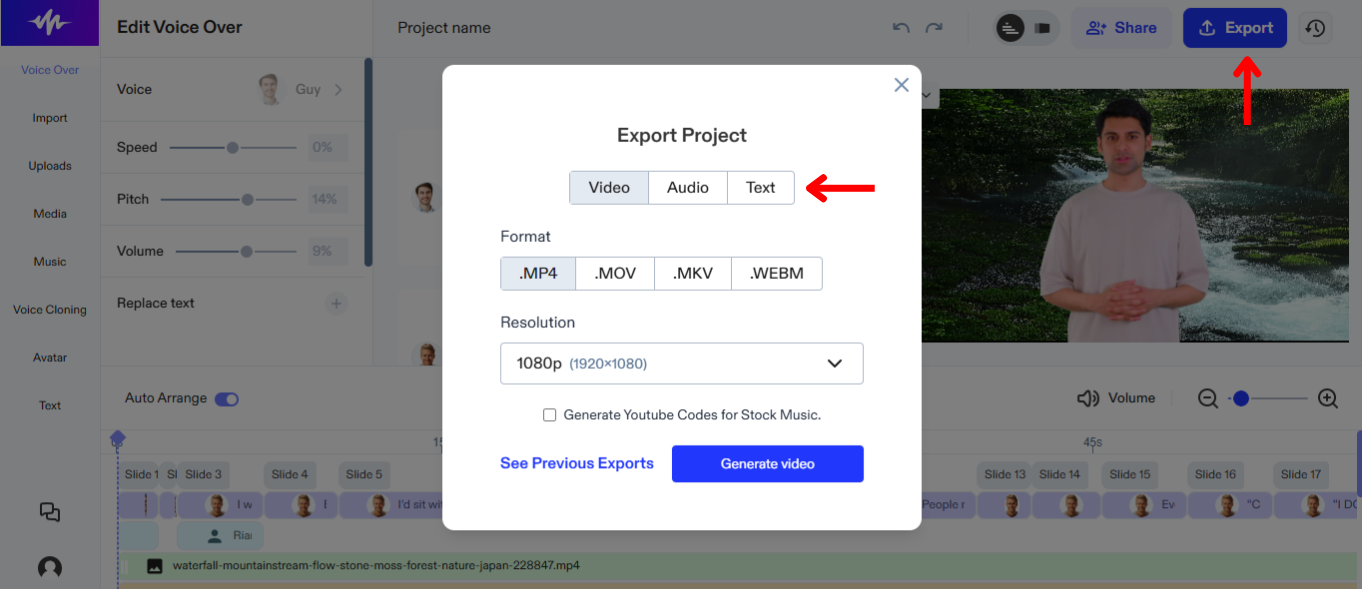
Projekti eksportimine Speechify Studios võimaldab seda lihtsalt jagada muude platvormide või tööriistadega. Jaga projekti nii:
- Vali „Export“ paremas ülanurgas.
- Vali, kas alla laadida AI kõnesalvestus audiofailina (OGG, MP3, WAV) või teksti-/kirjeldusfailina (SRT, WEBVTT, DOCX).




