

In a digital era where personalization reigns supreme, learning how to create an avatar is a valuable skill. Avatars allow us to have a digital identity that can express our uniqueness and personality in virtual spaces, from social media platforms to online forums.
What is an Avatar?
An avatar is a digital representation of an individual. It can range from a simple cartoon avatar to a highly detailed and realistic 3D model. People use avatars on social media, forums, and gaming platforms to represent themselves without using a real photograph.
How Do Avatar Videos Work - Do I Need to Upload a Picture?
Creating an avatar video does not always require a photo upload. Some avatar creators may use a photo to customize your avatar, while others allow you to build your own character from scratch, choosing features like hairstyles, skin tone, and more.
How to Create My Own Avatar?
To create your own avatar:
- Choose an avatar creator tool. Many platforms offer a variety of templates and customization options.
- Select features like hairstyles, skin tone, and outfits to personalize your avatar.
- Save and download your avatar for use on social media, forums, and other platforms.
Can I Get a Free Avatar?
Yes, numerous free avatar maker platforms allow you to create and customize your own avatar without any cost. Some of these platforms may offer premium features for a fee, but it’s entirely possible to make a free avatar.
How to Make a Free Avatar from a Picture - List Detailed Steps
- Step 1: Choose a free avatar maker that allows photo uploads (e.g., avatarify).
- Upload a Selfie: Upload a clear, front-facing picture.
- Customize: Adjust and customize features such as hairstyles and outfits.
- Save: Save your avatar and use it as your profile picture on social media and other platforms.
How to Make a 3D Avatar of Myself?
To create a 3D avatar:
- Use a 3D avatar creator tool that offers advanced customization options and 3D models.
- Follow the tutorial provided by the tool to customize your 3D avatar, choosing different styles and features.
- Save and download your 3D avatar for use in virtual environments or social media.
The Top 9 Tools to Create an Avatar Online
Speechify AI Video Generator
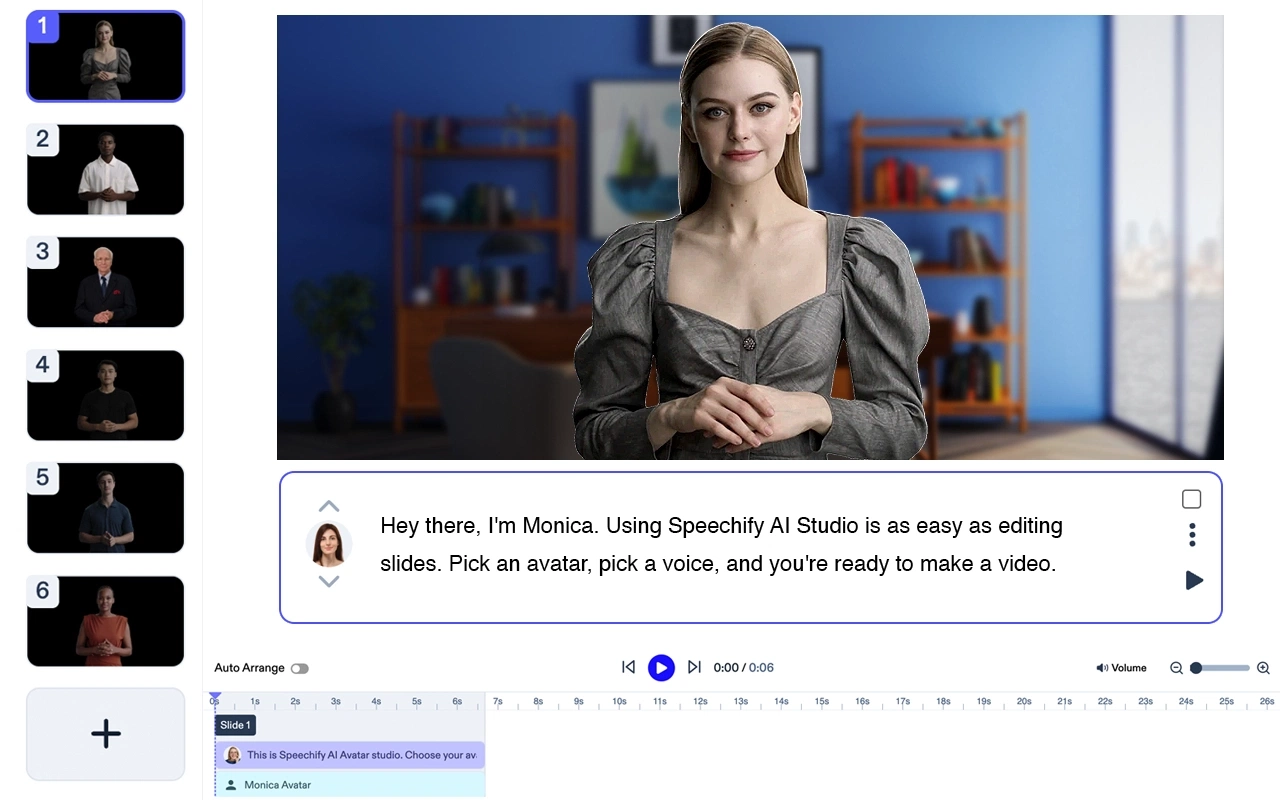
Pricing: Free to try
Create polished videos without any actors or equipment. Turn any text into high-quality videos with AI avatars and voiceovers – in less than 5 minutes. Try Speechify AI Video Generator.
Speechify Avatar Generator Features
- All you need is a laptop
- No staff. You can create a video in minutes
- Use 1 or many AI avatars at no additional cost
- Get your video in minutes
- Minor to no editing. Zero learning curve.
Speechify is clearly the best option to generate an avatar. While as a stand alone product, it is best in class, it also seamlessly integrates with the Speechify Studio suite of AI products for creators. Try it for yourself, for free!
Avatarify

- Top 5 Features: AI avatar generator, vast library of stickers, various templates, high-quality avatars, animated avatar options.
- Cost: Free with premium options.
Bitmoji

- Top 5 Features: Integration with social media, extensive library of outfits, custom avatars, various hairstyles, cartoon avatar creation.
- Cost: Free.
Avatoon

- Top 5 Features: Personalized avatar, daily costume updates, comic creation feature, cartoon avatar creation, easy to navigate interface.
- Cost: Free with in-app purchases.
FaceQ

- Top 5 Features: Simple user interface, wide range of customization options, allows creating avatars for friends and family, cute stickers, no account registration needed.
- Cost: Free with in-app purchases.
ZEPETO
- Top 5 Features: 3D avatars, virtual world experience, custom avatars, variety of fashion items, animated avatar creation.
- Cost: Free with in-app purchases.
Clash
- Top 5 Features: AI avatar generator, extensive hairstyles and outfits, 3D avatars, integration with social media, unique character creator.
- Cost: Free with in-app purchases.
Avatar Maker
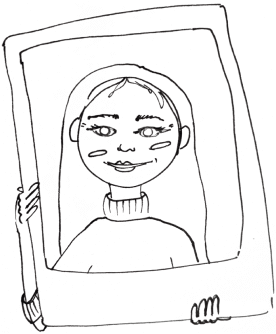
- Top 5 Features: Anime avatar creation, wide range of customization options, simple and intuitive interface, character maker for both male and female avatars, many different styles.
- Cost: Free.
VRoid Studio
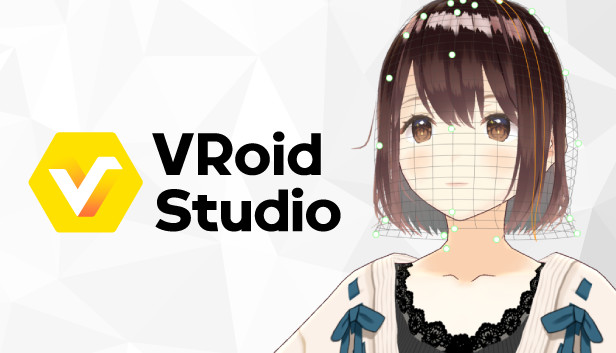
- Top 5 Features: High-quality 3D avatar creation, advanced character creator, vtuber support, various customization options, realistic avatar models.
- Cost: Free
Snapchat Bitmoji

- Top 5 Features: Integration with Snapchat, emojis creation, create avatars easily, vast library of accessories and outfits, customization for facial features.
- Cost: Free.
FAQ
Avatar Creation for Various Platforms
You can use your avatars on various platforms, including social media (like Instagram, Facebook, and Twitter), gaming platforms (such as Twitch and Discord), and other forums. Each tool often has a feature to directly upload your avatar to these platforms, making the process even more convenient.
Utilizing Avatars on Mobile Devices
Most avatar creation tools have mobile applications available for both Android and iOS devices. For iPhone users, avatar applications like Bitmoji are available on the App Store, while Android users can find similar applications on the Google Play Store.
What is a Good Avatar Creator for Twitch or Discord?
For platforms like Twitch or Discord, Clash and VRoid Studio are excellent choices due to their 3D avatar and high-quality customization options.
What are the Best AI Avatar Generators?
The best AI avatar generators include Avatarify and Clash, providing detailed and realistic avatar creation using artificial intelligence.
Can I Create an Anime Avatar?
Yes, tools like Avatar Maker allow you to create anime-style avatars with various customization options for hairstyles, outfits, and more.
How Do I Create My Own Avatar?
Choose an avatar creator, select features and customize your avatar, then save and download it for use.
What is the Best Free Avatar Creator?
Avatarify and Bitmoji are popular free avatar creators known for their ease of use and diverse customization options.
What is the Website to Make an Avatar?
Websites like Avatarify, Bitmoji, and other listed tools offer platforms to create avatars online.
What is a Good Avatar Creator?
A good avatar creator offers a variety of features including different styles, customization options, and high-quality output. Avatarify and Bitmoji are two examples.
When you set out to create an avatar, consider the type of avatar you want to create — whether it’s a simple cartoon avatar for social media, a 3D avatar for virtual worlds, or a detailed anime avatar. The right tool for you depends on your specific needs and the platform where you intend to use the avatar. With this comprehensive guide, you are now equipped with the knowledge to choose the right avatar creator for you and start designing your own unique digital identity.
Creating your own avatar is a fun and creative process. With numerous tools available, you can create a personalized avatar that is just like you, ready for use on platforms like Discord, Twitch, and more.




