



Turn any printed text into a listening document
Listen to any text from your physical book
To scan a physical book, you can simply take photos of a single or multiple pages and upload them as one cohesive listening document. Perfect for listening to a book or a long printed document.
- Using good lighting, open the app and tap ➕.
- From the menu, select Scan Pages
- Point your phone camera at the page of text you want to scan. Be sure to include all the text on the page in the frame.
- Tap the circular button at the bottom to take a photo. Repeat this same step for more pages to scan
- When you’re finished, tap the arrow > at the bottom right of the screen
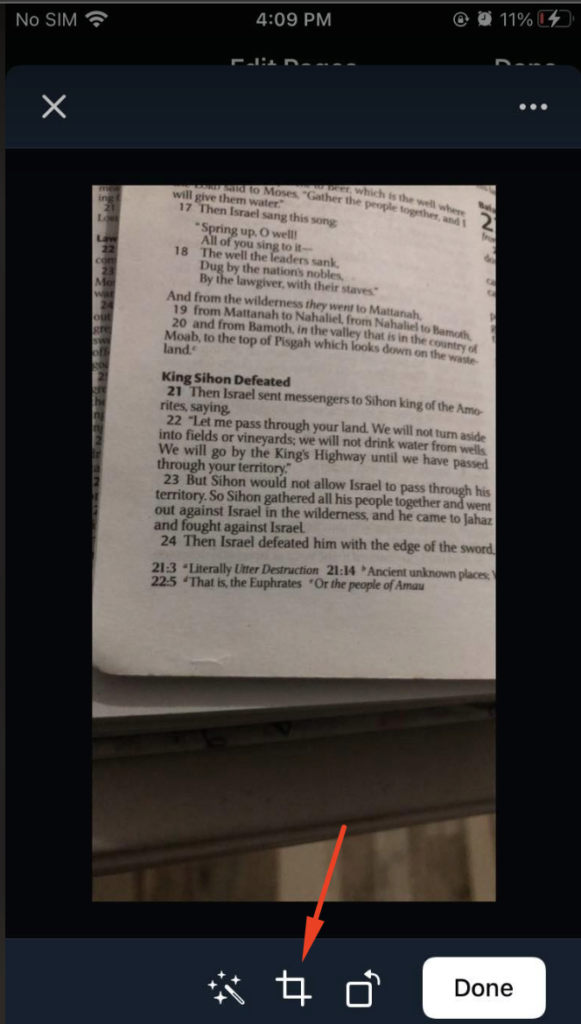
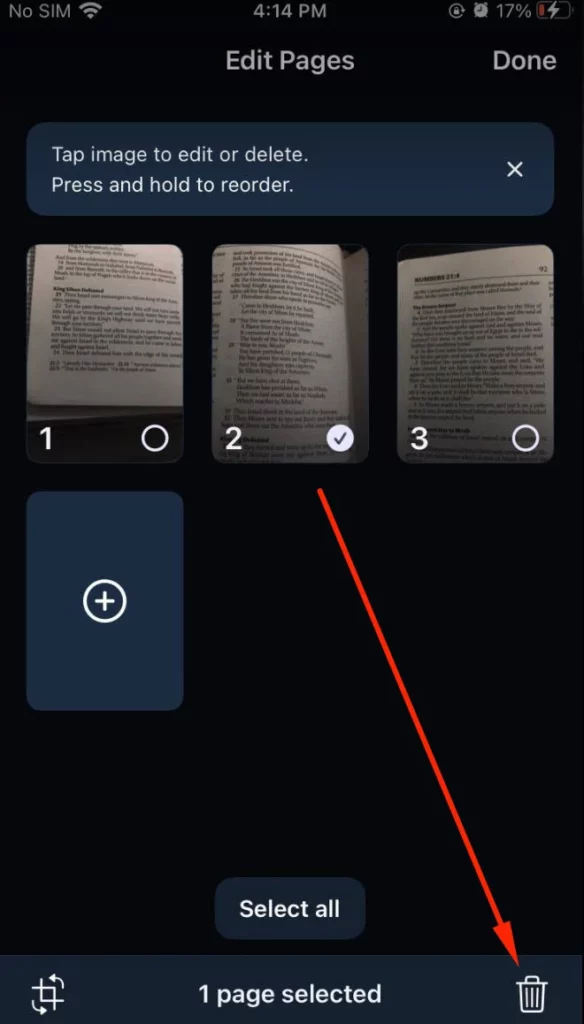
- From here you can crop, delete, or rearrange your scans
- To crop photos, tap the crop icon at the bottom left on the scan thumbnail.We highly recommend cropping each photo as close to the text as possible to help the text render correctly in the listening document. Then, click Done.
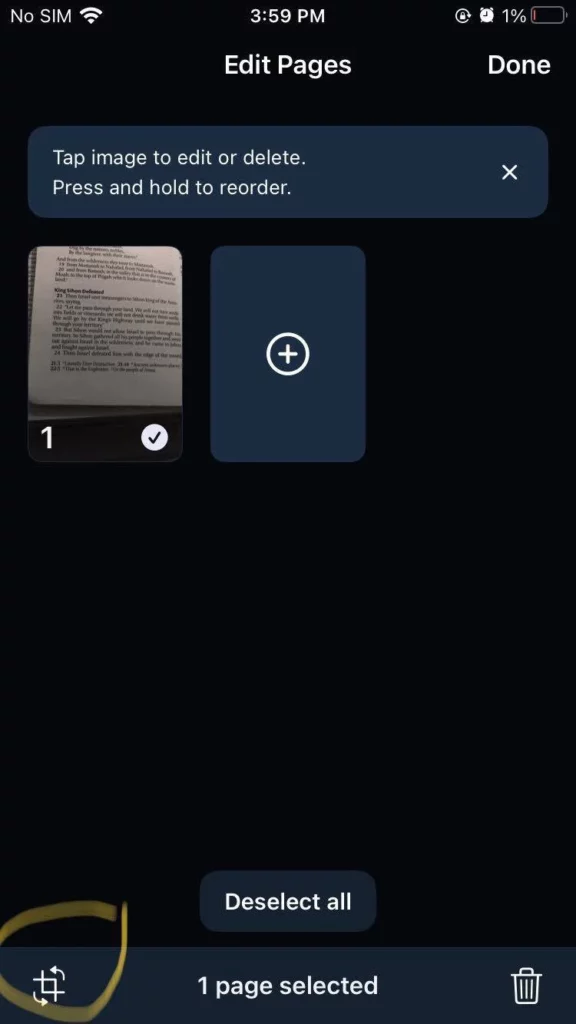
- To rearrange photos, hold your finger down on the scan thumbnail you want to move and drag it to the correct position
- To delete a photo, select the specific scan thumbnail and press the delete icon at the bottom right of the page.
7. Click Done to save the scans as one cohesive listening document in your library
Listen to any text in an existing photo from your camera roll
Perfect for listening to text in a screenshot or a photo of any printed text you took with your phone camera
- In the app, tap ➕ and select Scan Pages
- Tap Photos at the bottom left corner
- Allow Speechify to access your camera roll if you haven’t already.If you already dismissed this permission screen, you can allow permissions from your phone settings. Go to Settings > Speechify > Photos and tap All Photos to allow Speechify access to your photos, then go back to the Speechify app
- Select the photos you want to listen to from your camera roll
- Tap the arrow icon > at the bottom right corner
- Now you can take photos of other pages you want to add to the listening document by tapping on the ➕ sign and selecting Camera option at the bottom, or tap the arrow icon > at the bottom right corner to go to the edit screen when you’re finished
- From here you can crop, delete, or rearrange your scans. Same steps as the Step #6 of the above "Listen to any text from your physical book" steps.
- Click Done to save the scans as one cohesive listening document in your library




