
1. Laman Utama
  2. Speechify untuk Web
  3. How can I change the voice of the speaker on my computer?
Diterbitkan pada Speechify untuk Web

How can I change the voice of the speaker on my computer?

Cliff Weitzman

Cliff Weitzman

CEO/Pengasas Speechify

apple logoAnugerah Reka Bentuk Apple 2025
50J+ Pengguna

Please follow the below steps to change the voice of the speaker when listening to your file on the web app on your PC, desktop or laptop

  1. Sign in to app.speechify.com using your Speechify account credentials, preferably using a Chromium browser.
  2. Open the file that you want to listen to.
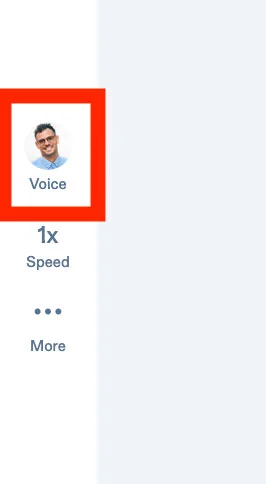
  3. Click on the 'Voice' option with the face on the left side toolbar.
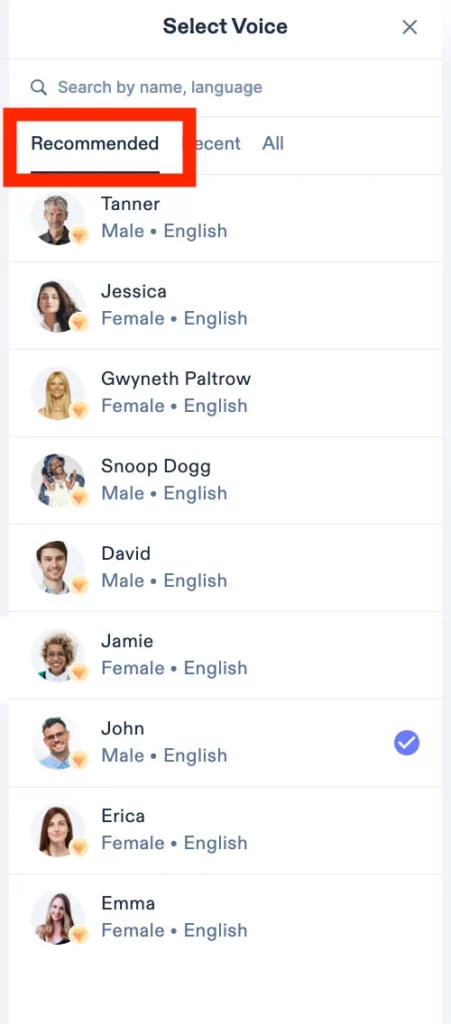
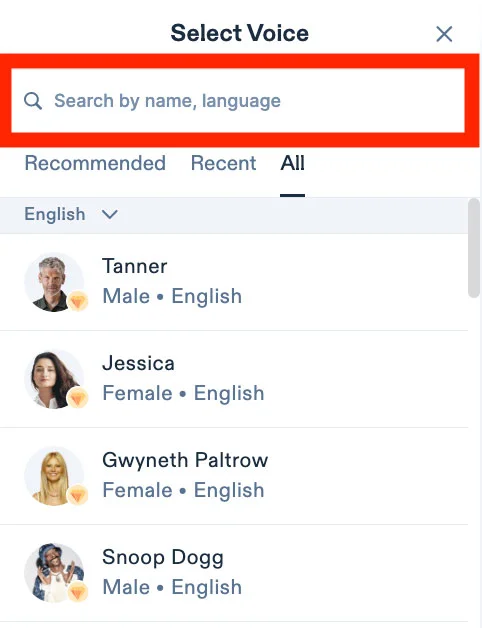
4. The 'Recommended' tab will show all the popular options of voices.
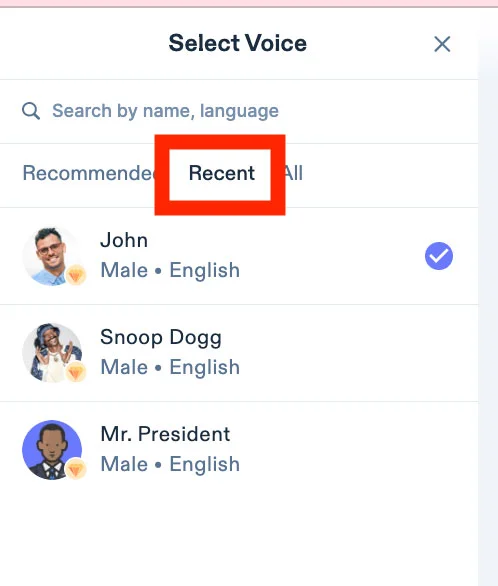
5. The 'Recent' tab will showcase all the voices you recently used.
6. The 'All' tab will showcase the whole list of voices that are available for your use with Speechify.
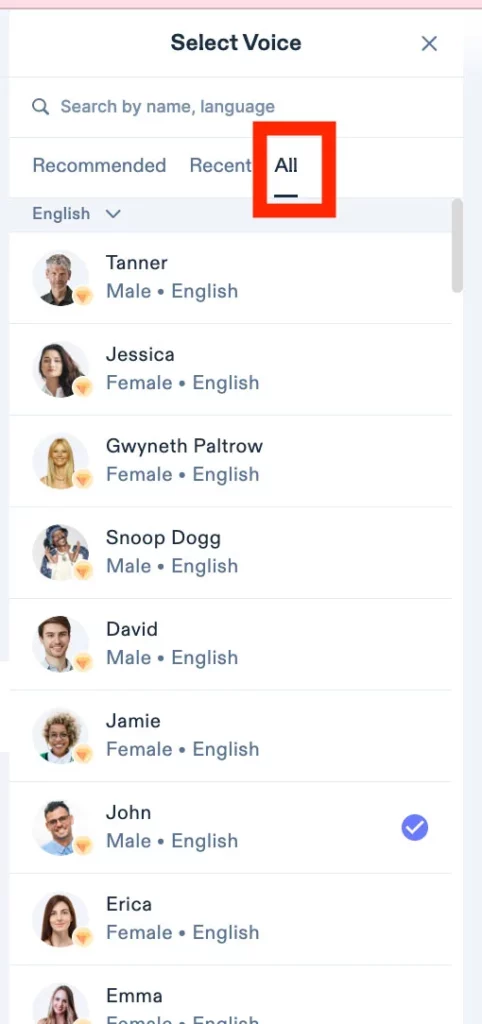
7. You can select between male and female voices with different dialects, or select different languages as well.

8. You can also search for your language or the name of the voice in the search bar on the top.
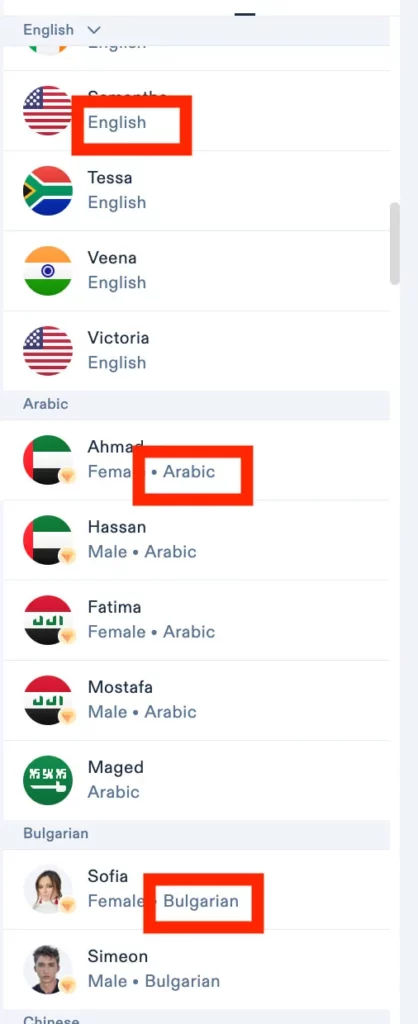
9. Please note that the language is mentioned next to the voice and the flags showcase the dialect of the voices.
10. All voices with the diamond icon are premium voices and are only available to premium users.
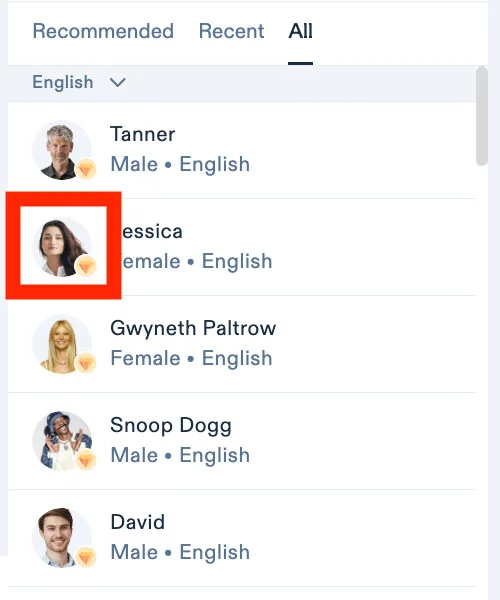
11. Simply click on the voice of your choice to start listening.


Nikmati suara AI tercanggih, fail tanpa had, dan sokongan 24/7

Cuba Percuma
tts banner for blog

Kongsi Artikel Ini

Cliff Weitzman

Cliff Weitzman

CEO/Pengasas Speechify

Cliff Weitzman ialah pejuang hak disleksia serta CEO dan pengasas Speechify, aplikasi teks ke ucapan #1 di dunia dengan lebih 100,000 ulasan 5 bintang dan menduduki tempat pertama di App Store dalam kategori Berita & Majalah. Pada tahun 2017, Weitzman tersenarai dalam Forbes 30 Under 30 atas usahanya menjadikan internet lebih mesra untuk individu dengan keperluan pembelajaran. Cliff Weitzman pernah dipaparkan di EdSurge, Inc., PC Mag, Entrepreneur, Mashable dan pelbagai saluran media utama yang lain.

speechify logo

Tentang Speechify

Pembaca Teks ke Ucapan #1

Speechify ialah platform teks ke ucapan terkemuka dunia, dipercayai oleh lebih 50 juta pengguna dan disokong oleh lebih daripada 500,000 ulasan lima bintang merentasi aplikasi teks ke ucapannya iOS, Android, Pemalam Chrome, aplikasi web, dan aplikasi desktop Mac. Pada tahun 2025, Apple telah menganugerahkan Speechify dengan Anugerah Reka Bentuk Apple yang berprestij di WWDC, menyifatkannya sebagai “sumber penting yang membantu orang menjalani hidup mereka.” Speechify menawarkan lebih 1,000 suara semula jadi dalam lebih 60 bahasa dan digunakan di hampir 200 negara. Suara selebriti termasuk Snoop Dogg dan Gwyneth Paltrow. Untuk pencipta dan perniagaan, Speechify Studio menyediakan alat canggih termasuk Penjana Suara AI, Penduaan Suara AI, Alih Suara AI, dan Penukar Suara AI. Speechify juga memacu produk terkemuka dengan API teks ke ucapan berkualiti tinggi dan kos efektif. Pernah dipaparkan dalam The Wall Street Journal, CNBC, Forbes, TechCrunch, dan media utama lain, Speechify ialah penyedia teks ke ucapan terbesar di dunia. Lawati speechify.com/news, speechify.com/blog, dan speechify.com/press untuk maklumat lanjut.

