
Speechify, Your Voice AI Assistant
Text to Speech. Voice Typing. Fast Answers.
 2025 Apple Design Award
50M+ Users
Learn how to change the background color of your reading pane
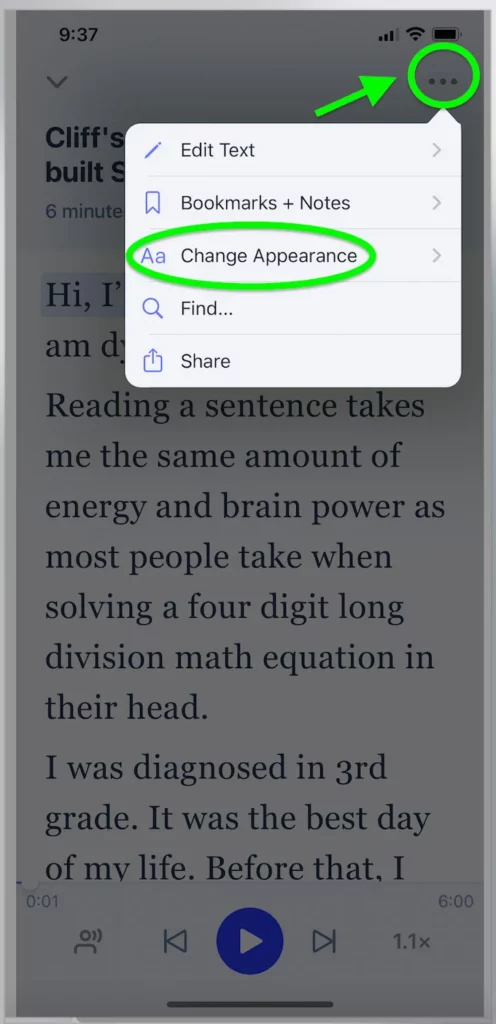
Pick a book/article you want to read and on the top right, tap the “kebab” (3 dots) icon and then, tap on 'Aa Change Appearance'. This should open up several options for you.
See sample below of your reading pane going on Dark Mode

Enjoy the most advanced AI voices, unlimited files, and 24/7 support
Try For Free