How to Change Speed and Turn on Speed Ramping

Cliff Weitzman
CEO/Founder of Speechify
Speechify, Your Voice AI Assistant
Text to Speech. Voice Typing. Fast Answers.
 2025 Apple Design Award
50M+ Users
Learn how to adjust or change the speed
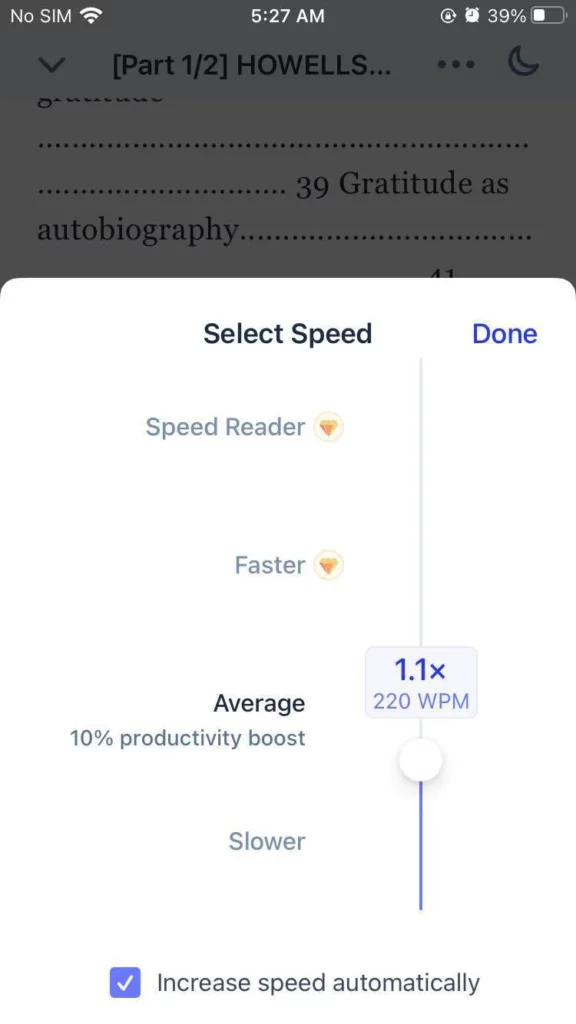
Here's how to change the speed of the voices:
- Open one of the files in your library.
- Click on the speed option on the bottom right side and slide it to the desired speed.

3. Tick the box 'Increase speed automatically' should you wish to activate the Speed Ramping.
Enjoy the most advanced AI voices, unlimited files, and 24/7 support
Try For Free