How do I restore deleted files?

Cliff Weitzman
CEO/Founder of Speechify
Speechify, Your Voice AI Assistant
Text to Speech. Voice Typing. Fast Answers.
 2025 Apple Design Award
50M+ Users
Learn how to restore deleted or archived files on the iOS app
If you accidentally deleted your files and want to retrieve them, there are two options to do that.
Option 1
- On your Speechify app, tap on the 👤 icon.
- Tap the settings ⚙️ icon.
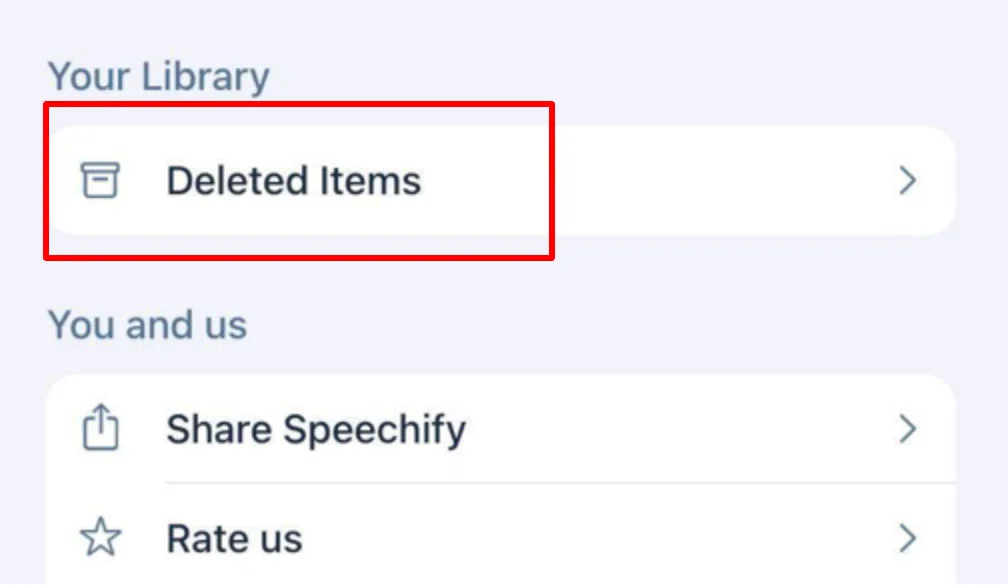
- Swipe down a bit to find Deleted items.
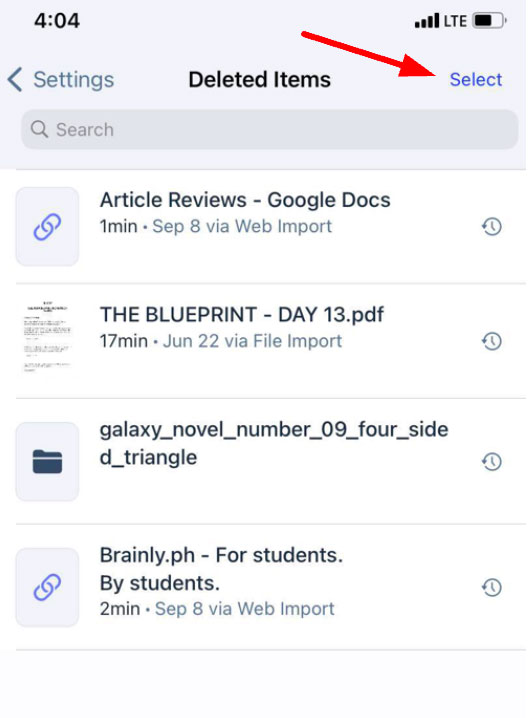
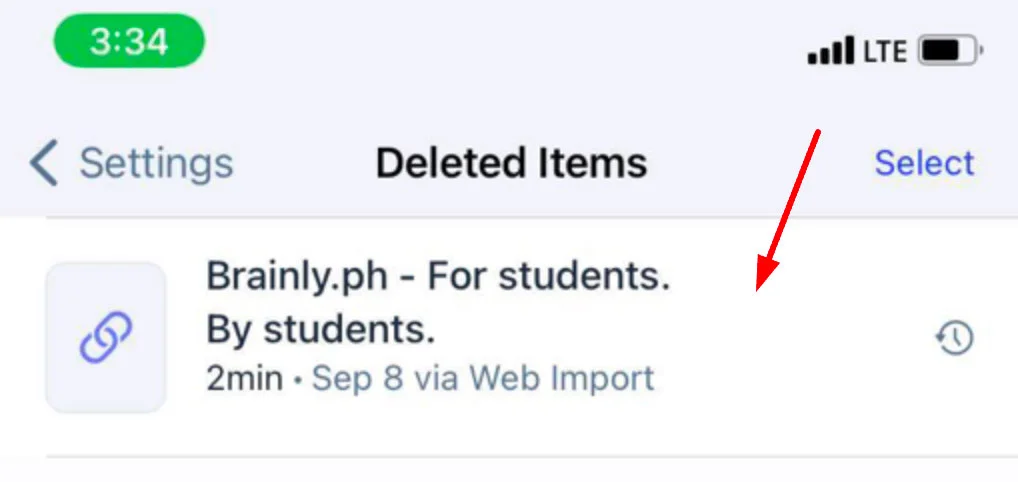
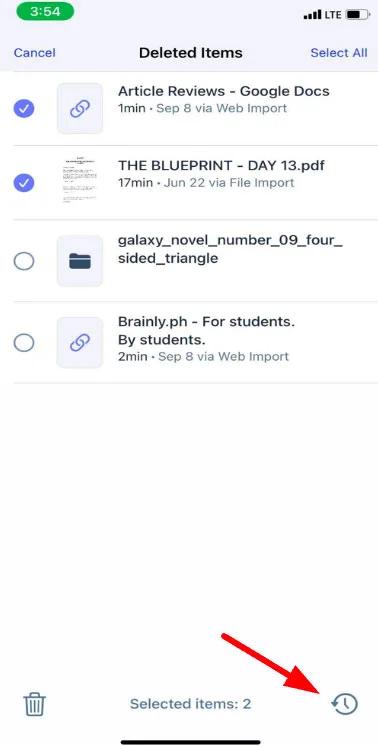
- Tap Deleted items then click the file you want to restore.NOTE: If you want to restore multiple files, click Select on the upper right corner, then click on the documents you want to restore and Tap Restore icon on the lower right corner of your screen.
D💡 Important note: Deleted files from the Deleted Items can no longer be undone.
Enjoy the most advanced AI voices, unlimited files, and 24/7 support
Try For Free