Presentation Video Maker
Create video presentations and transform your ideas into engaging presentation narratives using the best video editing software.
Featured In




The Best Free Presentation Video Maker
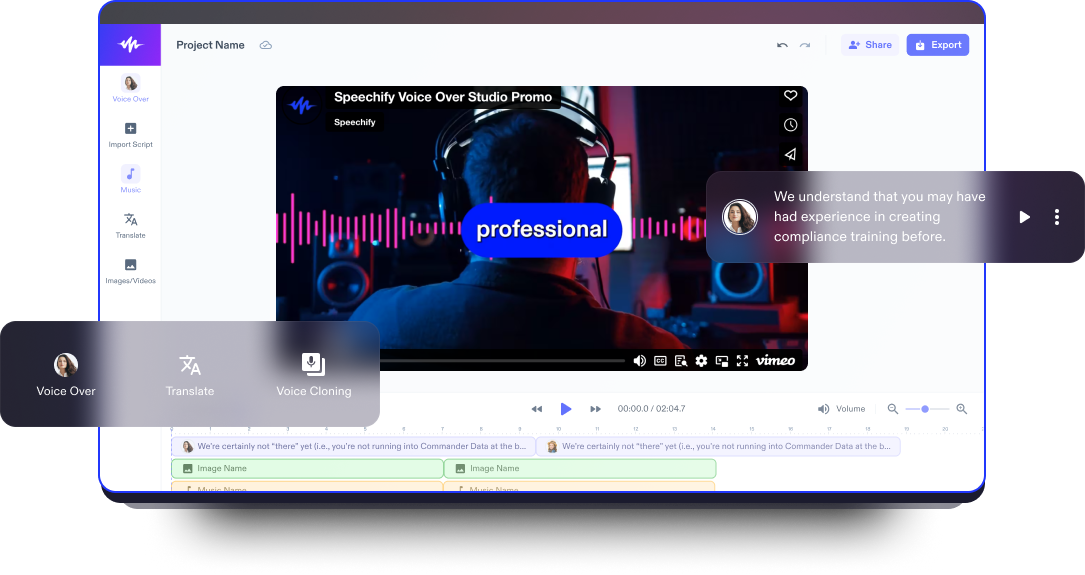
Speechify Studio’s video presentation maker and video editor is a game-changer. Featuring a user-friendly drag-and-drop interface, it allows you to easily assemble images, video content, audio files, and video PowerPoint presentations, as well as enhance your presentation videos with background music, AI voice overs, AI avatars, transitions, and so many more captivating effects, without the need for pro editing experience.
Video presentation videos typically involve a speaker or presenter delivering information, often accompanied by visual aids such as slide shows or graphics, to convey a message or share insights on a particular topic. These videos aim to engage and inform the audience in a dynamic and visually compelling manner.
Speechify Studio not only empowers you to create captivating presentation video creations, but also allows you to use the video editor to craft intros, explainer videos, marketing videos, tutorials, animated videos, and other video content.
Free Presentation Video Maker Templates
Start with a blank canvas or use our free Presentation Video Maker templates to kickstart your project.
How to Create a Presentation Video in Minutes
Deliver your message without the complexities of a steep learning curve using Speechify Studio.

Import Your Video
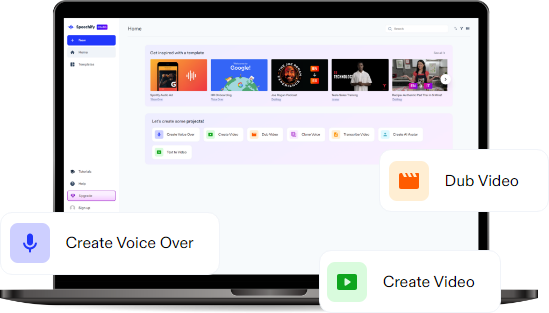
Tap Images/Videos to import your own videos, photos, or webcam and screen recordings. Need stock footage? No problem. Browse our media library, which is full of content you can use for both personal and commercial projects.

Build Your Presentation Video
Customize your presentation videos by arranging video clips and adding effects, transitions, audio, images, AI voice overs, brand colors, background videos, or animations. Don’t forget to emphasize key points with the zoom feature and include infographics to create a dynamic video.

Export Your Video
Once you have a polished presentation video, exporting your masterpiece is a breeze. Simply hit the Export button or resize your video college to different aspect ratios before exporting, making it the perfect size for various e-learning or social media platforms.
When to Use Presentation Videos
Tutorial Videos
Enhance tutorial content with presentation videos that simplify complex concepts. Tutorial videos provide step-by-step guidance, often using visual demonstrations and clear explanations to teach viewers how to perform specific tasks or master particular skills. These videos are designed to be instructional, concise, and user-friendly.
E-learning Videos
Bring educational content to life with presentation videos tailored for e-learning. E-learning videos form a key component of online education, delivering educational content in a digital format. These videos leverage multimedia elements, interactive features, and engaging visuals to create an immersive learning experience.
Educational Videos
For employees, presentation videos offer a dynamic way to ensure onboarding information is explained effectively. Training videos are designed to facilitate learning and skill development in a specific context, whether for corporate training, employee onboarding, or professional development.
Presentation Video Maker Tutorial
AI Presentation Video Maker Features
Edit Presentation Videos Like a Pro
Dive into creative possibilities with our video editing platform, offering an easy-to-use platform with templates, stickers, fonts, subtitles, animated text, transitions, GIFs, and more. Perfect for beginners and seasoned content creators, Speechify Studio provides a robust set of editing tools for your presentation video masterpieces.

AI Avatars
Bring a personal touch to your presentations with AI avatars. This feature allows you to create lifelike avatars that can be customized to convey your message effectively. Enhance engagement by using AI avatars to narrate key points or guide viewers through complex concepts without having to hire actors.

AI Multilingual Voice Overs
Speechify Studio offers not only the ability to add your own voice overs but also a selection of over 200+ humanlike AI voice over options across various accents and languages. With the AI dubbing feature, you can also translate your presentation video to any language with just one click.

Discover more:
Frequently Asked Questions
Still Confused?
Speechify Studio offers captivating AI video effects to create presentation videos at affordable pricing.
Transform your presentations effortlessly into captivating videos with Speechify Studio, offering user-friendly tools and features to enhance your content and engage your audience visually.
Create professional presentation videos at no cost using Speechify Studio's free and intuitive platform, empowering you to seamlessly convert your ideas into compelling visual stories.
Elevate your presentations with animated flair for free at Speechify Studio, where you can easily craft dynamic and animated content to captivate your audience without breaking the bank.
Speechify has made my editing so much faster and easier when I’m writing. I can hear an error and fix it right away. Now I can’t write without it.

I used to hate school because I’d spend hours just trying to read the assignments. Listening has been totally life changing. This app saved my education.

Speechify makes reading so much easier. English is my second language and listening while I follow along in a book has seriously improved my skills.

Create More with Speechify