Водещото AI студио
Всичко за глас и видео на едно място
Представено в




Speechify Studio е първият цялостен AI пакет за създатели
И малки, и големи творчески екипи работят по-лесно с нас.

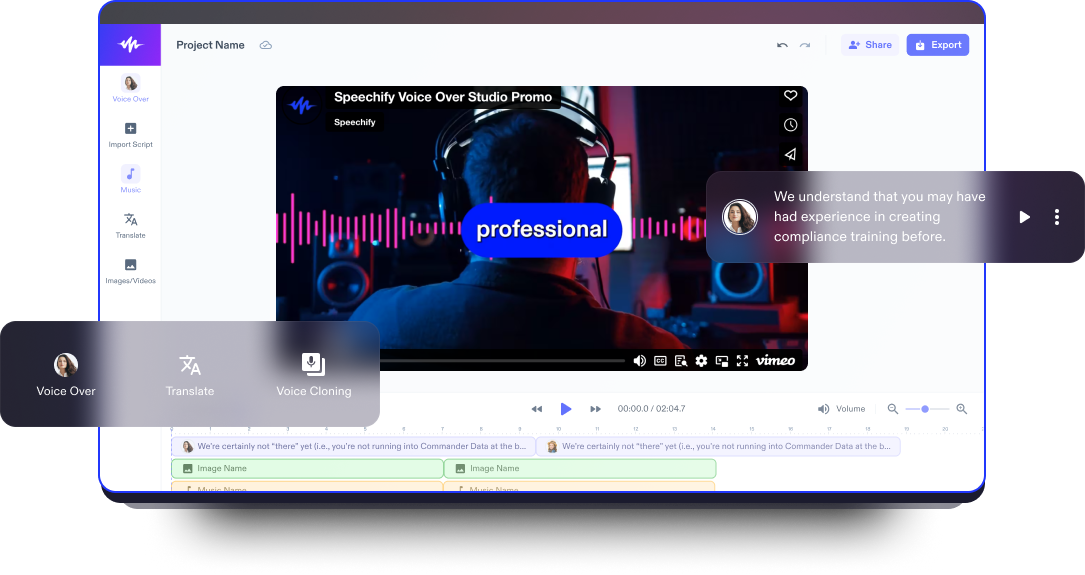
Гласов запис
Създавайте озвучаване с естествено звучене в реално време с AI. Озвучавайте текст, видеа и обяснителни материали във всеки стил.

AI Видео Студио
Създавайте и редактирайте видеа от нулата с нашите AI инструменти. Вашето цялостно студио за създаване и видео монтаж.

AI Дублаж
Само с един клик сменете езика на видеото си. Запазете гласа, интонацията и темпото на говорещия.
Опитайте сами
Вижте само част от възможностите на Speechify Studio.
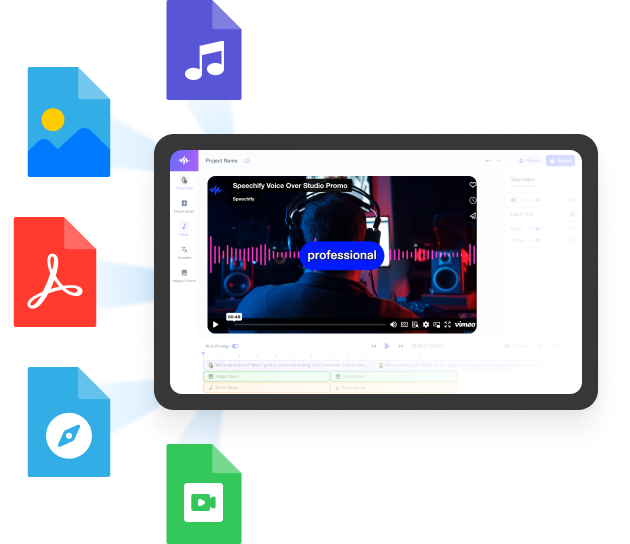
Създавайте озвучаване и добавяйте безплатни изображения, аудио и видео за завършени, впечатляващи проекти.
Без стръмна крива на обучение и с изцяло браузърен достъп, творците преодоляват ограниченията и реализират идеите си.
Богат избор от мъжки и женски гласове с различни акценти
Нито един проект не трябва да звучи еднакво. Изберете от стотици AI гласове и акценти и ги настройте според нуждите си.






Speechify Studio е за екипи от всякакъв размер
Speechify Studio улеснява работата на творчески екипи от всякакъв мащаб – от самостоятелни професионалисти до големи компании.
Управлявайте лесно екипа си, споделяйте ресурси, работете съвместно и реализирайте кампаниите си по-бързо от всякога.
Открийте още
- ASMR видео създател
- Intro Maker
- Windows Видео Създател
- Видео преводач
- Видео редактор
- Видео създател за въпроси и отговори (Q&A)
- Генератор за автоматични субтитри
- Редактор за видео дублаж
- Редактор за уестърн филми
- Семейно създаване на филми
- Създаване на видео препоръки
- Създаване на градинарски видеа
- Създаване на фен видеа
- Създател на DIY видеа
- Създател на Instagram Reels
- Създател на TikTok видеа
- Създател на YouTube видеа
- Създател на lyric видеа
- Създател на sci-fi филми
- ASMR видео създател
- Intro Maker
- Windows Видео Създател
- Видео преводач
- Видео редактор
- Видео създател за въпроси и отговори (Q&A)
- Генератор за автоматични субтитри
- Редактор за видео дублаж
- Редактор за уестърн филми
- Семейно създаване на филми
- Създаване на видео препоръки
- Създаване на градинарски видеа
- Създаване на фен видеа
- Създател на DIY видеа
- Създател на Instagram Reels
- Създател на TikTok видеа
- Създател на YouTube видеа
- Създател на lyric видеа
- Създател на sci-fi филми
- Създател на unboxing видеа
- Създател на автомобилни видеа
- Създател на анимации
- Създател на анимации
- Създател на арт видеа
- Създател на аутро
- Създател на биографични филми
- Създател на биографични филми
- Създател на видеа за Mac
- Създател на видеа за бюджетиране
- Създател на видеа за домашни любимци
- Създател на видеа за модни haulове
- Създател на видеа за недвижими имоти
- Създател на видеа за почистване
- Създател на видеа за произношение
- Създател на видеа за социални мрежи
- Създател на видеа за упражнения
- Създател на видеа с глас зад кадър
- Създател на видеа с разказване на истории
- Създател на unboxing видеа
- Създател на автомобилни видеа
- Създател на анимации
- Създател на анимации
- Създател на арт видеа
- Създател на аутро
- Създател на биографични филми
- Създател на биографични филми
- Създател на видеа за Mac
- Създател на видеа за бюджетиране
- Създател на видеа за домашни любимци
- Създател на видеа за модни haulове
- Създател на видеа за недвижими имоти
- Създател на видеа за почистване
- Създател на видеа за произношение
- Създател на видеа за социални мрежи
- Създател на видеа за упражнения
- Създател на видеа с глас зад кадър
- Създател на видеа с разказване на истории
- Създател на видеа със зелен екран
- Създател на видеа „Моят ден“
- Създател на видео за Android
- Създател на видео интервюта
- Създател на видео колажи
- Създател на видео обиколки на къщи
- Създател на видео подкаст копие
- Създател на видео подкасти
- Създател на видео покани
- Създател на видео презентации
- Създател на видео реклами
- Създател на видео турове
- Създател на видео уроци за грим
- Създател на видео уроци по танци
- Създател на видеоклипове за декорация
- Създател на влогове
- Създател на гейминг видеа
- Създател на готварски видеа
- Създател на демо видеа
- Създател на видеа със зелен екран
- Създател на видеа „Моят ден“
- Създател на видео за Android
- Създател на видео интервюта
- Създател на видео колажи
- Създател на видео обиколки на къщи
- Създател на видео подкаст копие
- Създател на видео подкасти
- Създател на видео покани
- Създател на видео презентации
- Създател на видео реклами
- Създател на видео турове
- Създател на видео уроци за грим
- Създател на видео уроци по танци
- Създател на видеоклипове за декорация
- Създател на влогове
- Създател на гейминг видеа
- Създател на готварски видеа
- Създател на демо видеа
- Създател на драматични филми
- Създател на екшън филми
- Създател на комедийни видеа
- Създател на комедийни филми
- Създател на коментарни видеа
- Създател на късометражни филми
- Създател на мистериозни филми
- Създател на модни видеа
- Създател на музикални видеоклипове
- Създател на музикални филми
- Създател на новинарски видеа
- Създател на образователни видеа
- Създател на обучителни видеа
- Създател на пародийни видеа
- Създател на природни видеа
- Създател на промо видеа
- Създател на пътешественически видеа
- Създател на реакционни видеа
- Създател на ревю видеа
- Създател на драматични филми
- Създател на екшън филми
- Създател на комедийни видеа
- Създател на комедийни филми
- Създател на коментарни видеа
- Създател на късометражни филми
- Създател на мистериозни филми
- Създател на модни видеа
- Създател на музикални видеоклипове
- Създател на музикални филми
- Създател на новинарски видеа
- Създател на образователни видеа
- Създател на обучителни видеа
- Създател на пародийни видеа
- Създател на природни видеа
- Създател на промо видеа
- Създател на пътешественически видеа
- Създател на реакционни видеа
- Създател на ревю видеа
- Създател на реклами
- Създател на романтични филми
- Създател на сатирични видеа
- Създател на тийзър видеа
- Създател на тийзър трейлър видеа
- Създател на трилър филми
- Създател на фентъзи филми
- Създател на филми
- Създател на филми
- Създател на филмови трейлъри
- Създател на фитнес видеа
- Създател на фото видеа
- Създател на хорър филми
- Филмов редактор
- Фонова музика за създаване на видеа
- Създател на реклами
- Създател на романтични филми
- Създател на сатирични видеа
- Създател на тийзър видеа
- Създател на тийзър трейлър видеа
- Създател на трилър филми
- Създател на фентъзи филми
- Създател на филми
- Създател на филми
- Създател на филмови трейлъри
- Създател на фитнес видеа
- Създател на фото видеа
- Създател на хорър филми
- Филмов редактор
- Фонова музика за създаване на видеа
- ASMR видео създател
- Intro Maker
- Windows Видео Създател
- Видео преводач
- Видео редактор
- Видео създател за въпроси и отговори (Q&A)
- Генератор за автоматични субтитри
- Редактор за видео дублаж
- Редактор за уестърн филми
- Семейно създаване на филми
- Създаване на видео препоръки
- Създаване на градинарски видеа
- Създаване на фен видеа
- Създател на DIY видеа
- Създател на Instagram Reels
- Създател на TikTok видеа
- Създател на YouTube видеа
- Създател на lyric видеа
- Създател на sci-fi филми
- Създател на unboxing видеа
- Създател на автомобилни видеа
- Създател на анимации
- Създател на анимации
- Създател на арт видеа
- Създател на аутро
- Създател на биографични филми
- Създател на биографични филми
- Създател на видеа за Mac
- Създател на видеа за бюджетиране
- Създател на видеа за домашни любимци
- Създател на видеа за модни haulове
- ASMR видео създател
- Intro Maker
- Windows Видео Създател
- Видео преводач
- Видео редактор
- Видео създател за въпроси и отговори (Q&A)
- Генератор за автоматични субтитри
- Редактор за видео дублаж
- Редактор за уестърн филми
- Семейно създаване на филми
- Създаване на видео препоръки
- Създаване на градинарски видеа
- Създаване на фен видеа
- Създател на DIY видеа
- Създател на Instagram Reels
- Създател на TikTok видеа
- Създател на YouTube видеа
- Създател на lyric видеа
- Създател на sci-fi филми
- Създател на unboxing видеа
- Създател на автомобилни видеа
- Създател на анимации
- Създател на анимации
- Създател на арт видеа
- Създател на аутро
- Създател на биографични филми
- Създател на биографични филми
- Създател на видеа за Mac
- Създател на видеа за бюджетиране
- Създател на видеа за домашни любимци
- Създател на видеа за модни haulове
- Създател на видеа за недвижими имоти
- Създател на видеа за почистване
- Създател на видеа за произношение
- Създател на видеа за социални мрежи
- Създател на видеа за упражнения
- Създател на видеа с глас зад кадър
- Създател на видеа с разказване на истории
- Създател на видеа със зелен екран
- Създател на видеа „Моят ден“
- Създател на видео за Android
- Създател на видео интервюта
- Създател на видео колажи
- Създател на видео обиколки на къщи
- Създател на видео подкаст копие
- Създател на видео подкасти
- Създател на видео покани
- Създател на видео презентации
- Създател на видео реклами
- Създател на видео турове
- Създател на видео уроци за грим
- Създател на видео уроци по танци
- Създател на видеоклипове за декорация
- Създател на влогове
- Създател на гейминг видеа
- Създател на готварски видеа
- Създател на демо видеа
- Създател на драматични филми
- Създател на екшън филми
- Създател на комедийни видеа
- Създател на комедийни филми
- Създател на коментарни видеа
- Създател на видеа за недвижими имоти
- Създател на видеа за почистване
- Създател на видеа за произношение
- Създател на видеа за социални мрежи
- Създател на видеа за упражнения
- Създател на видеа с глас зад кадър
- Създател на видеа с разказване на истории
- Създател на видеа със зелен екран
- Създател на видеа „Моят ден“
- Създател на видео за Android
- Създател на видео интервюта
- Създател на видео колажи
- Създател на видео обиколки на къщи
- Създател на видео подкаст копие
- Създател на видео подкасти
- Създател на видео покани
- Създател на видео презентации
- Създател на видео реклами
- Създател на видео турове
- Създател на видео уроци за грим
- Създател на видео уроци по танци
- Създател на видеоклипове за декорация
- Създател на влогове
- Създател на гейминг видеа
- Създател на готварски видеа
- Създател на демо видеа
- Създател на драматични филми
- Създател на екшън филми
- Създател на комедийни видеа
- Създател на комедийни филми
- Създател на коментарни видеа
- Създател на късометражни филми
- Създател на мистериозни филми
- Създател на модни видеа
- Създател на музикални видеоклипове
- Създател на музикални филми
- Създател на новинарски видеа
- Създател на образователни видеа
- Създател на обучителни видеа
- Създател на пародийни видеа
- Създател на природни видеа
- Създател на промо видеа
- Създател на пътешественически видеа
- Създател на реакционни видеа
- Създател на ревю видеа
- Създател на реклами
- Създател на романтични филми
- Създател на сатирични видеа
- Създател на тийзър видеа
- Създател на тийзър трейлър видеа
- Създател на трилър филми
- Създател на фентъзи филми
- Създател на филми
- Създател на филми
- Създател на филмови трейлъри
- Създател на фитнес видеа
- Създател на фото видеа
- Създател на хорър филми
- Филмов редактор
- Фонова музика за създаване на видеа
- Създател на късометражни филми
- Създател на мистериозни филми
- Създател на модни видеа
- Създател на музикални видеоклипове
- Създател на музикални филми
- Създател на новинарски видеа
- Създател на образователни видеа
- Създател на обучителни видеа
- Създател на пародийни видеа
- Създател на природни видеа
- Създател на промо видеа
- Създател на пътешественически видеа
- Създател на реакционни видеа
- Създател на ревю видеа
- Създател на реклами
- Създател на романтични филми
- Създател на сатирични видеа
- Създател на тийзър видеа
- Създател на тийзър трейлър видеа
- Създател на трилър филми
- Създател на фентъзи филми
- Създател на филми
- Създател на филми
- Създател на филмови трейлъри
- Създател на фитнес видеа
- Създател на фото видеа
- Създател на хорър филми
- Филмов редактор
- Фонова музика за създаване на видеа
Speechify Text to Speech API
С гордост представяме нашето text-to-speech API, което дава на разработчици по целия свят директен достъп до най-естествените AI гласове на Speechify.