1. Home
  2. VoiceOver
  3. Text to Speech CapCut: Speech Synthesis Meets Video Editing
Updated on VoiceOver

Text to Speech CapCut: Speech Synthesis Meets Video Editing

Cliff Weitzman

Cliff Weitzman

CEO/Founder of Speechify

#1 Al Voice Over Generator.
Create human quality voice over
recordings in real time.

apple logo2025 Apple Design Award
50M+ Users

CapCut has become one of the most popular video editing apps for creators, marketers, and social media managers. One of its most underused superpowers? Text to speech (TTS). Adding AI voiceovers to your CapCut videos can dramatically increase watch time, accessibility, and engagement, without ever needing to record your own voice.

In this guide, you'll learn exactly how to use CapCut's built-in text to speech feature, how to level up your voiceovers with Speechify Studio, the key differences between the two, and how to use Speechify's full creator suite to take your CapCut videos from good to scroll-stopping.

Why Use Text to Speech in CapCut Videos?

Before diving into the "how," here's why TTS is a game-changer for CapCut creators:

  • Faster production — Skip the microphone, retakes, and noisy environments. Type, generate, done.
  • Consistency — Get the same tone, pace, and quality across every video in your series.
  • Accessibility — Voiceovers paired with captions help viewers who watch with sound off or who have visual impairments.
  • Better retention — Videos with narration consistently outperform silent text-on-screen videos on TikTok, Reels, Shorts, and YouTube.
  • Multilingual reach — TTS makes it easy to publish the same video in multiple languages.
  • No on-camera pressure — Perfect for faceless YouTube channels, explainer videos, tutorials, and listicles.
  • Cost-effective — Avoid hiring voice actors for every project.

How do you Use CapCut's Built-In Text to Speech?

CapCut includes a native TTS feature that works on both mobile and desktop. Here's how to use it.

How do you add a Text to Speech Voiceover on CapCut on Mobile?

  1. Open the CapCut app on iOS or Android and tap New Project, then import your video clip.
  2. Tap Text at the bottom toolbar, then Add Text.
  3. Type the script you want narrated, then tap the checkmark.
  4. With the text layer selected on the timeline, scroll the bottom menu and tap Text to speech.
  5. Choose a voice from the available categories (e.g., Trending, English, Characters, Japanese).
  6. Tap the checkmark to generate the voiceover. CapCut adds a new audio layer beneath your text.
  7. Drag the audio clip to align it with your visuals, then export.

How do you add a Text to Speech Voiceover on CapCut on Desktop?

  1. Open CapCut desktop and create a new project.
  2. Drag your video into the timeline.
  3. Click Text in the left panel and add a text box with your script.
  4. With the text selected, open the right-side panel and find Text to speech.
  5. Pick a voice, click Generate, and CapCut will drop the audio onto your timeline.
  6. Adjust timing, volume, or fade in/out as needed.

What are the Limitations of CapCut's Native TTS?

CapCut’s built-in TTS is convenient for quick edits, but it has several limitations that can become noticeable as content quality expectations increase. The voice library is relatively limited, especially for creators producing content in non-English languages, and longer scripts can sound robotic or unnatural. Users also have minimal control over pacing, emphasis, pronunciation, and emotional delivery, making it difficult to create more expressive narration. In addition, CapCut does not offer voice cloning or custom voice options, which can limit personalization and brand consistency. Because many creators use the same built-in voices, content can start to sound repetitive, making it harder to stand out. For quick TikToks, CapCut’s TTS may be sufficient, but for polished YouTube videos, advertisements, courses, or branded content, more advanced voice tools are

How do you Use Speechify Studio for CapCut Voiceovers?

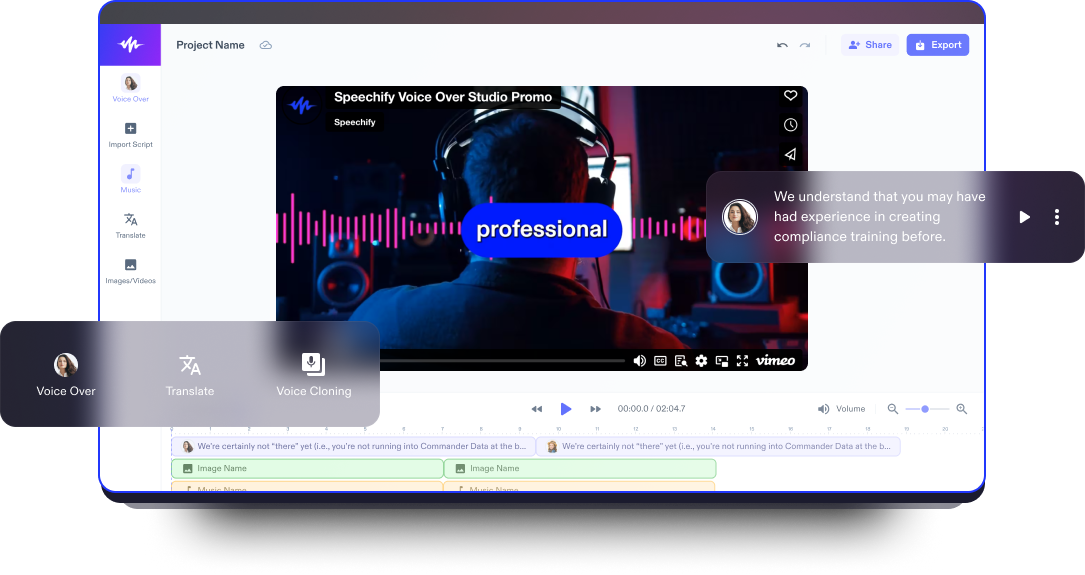
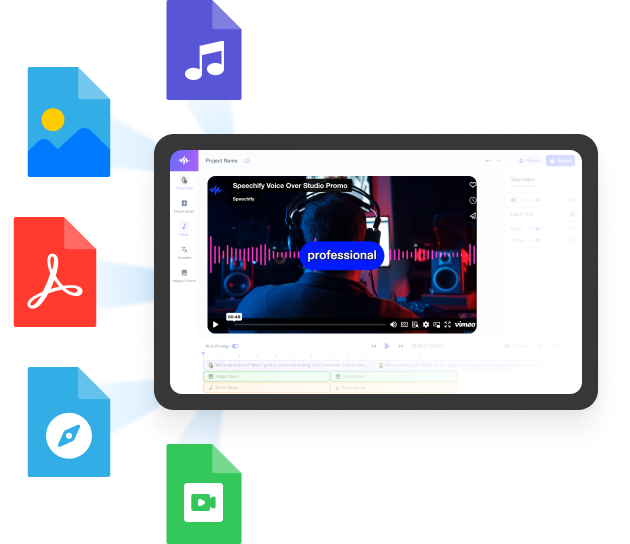
Speechify Studio is an AI voiceover platform built for creators who need professional-grade narration. The workflow pairs perfectly with CapCut: generate the voiceover in Speechify Studio, export the audio file, and import it into your CapCut timeline. Just follow this step-by-step guide: 

  1. Go to Speechify Studio and sign in (or create a free account).
  2. Click Voice Over to start a new project.
  3. Paste your script into the editor. You can break it into segments by speaker or by scene.
  4. Choose a voice from Speechify's library of 200+ ultra-realistic AI voices across 60+ languages and accents.
  5. Fine-tune delivery: adjust speed, pitch, emphasis, pauses, and pronunciation on a word-by-word basis if needed.
  6. Preview the voiceover, then click Export and download as MP3 or WAV.
  7. Open your CapCut project, tap Audio → From device (or drag the file into the desktop timeline), and sync it to your visuals.

That's it. You now have a studio-quality voiceover layered into your CapCut edit.

What is the Difference Between CapCut vs. Speechify Studio When it Comes to AI Voiceovers?

Capcut vs. Speechify

Bottom line: CapCut's TTS is great for fast, casual edits. Speechify Studio is the upgrade path for creators who care about brand voice, polish, and reach.

How Can you Elevate your CapCut Videos with Speechify Studio's Full Suite?

Voiceovers are just the start. Speechify Studio includes a full creator toolkit that pairs beautifully with CapCut. Let’s explore: 

1. AI Dubbing — Reach a Global Audience

Already produced a CapCut video in English? Run it through Speechify's AI Dubbing to translate and re-voice the audio in dozens of languages while preserving tone and timing. Export the dubbed audio (or full video) and drop it into your CapCut project for multilingual releases. Perfect for creators trying to scale to international audiences without re-shooting.

2. AI Avatars — Add a Face to Faceless Content

Speechify Studio's AI Avatars let you generate a lifelike video presenter who delivers your script with realistic lip-sync and gestures. Export the avatar clip and layer it into CapCut as a picture-in-picture, intro, or full talking-head segment. Ideal for educational creators, news roundups, and explainer channels who don't want to be on camera.

3. Voice Cloning — Your Voice, Infinitely Scalable

Record a short voice sample, and Speechify Studio can clone your voice with high fidelity. From there, you can type any script and generate narration that sounds like you, no microphone required. Use this in CapCut to maintain a consistent brand voice across hundreds of videos, produce content while traveling or sick, or localize your own voice into other languages

4. Audio Cleaning — Studio-Quality Sound, Anywhere

Recorded narration with background noise, hum, or echo? Speechify Studio’s clean up speech tool removes background noise and enhances vocal clarity in one click. Run your raw audio through it before importing into CapCut, and your final mix will sound like it was recorded in a booth.

5. Voice Swap — Multiple Characters From a Single Voice

Speechify's voice swap lets you transform one source voice into a range of different characters, including different ages, genders, accents, and tones. This is huge for CapCut creators making skits and sketches, animated storytime videos, audiobook-style narratives, or dialogue-driven explainers. This feature allows you to voice an entire cast yourself and bring it all together inside CapCut.

What are the Best Practices for CapCut Voiceovers?

Creating effective CapCut voiceovers starts with writing for the ear rather than the eye, which means using short sentences, a conversational tone, and reading scripts aloud before generating audio to ensure they sound natural. It’s also important to match the voice style to your content and brand, since a tech tutorial requires a different tone than a true-crime channel or lifestyle video. Even with high-quality narration, adding captions is essential because a large percentage of social videos are watched on mute. Pacing matters as well, and adding brief pauses of around 0.3–0.5 seconds between sentences can make voiceovers sound more natural and easier to follow. 

Should You Use CapCut or an Alternative? 

CapCut's built-in text to speech is a solid starting point for fast, casual videos. But if you're serious about growing a channel, building a brand, or producing content that competes at a professional level, pairing CapCut with Speechify Studio unlocks an entirely different tier of quality with realistic voices, dubbing, avatars, voice cloning, audio cleanup, and character voices, all in one place. Type your script. Pick your voice. Drop it into CapCut. Publish content that sounds as good as it looks. 

FAQ

How do I add a text to speech voice to my CapCut video? 

You can use CapCut's built-in TTS feature, but for more realistic voices, generate the voiceover in Speechify Studio and import the audio file into your CapCut timeline.

What is the best text to speech app for CapCut? 

Speechify Studio is widely considered the best companion TTS tool for CapCut thanks to its 200+ lifelike AI voices and professional-grade controls.

Why does CapCut's text to speech sound robotic? 

CapCut's native voices are limited in expressiveness, which is why most creators upgrade to Speechify Studio for more natural, human-sounding narration.

Can I use AI voices in CapCut for free? 

CapCut's built-in TTS is free, and Speechify Studio also offers a free plan so you can generate premium AI voiceovers without paying upfront.

How do I make my CapCut voiceover sound more professional? 

Generate your narration in Speechify Studio with fine-tuned pacing and emphasis, then drop the exported audio into CapCut for a polished, broadcast-quality result.

Can I clone my own voice for CapCut videos? 

Yes, use Speechify Studio’s voice cloning feature to create a digital version of your voice, then import the generated audio into CapCut.

How do I dub a CapCut video into another language? 

Run your video through Speechify Studio’s AI dubbing tool to translate and re-voice the audio in 60+ languages, then reimport it into CapCut.

Can I add an AI avatar presenter to a CapCut video? 

Yes, create a talking AI presenter in Speechify Studio and layer the exported avatar clip into your CapCut project as a picture-in-picture or full segment.

How do I remove background noise from a CapCut voiceover? 

Process your raw audio through Speechify Studio's audio cleaning tool before importing it into CapCut for crisp, studio-quality sound.

Can I create different character voices for a CapCut skit? 

Yes, Speechify Studio's voice swap lets you generate multiple distinct characters from a single source voice, perfect for skits, storytimes, and dialogue videos in CapCut.

Produce voiceovers, dubs, and clones with 1,000+ voices in 100+ languages

Try for Free
studio banner faces

Share This Article

Cliff Weitzman

Cliff Weitzman

CEO/Founder of Speechify

Cliff Weitzman is a dyslexia advocate and the CEO and founder of Speechify, the #1 text-to-speech app in the world, totaling over 100,000 5-star reviews and ranking first place in the App Store for the News & Magazines category. In 2017, Weitzman was named to the Forbes 30 under 30 list for his work making the internet more accessible to people with learning disabilities. Cliff Weitzman has been featured in EdSurge, Inc., PC Mag, Entrepreneur, Mashable, among other leading outlets.

speechify logo

About Speechify

#1 Text to Speech Reader

Speechify is the world’s leading text to speech platform, trusted by over 50 million users and backed by more than 500,000 five-star reviews across its text to speech iOS, Android, Chrome Extension, web app, and Mac desktop apps. In 2025, Apple awarded Speechify the prestigious Apple Design Award at WWDC, calling it “a critical resource that helps people live their lives.” Speechify offers 1,000+ natural-sounding voices in 60+ languages and is used in nearly 200 countries. Celebrity voices include Snoop Dogg and Gwyneth Paltrow. For creators and businesses, Speechify Studio provides advanced tools, including AI Voice Generator, AI Voice Cloning, AI Dubbing, and its AI Voice Changer. Speechify also powers leading products with its high-quality, cost-effective text to speech API. Featured in The Wall Street Journal, CNBC, Forbes, TechCrunch, and other major news outlets, Speechify is the largest text to speech provider in the world. Visit speechify.com/news, speechify.com/blog, and speechify.com/press to learn more.